12
About Daily Use Remote Visit Tinnitus Warnings
More info
To switch between streaming sources
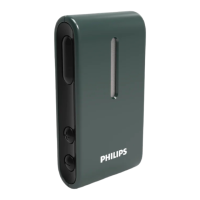
If you have more than one TV and a compatible device
(TV Adapter) paired to your hearing aids, you can use the app
to switch between streaming sources.
1. On the tab bar, tap Sound.
2. On the navigation bar, in the program selector, tap the
down arrow, then tap TV Adapter.
3. On the bottom, above the tab bar, tap the Devices button
. The highlighted device is the one currently streaming.
4. From the list, tap the desired streaming source.
To rename a connected device
1. On the bottom, above the tab bar, tap the Devices button.
2. Tap the pencil icon for the device you want to rename.
3. In the text box enter the desired name.
4. Click Save.



 To Next Page
 Loading...