4-7
PHILIPS MEDICAL SYSTEMS
4
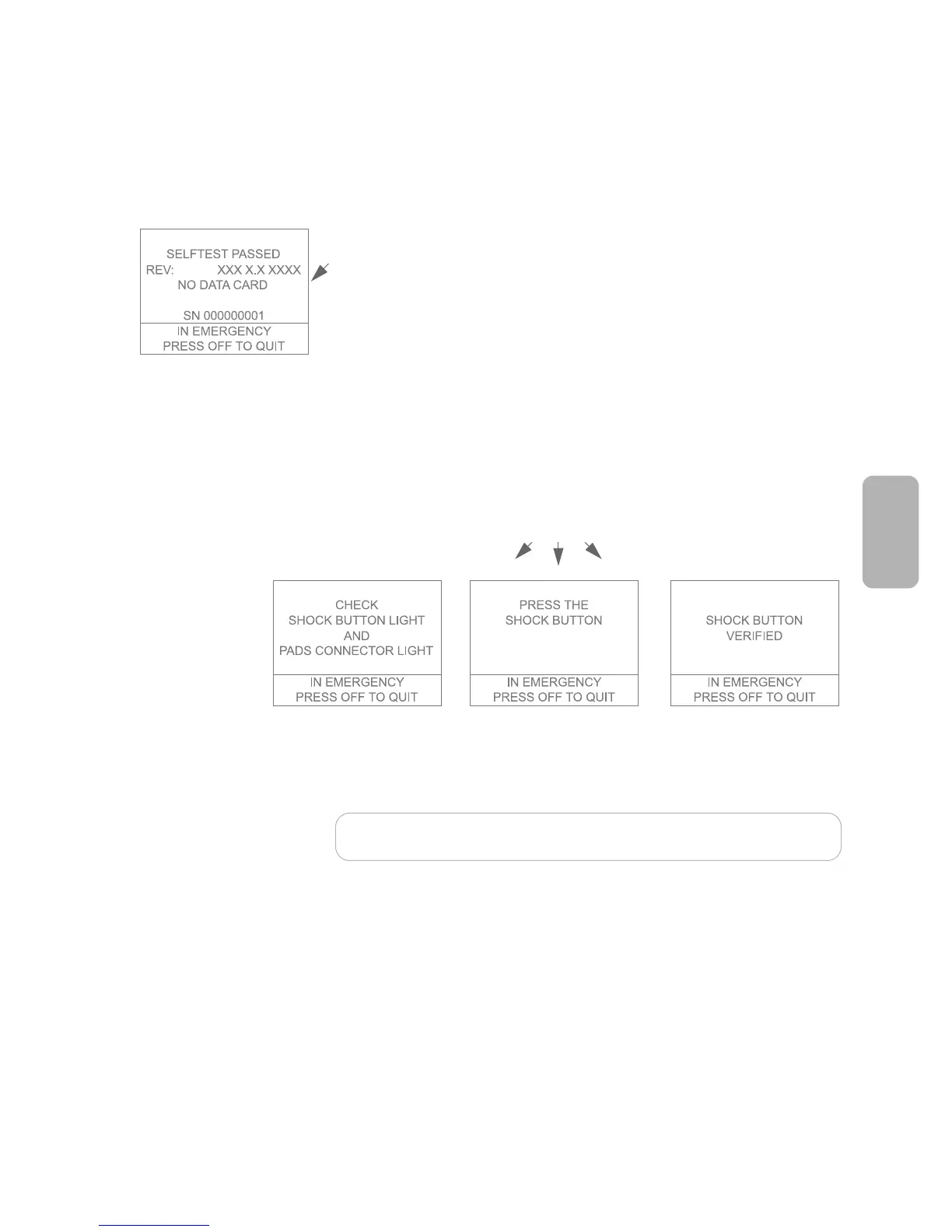
If the automatic part of the selftest passes:
• The screen displays a message that the selftest passed, then begins the
interactive part of the test.
The interactive part of the selftest requires you to respond to prompts in order
to make sure the display, buttons, lights, and speaker on the FR2+ are working
properly.
Text prompts guide you through a series of steps in the interactive part of the
selftest. Some ask you to observe that a feature of the FR2+ works properly.
Others ask you to take certain actions — for example, to press a button. The
screen then displays a message showing that the button’s operation has been
verified. If you do not press the button, or if you do but the button is not
working, the screen displays a message that the button’s function is not verified.
If something does not work correctly — for example, if lights do not come on
or you do not hear beeps when expected — make a note of the problem and
contact Philips for technical support.
NOTE:Do not use the FR2+ if any parts of the interactive selftest indicate a
problem. Be sure to note and report any problems you find.
When the interactive part of the battery insertion selftest is complete, the FR2+
turns off and goes to standby mode to be ready for use.
If it detects a problem during any selftest, the FR2+ beeps and displays a flashing
red X or a solid red X on the Status Indicator.



 To Next Page