6-12
PHILIPS MEDICAL SYSTEMS
responder arrives, the BLS responder “hands off” the patient’s care to the more
highly trained responder.
Because these second-tier responders have advanced training and developed
clinical skills, they may be authorized to access the advanced mode features of
the HeartStart FR2+. These include user-initiated analysis as well as manual
charge and disarm control.
USING THE MANUAL ANALYZE FEATURE
The manual analyze feature is available in both the M3860A and the M3861A
models, when enabled in setup.
To enter the advanced mode during use of an FR2+ that has this feature enabled,
make sure pads are attached to the patient, then press both Option buttons
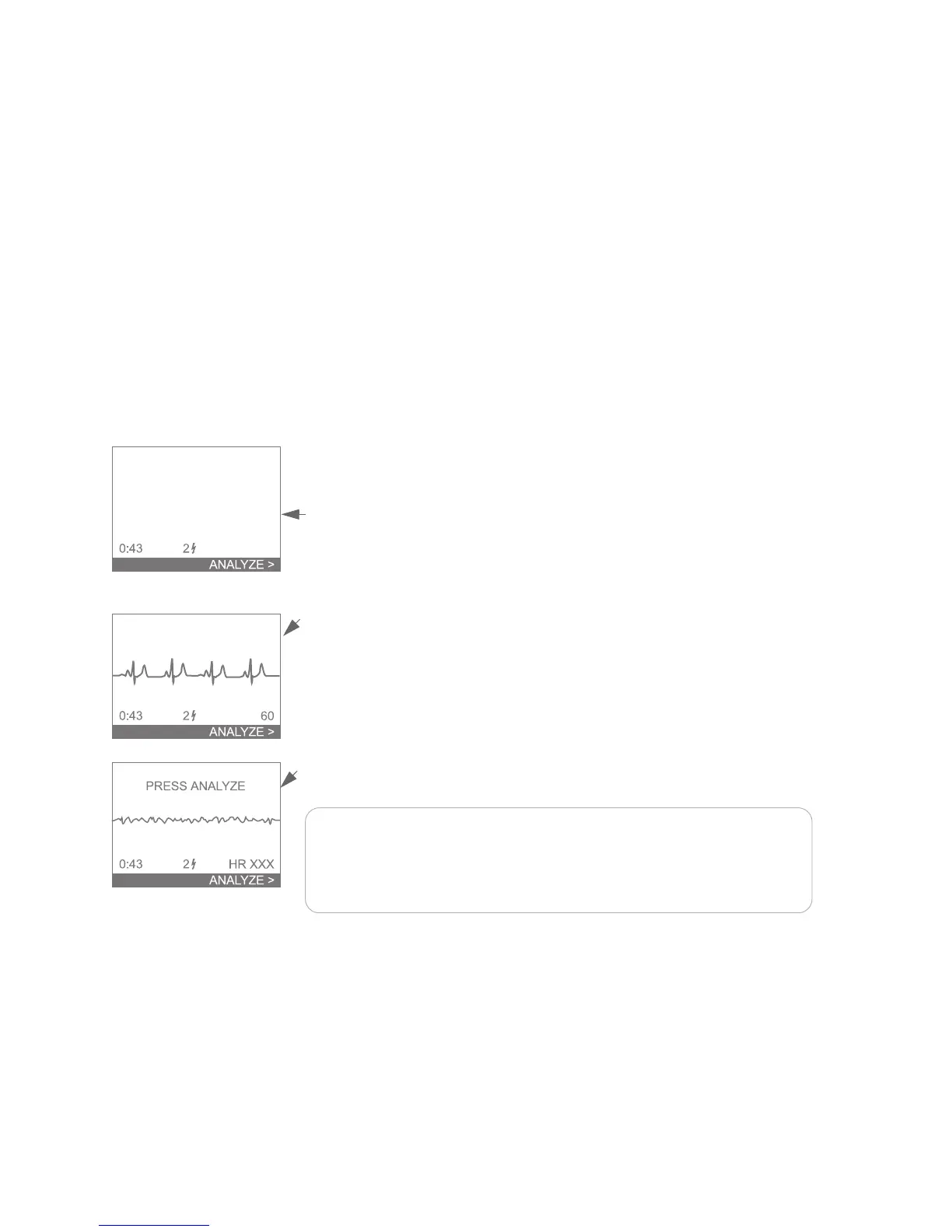
simultaneously. This brings up a screen that includes a highlighted line at the
bottom, labeled ANALYZE, with an arrowhead pointing to the lower Option
button.
In the M3861A HeartStart FR2+, the patient’s ECG is not displayed; in the
M3860A, the display includes the patient’s ECG and heart rate.
Press the lower Option button (ANALYZE) to initiate rhythm analysis by the
FR2+. If a shock is advised, the FR2+ automatically charges, and prompts you to
press the Shock button.
After shock delivery, the HeartStart FR2+ returns to the advanced mode display
and monitors the patient’s heart rhythm. If a potentially shockable rhythm is
detected, the text and voice prompts advise you to PRESS ANALYZE.
NOTE:If you do not press the lower Option button (labeled ANALYZE) to
initiate rhythm analysis when prompted, the HeartStart FR2+ does not
analyze and prompt if a shock is advised. It is important that you understand
that entering the advanced mode entails taking responsibility for these
functions.



 To Next Page