5EN
b SOURCE
Select a source: Radio/HDMI ARC/AUX/
OPTICAL/COAXIAL/AUDIO IN for the
home theater.
c
(Home)
Access the home menu.
d SMART TV
Access online Smart TV service.
e DISC MENU
• Switch to disc source.
• Access or exit the disc menu or pop-
up menu when you play a disc.
f Navigation buttons
• Navigate menus.
• In radio mode, press left or right to
start auto search.
• In radio mode, press up or down to
tune the radio frequency.
g OK
Conrm an entry or selection.
h
• Return to a previous menu screen.
• In radio mode, press and hold to erase
the current preset radio stations.
i Color buttons
Select tasks or options for Blu-ray discs.
j
(Open/Close)
Open or close the disc compartment.
k
(Play)
Start or resume play.
l
/ (Previous/Next)
• Skip to the previous or next track,
chapter or le.
• In radio mode, select a preset radio
station.
m
/ (Fast Backward / Fast Forward)
Search backwards or forward. Press
repeatedly to change the search speed.
n
(Mute)
Mute or restore volume.
o +/- (Volume)
Increase or decrease volume.
p Alphanumeric buttons
Enter values or letters (using SMS style entry).
q SUBTITLE
Select subtitle language for video.
r AUDIO
Select an audio language or channel.
s
Access or exit sound options.
t
(Pause)
Pause play.
u
Stop play.
v
• Access more play options while playing
a disc or a USB storage device.
• In radio mode, set a radio station.
w TOP MENU
Access the main menu of a disc.
x
Switch to Bluetooth mode.
Connectors
This section includes an overview of the
connectors available on your home theater.
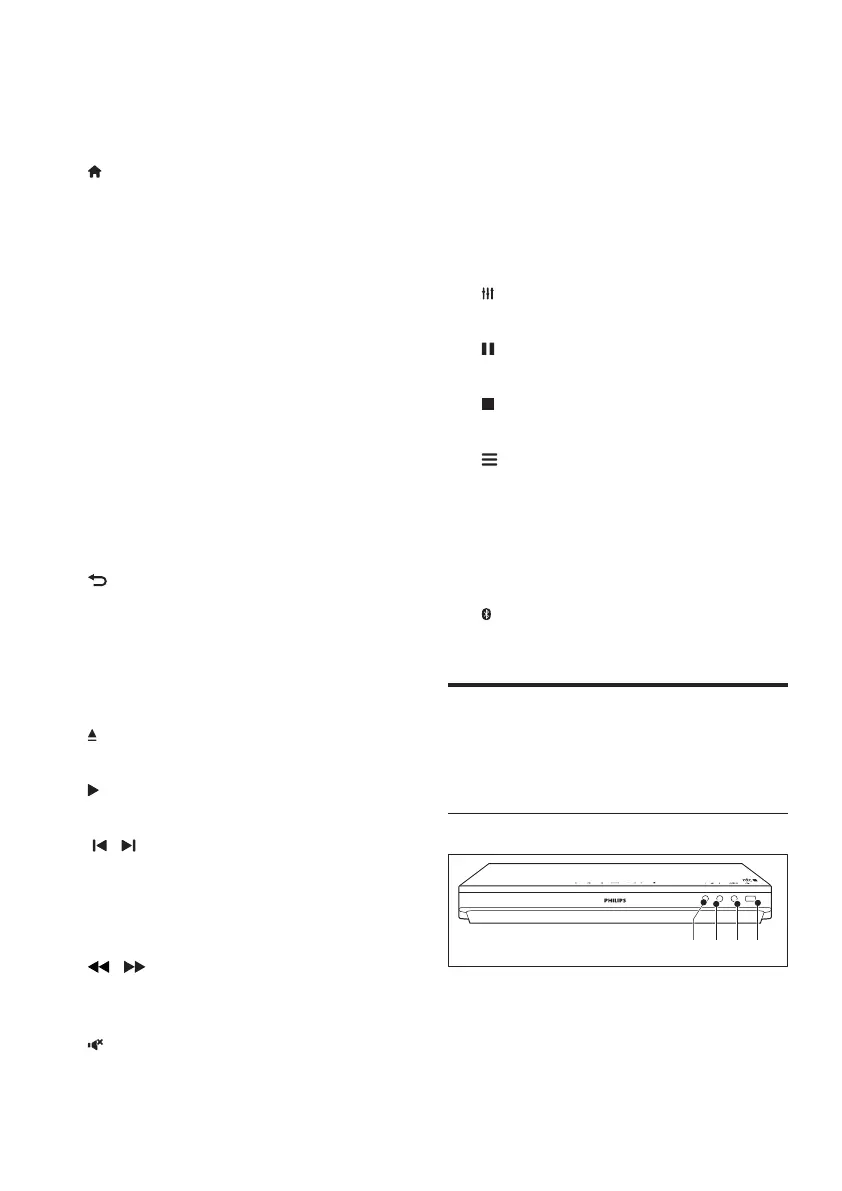
Front connectors
a MIC 1
Audio input from a microphone.
b MIC 2
Audio input from a microphone.
ab dc




 To Next Page