13EN
» If an upgrade media is not detected,
an error message is displayed on the
TV screen. Make sure that the latest
software of this product is put in the
USB storage device.
6 Press to start the update.
7 Wait until the update is completed.
» If the update is complete, this product
automatically turns off and on again.
Caution
• Do not turn off the power or remove the USB storage
device when the software update is in progress because
you might damage this player.
6 Wall mount
Note
• Improper wall mounting may result in accident, injury or
damage. If you have any query, contact Consumer Care
in your country.
• Before wall mounting, make sure the wall can support
the weight of your SoundBar.
• Before wall mount, you need not remove the four
rubber feet at the bottom of the SoundBar, otherwise
the rubber feet cannot be xed back.
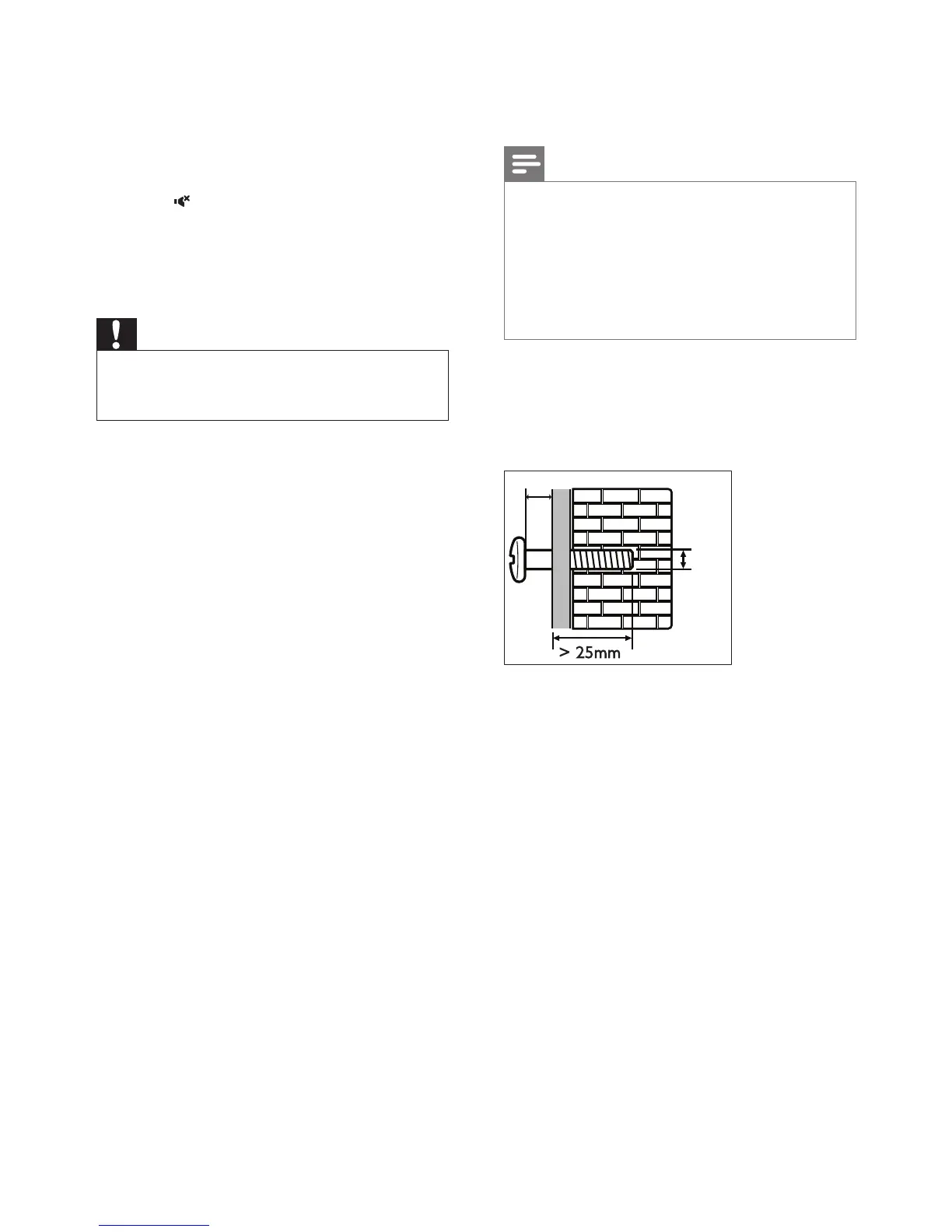
Screw length/diameter
Depending on the type of wall mounting your
SoundBar, make sure that you use screws of a
suitable length and diameter.
See the illustration in the quick start guide on
how to wall mount the SoundBar.
1) Drill two holes on the wall.
2) Secure the dowels and screws in the holes.
3) Hang the SoundBar on the fastening screws.
> 25mm
3.5-4mm
4mm


 To Next Page