28
Play from radio
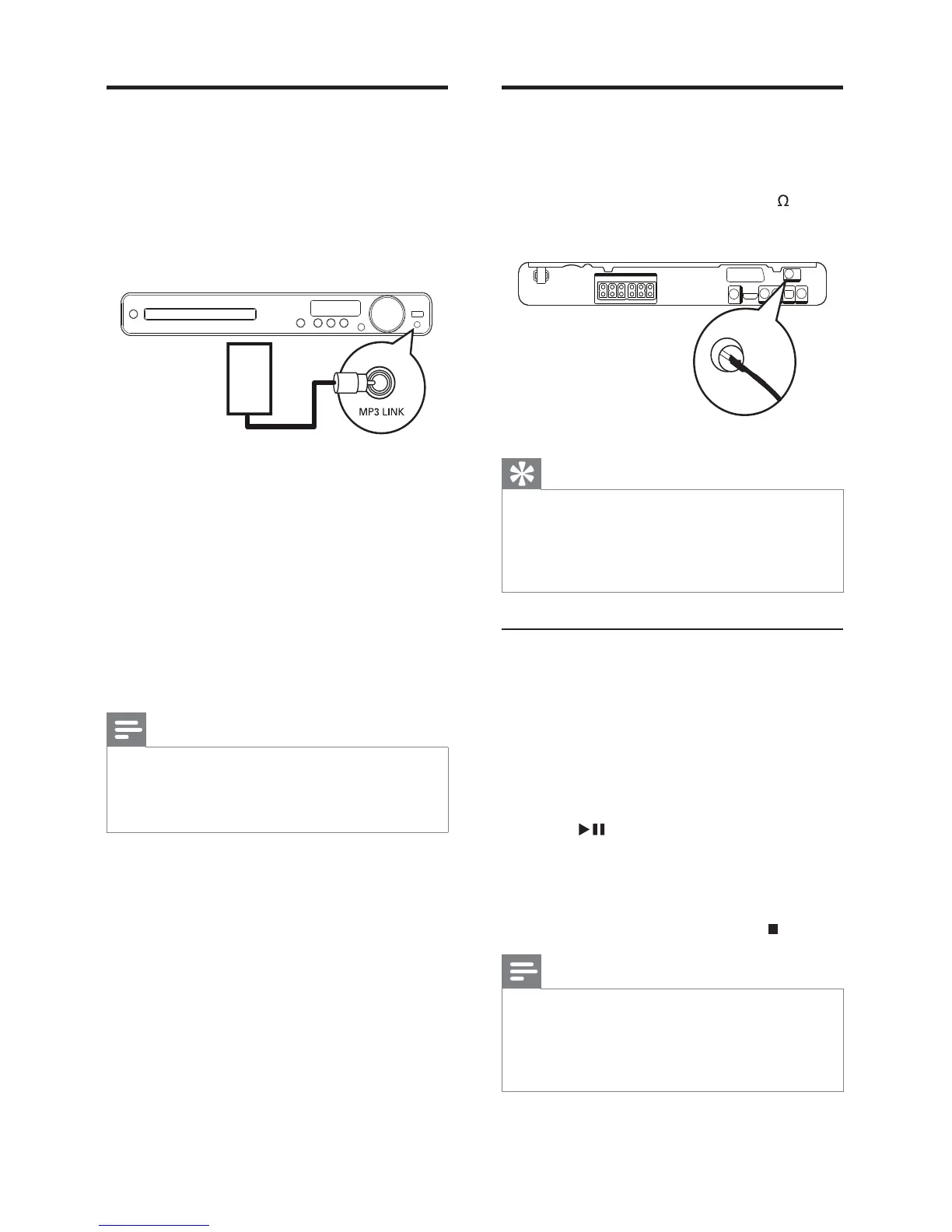
Check that the FM antenna has been connected
to this Home Theatre System. If not, connect
the supplied FM antenna to the FM75
jack
and fi x its ends to the wall.
Tip
For the best reception, place the antenna away •
from your TV and other sources of radiation.
For even better reception of FM stereo, •
connect an external FM antenna (not
supplied).
First time tuning
When you access radio mode for the fi rst
time, follow the instruction to install the radio
stations.
1 Press RADIO .
’AUTO INSTALL ... PRESS PLAY’ is »
displayed.
2 Press .
All detected radio stations are stored. »
Once complete, it tunes to the fi rst »
preset radio station.
To stop auto tuning, press •
.
Note
This Home Theatre System can store up to a •
maximum of 40 radio stations.
If auto installation is not activated or less
•
than 5 radio stations are stored, you will be
prompted to install the radio stations again.
FM (75 Ω)
ANTENNA
Play from portable media
player
Simply connect your portable media player (e.g.
MP3 player) to this Home Theatre System to
enjoy superb sound quality from your music
collections.
1 Connect a 3.5 mm stereo audio cable
(not supplied) from the MP3 LINK jack
on this Home Theatre System to the
‘headphone’ jack on the portable media
player.
2 Press AUDIO SOURCE repeatedly until
‘MP3 LINK’ is displayed.
3 Start play on your portable media player.
To stop play, press • STOP on the
portable media player.
Note
Control playback is only possible on the •
portable media player.
Stop play on the portable media player before •
you switch to other play media/source.
MP3
EN



 To Next Page