37
[PBC]
Turns off or on the content menu of VCDs/
SVCDs with PBC (playback control) feature.
• [On] - Displays index menu when you
load a disc for play.
• [Off] - Skips the menu and starts play
from the fi rst title.
[MP3/JPEG Display]
Selects to display the folders or display all the
fi les.
• [View Folders] – Displays the folders of
MP3/WMA fi les.
• [View Files] – Displays all the fi les.
[Password]
Sets or changes the password for locked discs
and play restricted DVDs.
1) Press the Numeric buttons to enter
‘136900’ or the last set password at [Old
Password] fi eld.
2) Enter the new password at [New
Password] fi eld.
3) Enter the new password again at [Confi rm
Password] fi eld.
4) Press OK to exit the menu.
Note
If you forget the password, enter ‘136900’ •
before you set a new password.
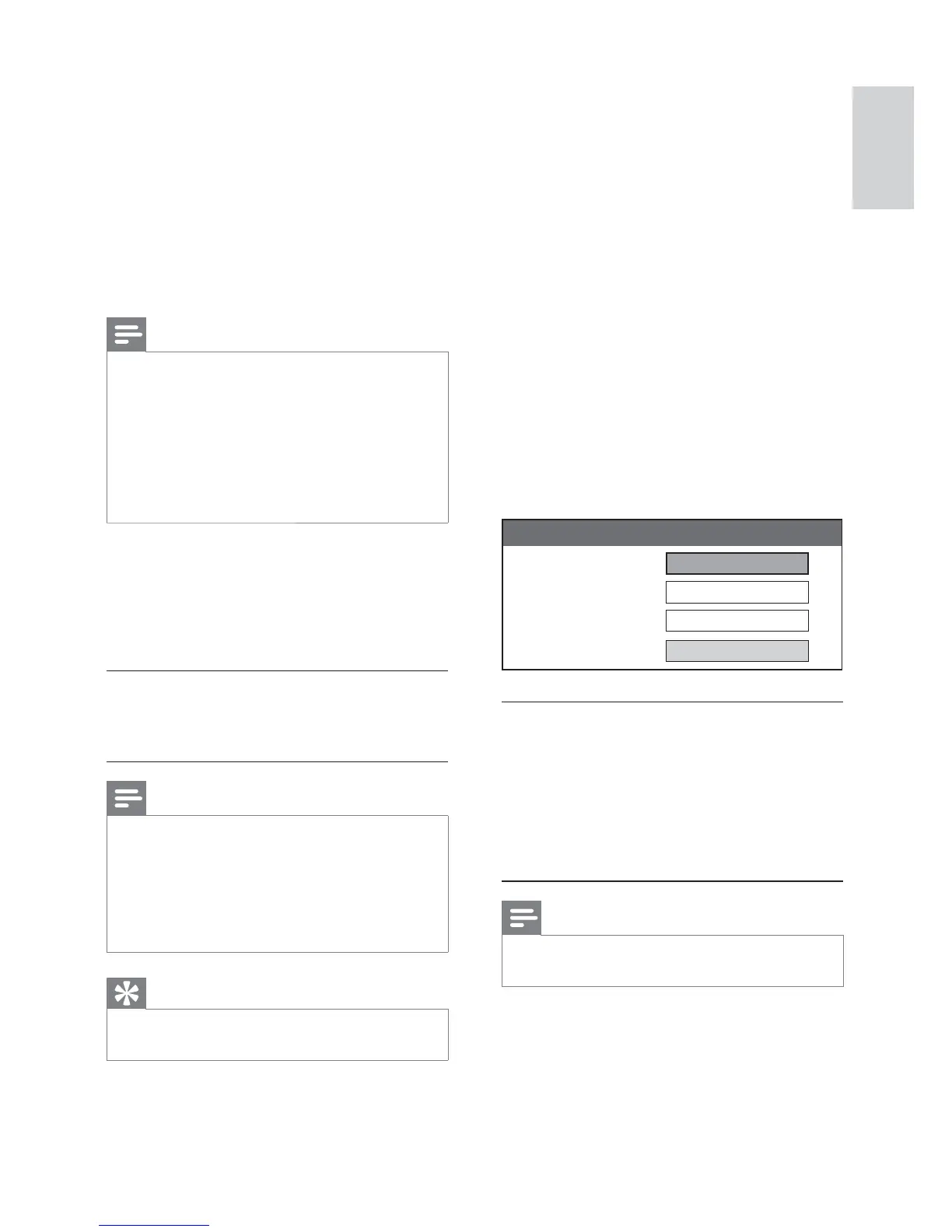
Old Password
New Password
Confirm Password
OK
Change Password
[Audio]
Selects the default audio language for disc play.
[Subtitle]
Selects the default subtitle language for disc
play.
[Disc Menu]
Selects the language for the disc menu.
Note
If the language you have set is not available on •
the disc, the disc uses its own default language.
For some discs, the subtitle/audio language can
•
only be changed from the disc menu.
To select the languages that are not listed •
in the menu, select [Others] . Then check
the Language Code list at the back of this
user manual and enter the respective 4-digit
language code.
[Parental]
Restricts access to discs that are unsuitable
for children. These types of discs must be
recorded with ratings.
1) Press OK .
2) Select a rating level, then press OK .
3) Press the Numeric buttons to enter the
password.
Note
Rated discs above the level you set in •
[Parental] require a password to be played.
The ratings are country-dependent. To allow
•
all discs to play, select ‘ 8 ’.
Some discs have ratings printed on them but
•
are not recorded with ratings. This function
has no effect on such discs.
Tip
You can set or change the password (see •
‘Preferences’ > [Password] ).
English
EN


 To Next Page