15
English
Basic Connections (continued)
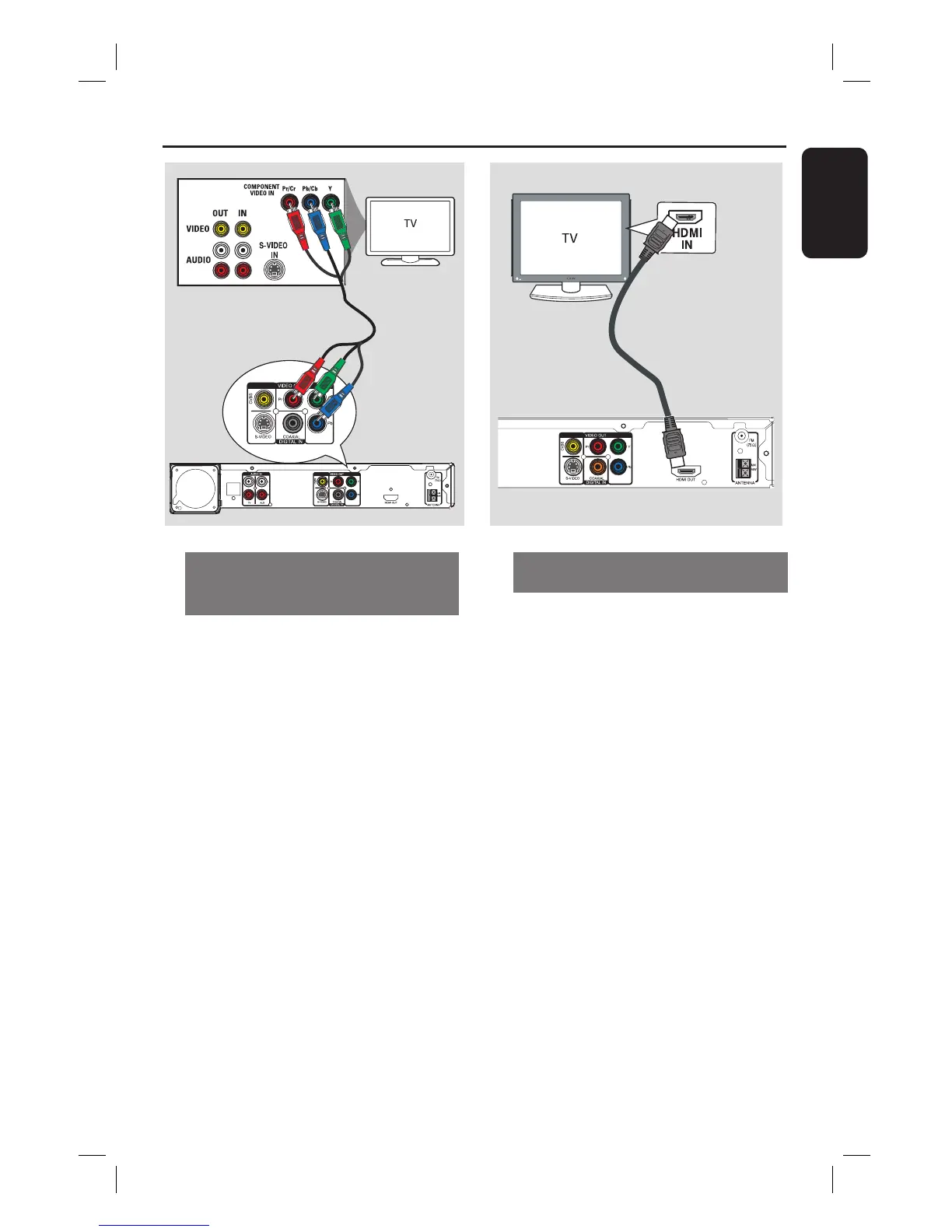
Option 3: Connecting to a
Progressive Scan TV or component
video input
The progressive scan video quality is
only available when using Y Pb Pr
connection and a progressive scan TV is
required. It provides superior picture
quality when watching DVD movies.
A Use the component video cables (red/
blue/green - not supplied) to connect the
Y Pb Pr jacks on the main unit to the
corresponding component video input
jacks (or labeled as Y Pb/Cb Pr/Cr or
YUV) on the TV.
B If your TV accepts progressive signals,
proceed to chapter ‘Getting Started -
Setting up Progressive Scan feature’ for
detailed progressive feature setup.
Option 4: Connecting to a HDMI-
compatible TV
HDMI (High De nition Multimedia
Interface) is a digital interface that allows
pure digital video transmission without
the loss of image quality.
A Use the HDMI cable (not supplied) to
connect the HDMI OUT on the main
unit to the HDMI IN on a HDMI-
compatible device (e.g., HDMI TV, HDCP
compliant DVI TV.)
B When you have completed the necessary
connections, installation and set-up, see
‘Audio Setup Page and Video Setup Page’
for optimum HDMI audio and video
settings.
Helpful Hints:
– The HDMI is backward compatible with
some DVI devices using an appropriate
adaptor plug.
– If a DVI device is connected, an additional
audio cable is required for audio transmission.
Option 4
DOCK
Option 3



 To Next Page