45
English
Radio Operations
Before you start ...
Make sure the FM and AM/MW antennas
are connected.
Tuning to radio stations
A Press SOURCE repeatedly until ‘FM’
appears on the display panel (or press
RADIO on the remote control.)
B Press and hold W / X on the remote
control to start tuning.
ÎThe frequency indication starts to
change until a radio station with suf cient
signal strength is found.
C Repeat step B if necessary until you nd
the desired radio station
D To ne-tune the reception of a weak
station, press S / T brie y and
repeatedly until an optimal reception is
found.
Presetting radio stations
You can store up to 40 FM and 20 AM/
MW preset radio stations in the memory.
There are three different ways to
program the radio stations:
– Using auto install (for rst time setup
only)
– Using automatic preset
– Using manual preset
Helpful Hints:
– This unit exits presetting mode if no
button is pressed within 20 seconds.
– If no stereo signal is detected or less than
5 ( ve) stations are detected during radio
installation, ‘CHECK FM ANTENNA’ appears.
Using auto install
When you access the ‘RADIO’ mode for
the very rst time, you will be prompted
to install the radio stations. With this
feature, you can install all the available
radio station automatically with one
touch of button.
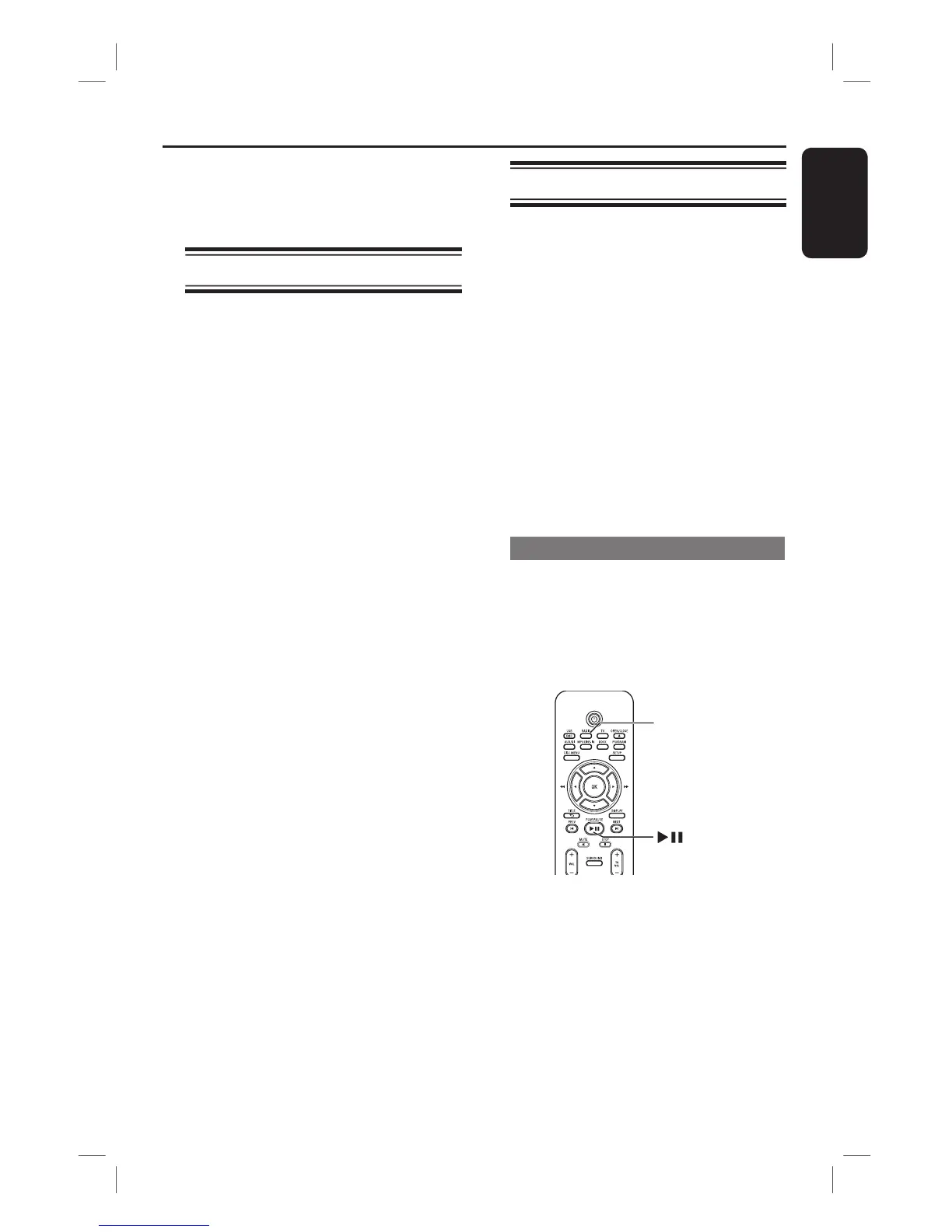
RADIO
A Press RADIO.
Î ‘AUTO INSTALL ... PRESS PLAY’
appears.



 To Next Page