32
Option Description
5 CH
STEREO
Enhance the stereo channel
output by duplicating the sound
output to the center and rear
speakers. Ideal for party music.
MULTI-
CHANNEL/
DPLII
Multi-channel surround output:
DTS, Dolby TrueHD and Dolby
Pro Logic II.
STEREO Stereo sound from two front
speakers.
Note
This product also contains the capability to •
decode 5.1 DTS-Digital Surround.
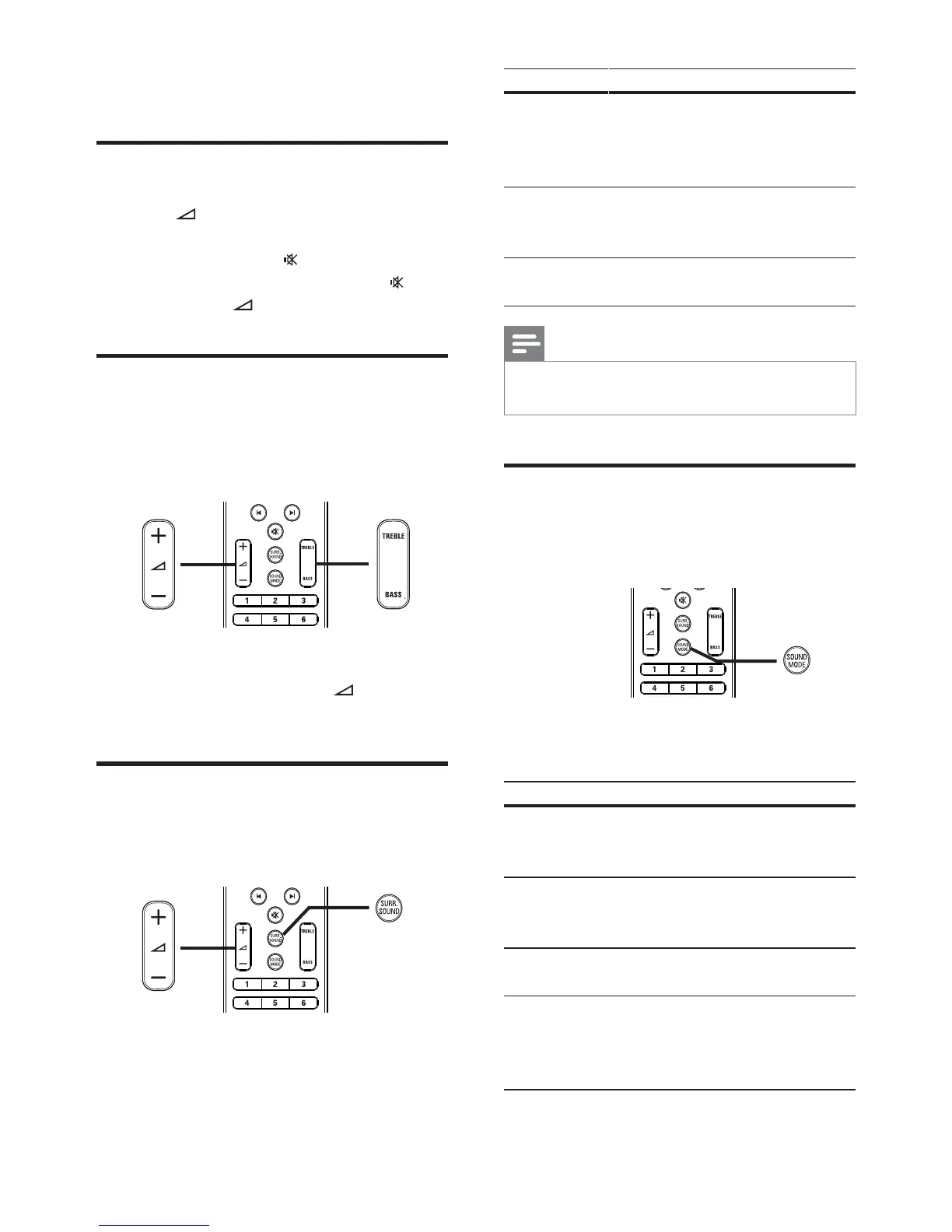
Select preset sound
Select prede ned sound modes to suit your
video or music.
1 Press SOUND MODE repeatedly to
cycle through the available sound modes.
Sound mode Description
ACTION /
ROCK
Enhanced low and high-range.
Ideal for action movies and
rock or pop music.
DRAMA /
JAZZ
Clear mid and high-range. Ideal
for drama movies and jazz
music.
CONCERT /
CLASSIC
Neutral sound. Ideal for live
concerts and classical music.
SPORTS Moderate mid-range and
surround effects for clear
vocals and the atmosphere of a
live sport venue.
6 Adjust sound
Control the volume
1 Press +/- to increase or decrease the
volume.
To mute, press •
.
To restore the volume, press •
again
or press
+ .
Change treble and bass
Change the high frequency (treble) or low
frequency (bass) settings of the Home Theater
System to suit your video or music.
1 Press TREBLE or BASS .
2 Within ve seconds, press +/- to
increase or decrease treble or bass.
Select surround sound
Experience an immersive audio experience with
surround sound modes.
1 Press SURR. SOUND repeatedly to
select the best surround output that’s
available on the disc.
EN


 To Next Page