Your phone 7
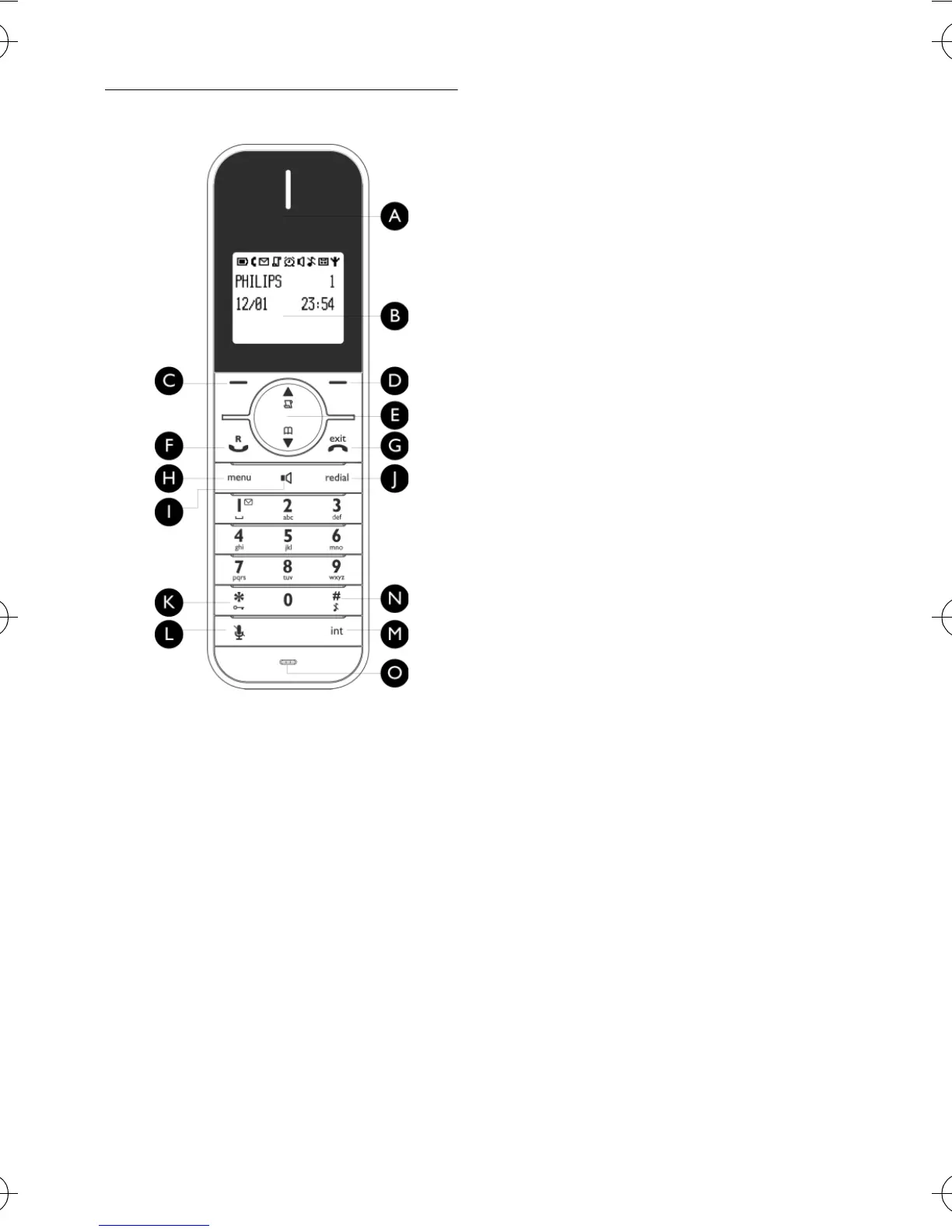
2.2 Overview of your phone
AEarpiece
BDisplay
See page 9 for an overview of the
display icons.
C Left Softkey
m
Select the function displayed on the
handset screen directly above it.
During a call: Initiate a second call,
consult phonebook or transfer a call.
Switch on the backlight.
D Right Softkey
>
Select the function displayed on the
handset screen directly above it.
Switch on the backlight.
E Navigation keys
:
In idle mode: Scroll up to access the
Call log and scroll down to access the
Phonebook.
During a call: Scroll up/down to
increase or decrease earpiece and
speaker volume.
In editing mode: Scroll up/down to go
to the previous character or next
character.
In other modes: Scroll up/down a
menu list or go to the previous or
next record in the Phonebook, Redial
list or Call log.
F Talk key
r
In idle mode: Answer an incoming
external or internal call.
During a call: Activate the recall
function.
In other modes: Dial the selected
number in the Phonebook, Redial list
or Call log.
G Hang-up key
e
In idle mode: Long press to switch on/
off the handset.
During a call: Hang up a call.
In other modes: Return to the idle
mode.
H Menu key
M
In idle mode: Go to the main menu.
I Loudspeaker key
v
In idle mode: Turn on the
loudspeaker and dial the number.
Answer an incoming call using
handsfree mode.
During a call: Toggle the loudspeaker
on/off.
ID555_IFU_GB.book Page 7 Friday, July 18, 2008 2:06 PM


 To Next Page