33
ENGLISH
33
Green Green
4
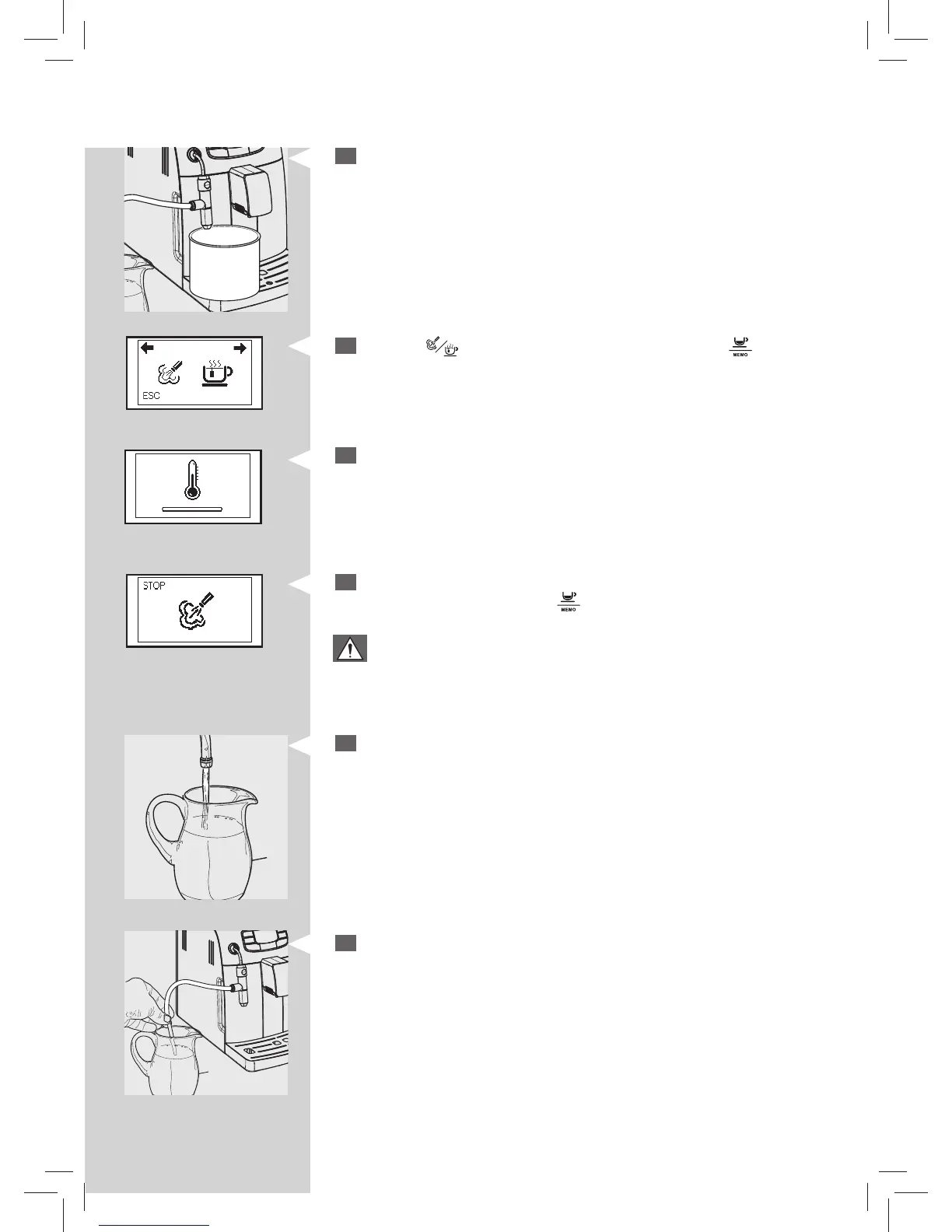
Place a large container (1.5L) under the Cappuccinatore.
5
Press the “ ” button. This icon is displayed. Press the “ ” button to
steam dispensing.
Yellow
6
The following icon may be displayed during the preheating time requi-
red by the machine.
7
The following icon will be displayed during the dispensing. When the
solution is nished, press the “
” button to stop dispensing.
Warning:
Never drink the solution dispensed during the procedure.
8
Rinse the container thoroughly and ll it with ½ lt of fresh water to be
used for rinsing cycle.
9
Insert the suction tube in the container.






 To Next Page