34
ENGLISH
10
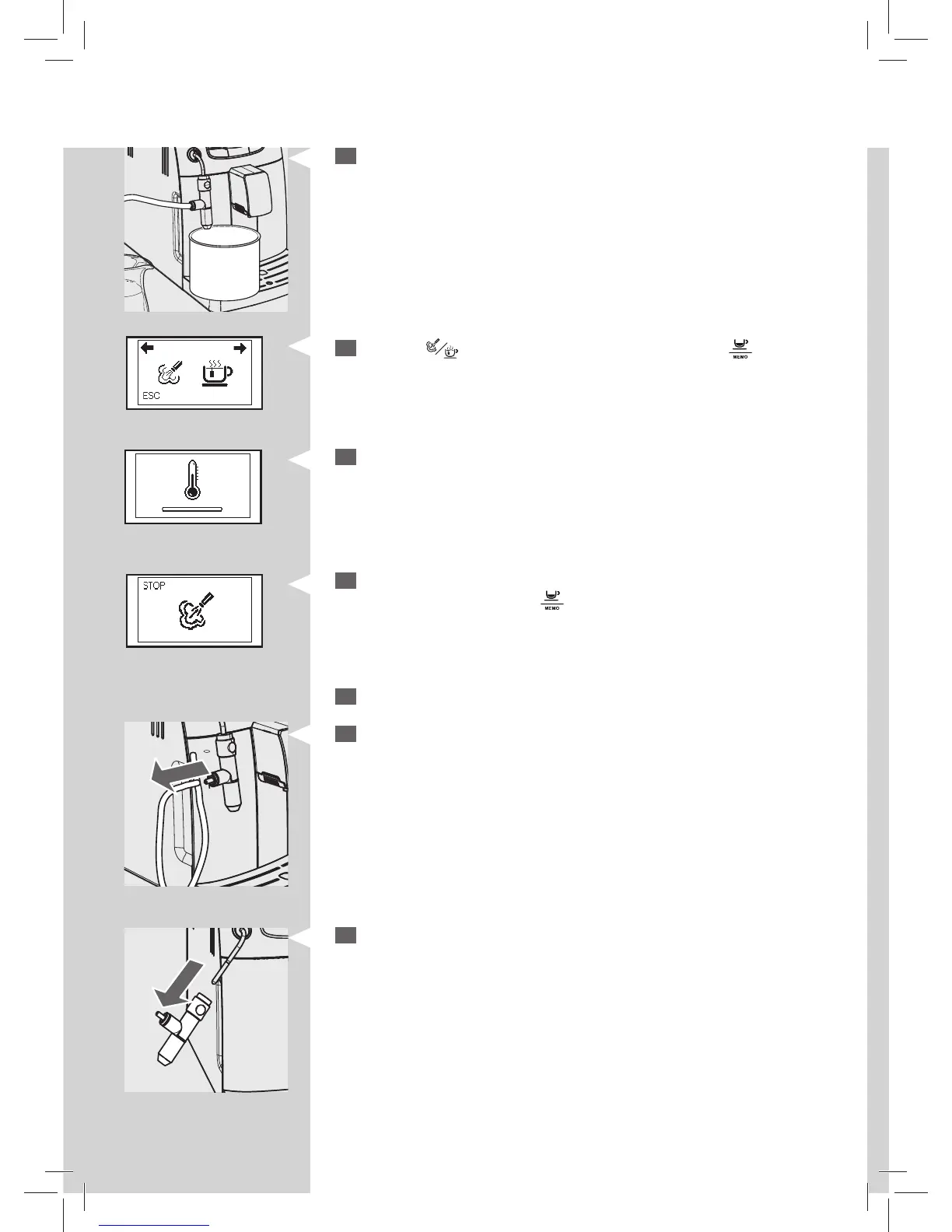
Empty the container and place it back under the Cappuccinatore.
Green Green
Yellow
11
Press the “ ” button. This icon is displayed. Press the “ ” button to
steam dispensing.
12
The following icon may be displayed during the preheating time requi-
red by the machine.
13
The following icon will be displayed during the dispensing. When the
water is nished, press the “
” button to stop dispensing.
14
Wash all the Cappuccinatore parts by following the instructions below.
15
Remove the suction tube.
16
Remove the Cappuccinatore from the machine.






 To Next Page