4 Installing J40 Installation Instructions
12
1
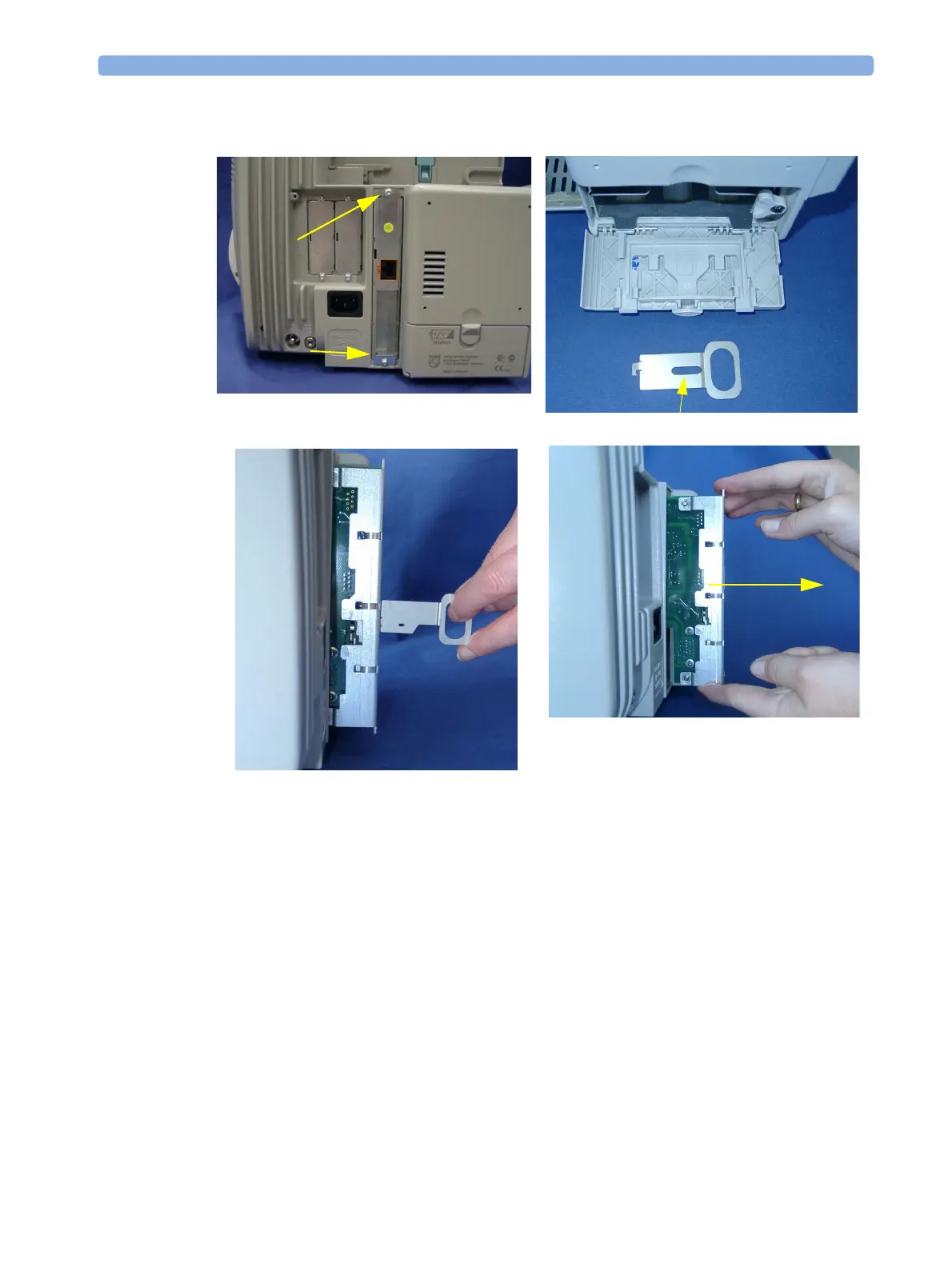
Remove the two screws securing the standard interface board and then remove the board using the
board removal tool located in the battery compartment
2 Insert the advanced System Interface board into the slot and secure it with the two screws.
NOTE Ensure that the board removal tool is snapped properly into place inside the battery compartment door
after each use.
Board Removal Tool



 To Next Page
 Loading...