5
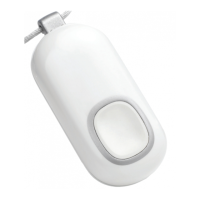
• TestyourLifelineHelpButtoneverymonthbypressingitandplacing
a check-in call to the Lifeline Response Center. See page 22 for
instructions.
• DonotremovethelabelonthebackofyourLifelineHelpButton.
The label ensures that your Lifeline Help Button remains waterproof.
If the label is removed, peeling off, or damaged in any way, please
contact Lifeline.
• DonotputyourLifelineHelpButtonthroughtheclotheswasher,dryer
or dishwasher.
• YourLifelineHelpButtoncanonlybeservicedinthefactory.Thereare
no user-replaceable parts inside of it.
• Likeallcordlessphones,yourLifelineCordlessPhonerequiresAC
power to operate. However, in the event of a power outage, your
Lifeline Cordless Phone will provide up to 1 hour of backup power for
regular phone calls and 30 hours of backup power for Help Calls. Your
Lifeline Service will not work if there is a power outage of more than 30
hours.
• ItistypicallyrecommendedthatLifelinesubscribersalsohaveacorded
phone in their home, which can function throughout a power outage.
• TheLifelineCordlessPhonereliesonelectricalandtelephoneservice
that is wholly beyond the control of Lifeline. If your telephone service is
out of order or disconnected, your equipment will not operate.
• Ifyouhaveanotherphoneinadifferentareaofyourhomeanditisleft
off-hook, your Lifeline Cordless Phone will not be able to place a Help
Call. To make sure that your Lifeline Cordless Phone can place a Help
Call when needed, plug the other phone(s) into the phone accessory
jack on the back of your Lifeline Cordless Phone’s base. If you need
assistance, please call Lifeline.



 To Next Page