36
Adjusting the Volume
Ringer Volume
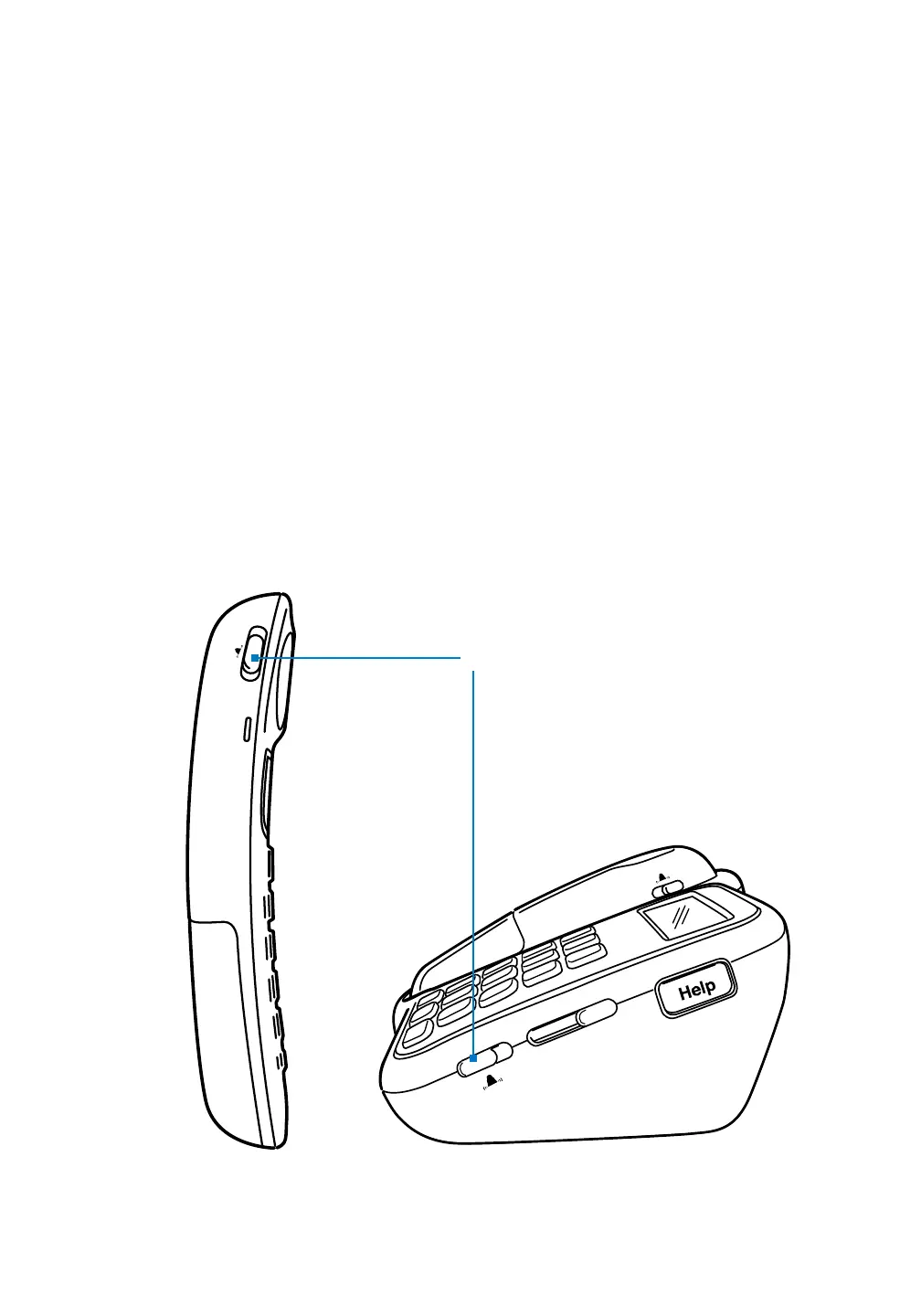
You can adjust the volume of the ringer on both the phone base and the
handset. The ringer volume switch is indicated by a bell symbol and has
three positions: Off, Standard and Maximum.
• Tosettheringasloudaspossible,movetheswitchtoMax.
• Tosettheringtoastandardvolume,movetheswitchtothe
middle position.
• Toturnofftheringer,movetheswitchtoOff.
If you turn off the ringer volume, your phone will not ring for an ?
incoming phone call. However, the Talk button on the handset and the
Speaker button on the phone base will both start blinking when you
have an incoming call.
Ringer volume



 To Next Page