10
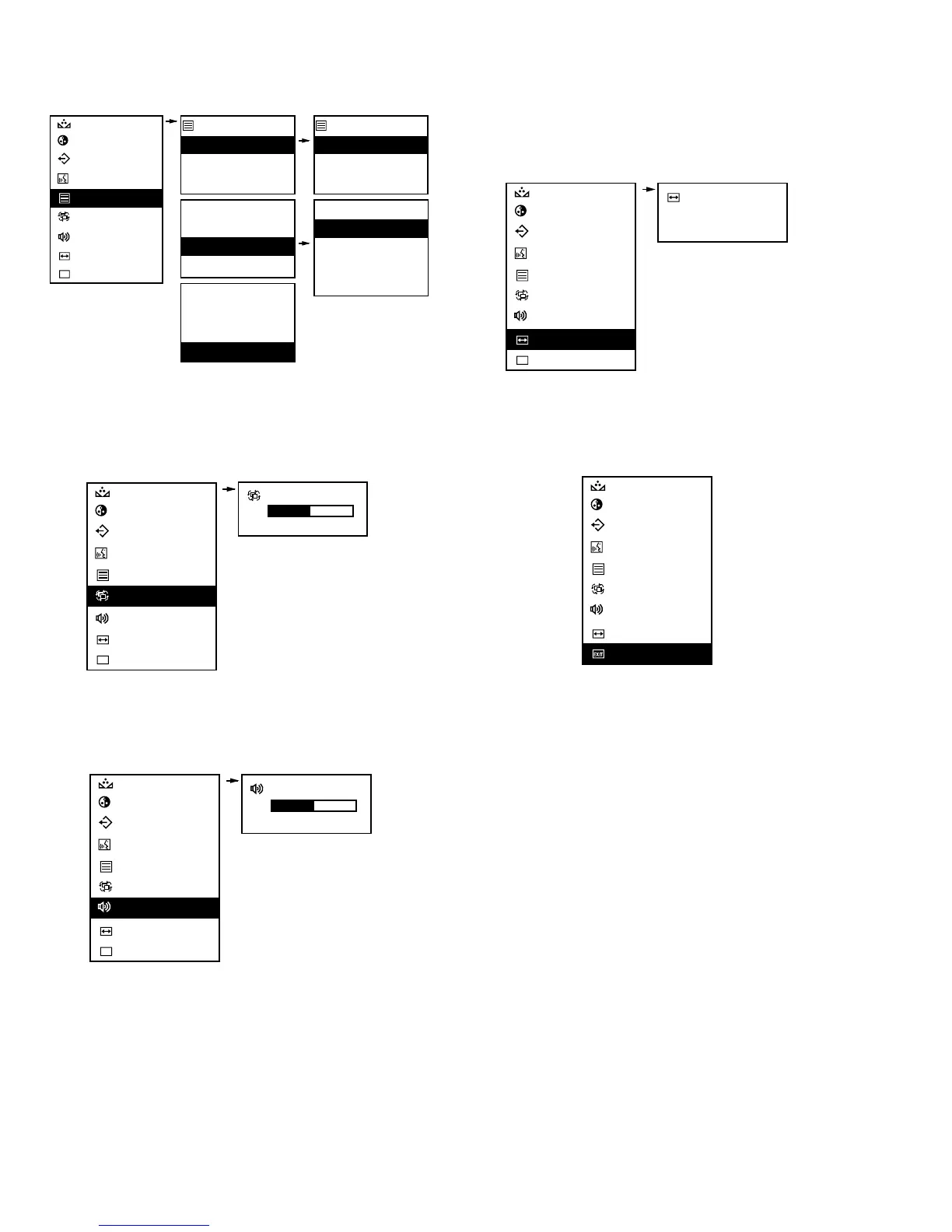
Channel Title: Allows selection and enabling of 8-character
title per input channel. See the OSD Channel Title menu
configuration below.
Dwell Time: Sets the duration in which input channels are
displayed during the SEQ (sequence) mode. See the OSD
Dwell Time menu configuration below.
Volume: Adjusts the volume level for the audio inputs. See the
OSD Volume menu configuration below.
Underscan: Selects the underscan display size. The underscan
option reduces the picture size so that the entire image is
displayed on the screen. See the OSD Underscan menu
configuration below.
NOTE: Applicable to LTC 2917/91 and LTC 2919/90 only;
not available in LTC 2914/91.
Exit: Select to exit the current OSD menu; return to standard
monitor display. See the OSD Exit menu below.
NOTE: OSD menu will disappear from the display after 10
seconds if no selections or adjustments are made.
NOTE: Brightness and Contrast adjustments are made directly
from the front panel using the cursor and adjustment control
( , , and ) button (Fig 2, Item 2).
4 SPECIFICATIONS
4.1 Electrical
Display Tube:
LTC 2914/91: 35.6 cm (14-in) measured diagonally, 90°
deflection dot stripe pitch 0.22 mm.
LTC 2917/91: 44 cm (17-in) measured diagonally, 90°
deflection dot stripe pitch 0.28 mm.
LTC 2919/90: 48.3 cm (19-in) measured diagonally, 90°
deflection dot stripe pitch 0.27 mm.
▲
▲
▲
▲











 To Next Page