9
(#2 down): Multifunction; First push – selects brightness
function for adjustment; In brightness adjust mode – decreases
brightness level; Within OSD menu – moves the cursor
downward.
(#2 left): Multifunction; First push – selects contrast
function for adjustment; In contrast adjust mode – decreases
contrast level; Within OSD menu – moves the cursor to the
left or decreases adjustment levels.
(#2 right): Multifunction; First push – selects contrast
function for adjustment; In contrast adjust mode – increases
contrast level; Within OSD menu – moves the cursor to the
right or increases adjustment levels.
A (#3): Selects the video input A to be displayed.
B (#4): Selects the video input B to be displayed.
Y/C (#5): Selects the video input Y/C (S-video) to be displayed.
SEQ (#6): Selects all three video inputs A, B, & Y/C (S-video)
to be displayed in sequence. Displaying duration is set using the
OSD menu (Dwell Time).
NOTE: All video inputs selected for sequence mode must be
connected prior to applying power to the monitor.
(#7): Press the switch to turn the monitor ON (the indicator
will illuminate). Press the switch again to turn the monitor OFF.
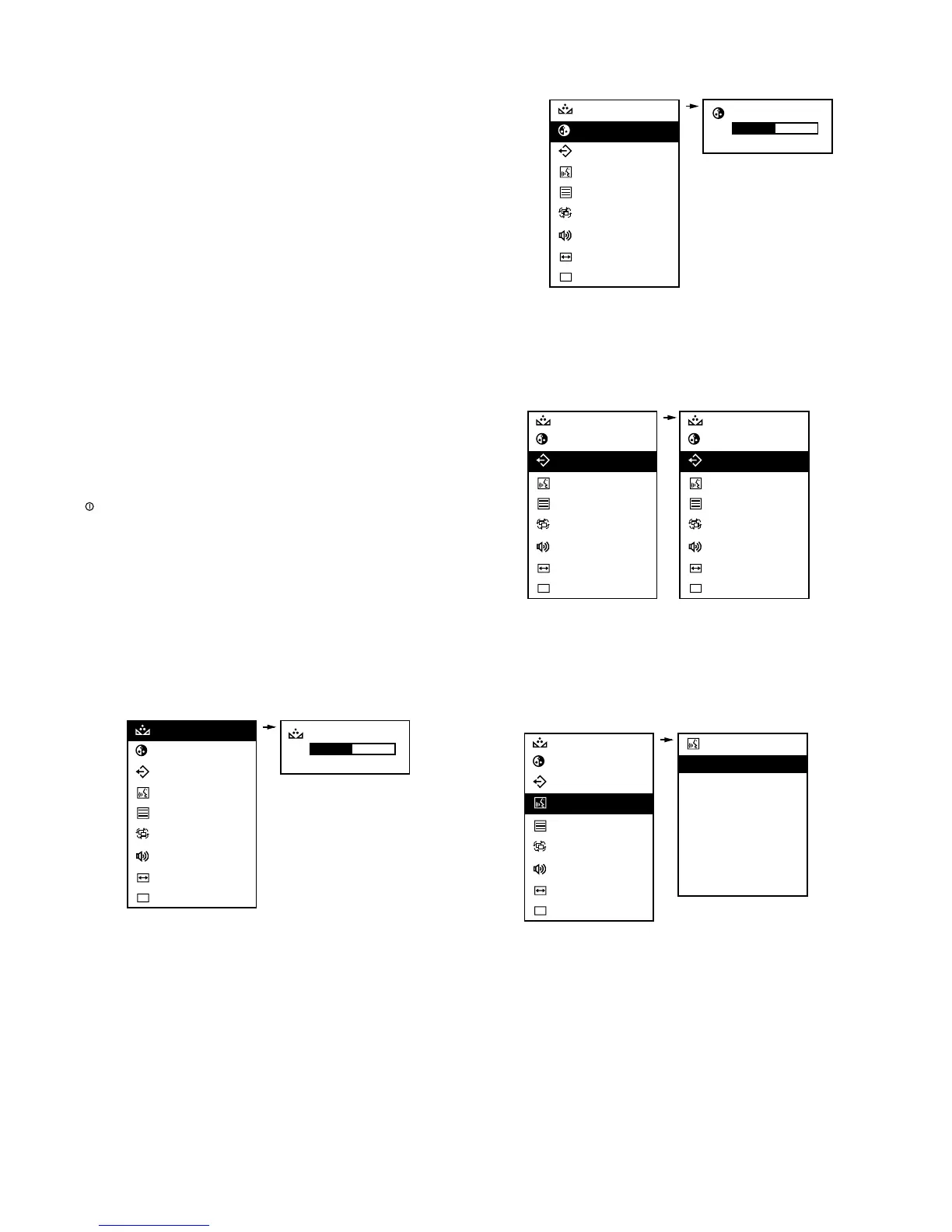
3.2 On-screen Display (OSD) Menu
Press the OSD push button (Fig 1, Item 1) to obtain the
following menu options:
Tint: Adjusts color level; for best results, adjust until skin color
is natural. See the OSD Tint menu configuration below.
NOTE: Applicable to NTSC only; not available in PAL format.
Color: Adjusts the overall color intensity of the screen display.
See the OSD Color menu configuration below.
Default: Enables factory default settings for brightness,
contrast, tint, color, title enable, dwell time, underscan, and
volume level. See the OSD Default menu configuration below.
Language: Selects the language for the OSD text; available in
English, Chinese, French, German, Spanish, Italian, and
Dutch. See the OSD Language menu configuration below.
▲
▲
▲










 To Next Page