30
English
3139 115 22612
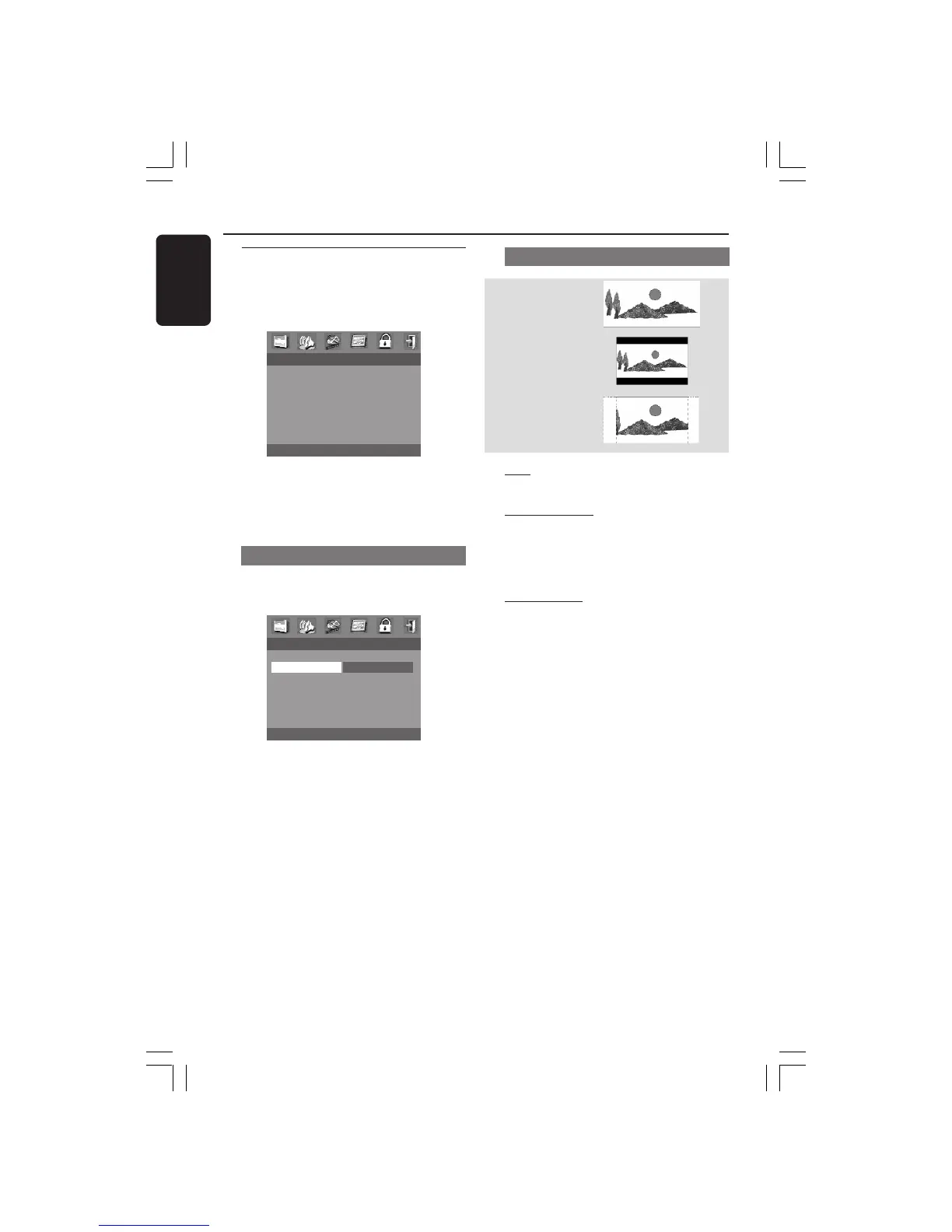
16:9
4:3
Letter Box
4:3
Pan Scan
Video Setup Menu
The options included in Video Setup
menu are: TV Type, TV Display, Closed
Caption and Picture Setting.
- - VIDEO SETUP PAGE - -
TV TYPE
TV DISPLAY
CLOSED CAPTION
PICTURE SETTING
1 Press SETUP.
2 Press 1 2 to select the Video Setup icon.
3 Press OK to confirm.
TV Display
Set the aspect ratio of the DVD Player
according to the TV you have connected.
- - VIDEO SETUP PAGE - -
TV TYPE
TV DISPLAY 4:3 PAN SCAN
CLOSED CAPTION 4:3 LETTER BOX
PICTURE SETTING 16:9
1 Press 34 to highlight ‘TV Display’.
2 Enter its submenu by pressing 2.
3 Move the cursor by pressing 34 to
highlight the selected item.
TV Display - cont’d
16:9
➜ If you have a wide-screen TV.
4:3 Letter Box
➜ If you have a normal TV. In this case, a
wide picture with black bands on the
upper and lower portions of the TV
screen will be displayed.
4:3 Pan Scan
➜ If you have a normal TV and want both
sides of the picture to be trimmed or
formatted to fit your TV screen.
4 Press OK, then press 1 to return to
Video Setup Page.
DVD Menu Options
001-041-LX36-22-Eng 21/08/2003, 9:44 AM30



 To Next Page
 Loading...







