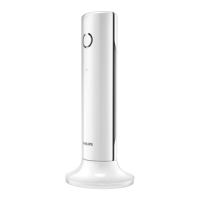
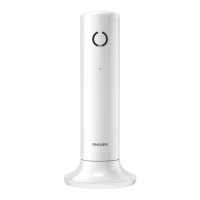
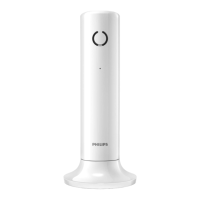
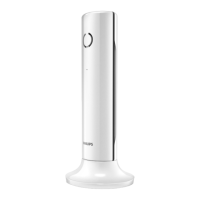
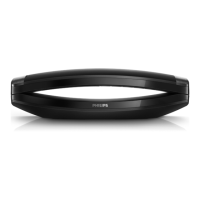
This document is a short user manual for the Philips M310 and M315 cordless telephones. It provides essential information on safety, overview of features, setup, basic usage, technical specifications, and frequently asked questions.
Function Description
The Philips M310/M315 is a cordless telephone system designed for home or small office use. It allows users to make and receive calls, manage contacts through a phonebook, and review call history. The M315 model includes an integrated telephone answering machine. The system supports multiple handsets (multi-handset version only) and offers features like intercom calls between handsets, hands-free communication, and a silent mode (ringer off). It also includes an ECO+ mode for reduced power consumption.
Important Safety Instructions
The manual emphasizes several critical safety instructions:
- Electrical Safety: The electrical network is hazardous. The charger's power supply must be unplugged from the electrical outlet to power down the charger. The electrical outlet should always be easily accessible.
- Compliance: The product complies with European R&TTE directive 1999/5/EC.
- Power Supply and Batteries: Only use the power supply and batteries specified in the user instructions.
- Liquid Contact: Do not allow the product to come into contact with liquids.
- Battery Replacement: There is a risk of explosion if the battery is replaced by an incorrect type. Dispose of used batteries according to instructions.
- Hearing Protection: Keep the handset away from your ear when it rings or when hands-free is activated to avoid hearing damage.
Overview of Features
The manual provides a detailed overview of the handset's interface and display icons:
Handset Interface:
- Display Icons: Earpiece, Loudspeaker (back side), Microphone, Find handset button on the base.
- Buttons:
MENU/OK: Enter option menu, confirm/select, access main menu.REDIAL/C: Access redial list, cancel/back, delete text.R: Recall (network dependent).AD: Up/down scroll, adjust volume.C: End calls.#a/A: Enter a pause (press and hold), switch upper/lower case.*INT: Make intercom call (press and hold).O: Lock/unlock keypad (press and hold), enter a space.MUTE/MIC: Mute/unmute microphone.SPEAKER: Turn speaker on/off.
Display Icons Explained:
- Signal Strength: Bars indicate connection between handset and base; more bars mean better signal.
- Incoming Calls (Call Log): Stays steady when browsing incoming calls in the call log.
- Outgoing Calls (Redial List): Indicates an outgoing call in the redial list.
- Missed Calls: Flashes for new missed calls or when browsing new missed calls; steady when browsing read missed calls.
- Incoming Call (Ringing): Flashes when receiving an incoming call; steady during a call.
- Speaker On: Icon indicates the speaker is active.
- Ringer Off: Icon indicates the ringer is off.
- Answering Machine (M315 only): Flashes for new messages or full memory; steady when the answering machine is on.
- Voice Messages: Flashes for new messages; steady for reviewed messages (network dependent).
- Scroll/Volume: Displayed when scrolling up/down lists or adjusting volume.
- More Digits: Indicates more digits on the right; press
REDIAL to read.
- ECO+ Mode: Icon indicates ECO+ mode is activated.
Usage Features
Getting Started:
- Battery Installation: Batteries are pre-installed; pull the battery tape off before charging.
- First Use: A welcome message (country dependent) appears.
- Country and Language: Set country and language if prompted.
- Date and Time: Set date and time. For 12-hour format, select [am] or [pm].
- Charging: Place the handset on the base. A full charge takes 8 hours. Battery icons indicate charge level:
- Solid bars: > 70%, 40%-70%, 10%-40%.
- Flashing bar: < 10% (low battery).
Enjoying Your Phone:
-
Phonebook:
- Add Record:
MENU/OK > [Phonebook] > [Add new].
- Call from Phonebook: Press
CALL > select record > press CALL.
- Direct Access Memory: Keys 1 and 2 are preset for voicemail/information service (network dependent). Press and hold in standby mode to dial.
-
Call Log:
- Call from Call Log: Press
CALL > select record > press CALL.
- View Record:
MENU/OK > AD > [View].
- Save Record:
MENU/OK > AD > [Save number].
- Delete Record:
REDIAL/C > MENU/OK > [Delete].
-
Redial List:
- Call from Redial List: Press
REDIAL/C > select record > press CALL.
- Save Record:
REDIAL/C > MENU/OK > [Save number].
-
Telephone Answering Machine (M315 only):
- Record Announcement:
MENU/OK > [Answ. Machine] > [Announcement].
- Listen to Incoming Messages:
MENU/OK > [Answ. Machine] > [Play].
- Delete Incoming Messages: While listening, press
MENU/OK > [Delete] > MENU/OK.
-
Register Additional Handsets:
MENU/OK.- [Services] > [Register] >
MENU/OK.
- Press and hold
FIND HANDSET button on the base for 5 seconds.
- Enter system PIN/passcode (0000).
MENU/OK to confirm. Registration completes in less than 2 minutes.
-
Restore Default Settings:
MENU/OK.- [Services] > [Reset] >
MENU/OK.
- Note: This procedure can also recall the original PIN/passcode.
Technical Specifications
- Battery:
- Type: Philips 2 x AAA NiMH 1.2 V Rechargeable
- Capacity: 550 mAh
- Note: Use only the supplied batteries.
- Adapter (Base and Charger):
- Meic (MN-A102-U130):
- Input: 100-240 V~, 50/60 Hz, 200 mA
- Output: 6 V, 400 mA
- Tenpao (S0031B0600040):
- Input: 100-240 V~, 50/60 Hz, 150 mA
- Output: 6 V, 400 mA
- Memory:
- Phonebook: 50 entries
- Call log: 20 entries
- Performance:
- Talk time: 16 hours
- Standby time: 180 hours
Maintenance Features
Troubleshooting (Frequently Asked Questions):
- No Signal Bar:
- Handset is out of range; move closer to the base.
- Handset displays [Unregistered]; register the handset.
- Failed Handset Registration:
- Base memory is full. Unregister unused handsets via
MENU/OK > [Services] > [Unregister].
- Wrong Language Selected:
- Press
CALL to go back to standby.
- Press
MENU/OK to access main menu.
- Select [Phone setup] > [Language] (or equivalent in other languages like [Réglages] > [Langue], [Telefon-Setup] > [Sprache], [Config. telef.] > [Lingua]).
- Select your desired language.
- Handset in Searching Status:
- Ensure base has power supply.
- Register the handset.
- Move handset closer to the base.
- Cannot Change Voice Mail Settings:
- Voice mail is managed by your service provider, not the phone. Contact your provider.
- No Display:
- Ensure batteries are charged.
- Check power and phone connections.
- Handset Not Charging:
- Ensure batteries are inserted correctly.
- Ensure handset is placed properly on the charger (LED on back flashes once).
- Ensure docking tone is on (you should hear a tone when placed correctly).
- Clean charging contacts with a damp cloth after disconnecting power.
- Batteries may be defective; purchase new ones.
- Bad Audio (Crackles, Echo):
- Handset is nearly out of range; move closer to the base.
- Phone receives interference from nearby electrical appliances; move the base away.
- Phone is in a location with thick walls; move the base away.
- Handset Not Ringing:
- Ensure handset ringtone is turned on.
- Caller ID Not Displaying:
- Service not activated; check with your service provider.
- Caller's information is withheld or unavailable.
General Maintenance:
- DSL Filter: Install a DSL (digital subscriber line) filter to prevent noise and caller ID problems caused by DSL interference.
- Declaration of Conformity: Available on www.p4c.philips.com.
The manual also directs users to www.philips.com/support for online user instructions, using the reference model number found on the product label at the bottom of the base station. The product is covered by European Directive 2012/19/EU and is manufactured by Gibson Innovations Limited.

 Need help?
 General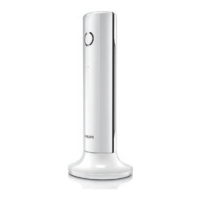

 To Next Page