Need help?
Do you have a question about the Philips M888 and is the answer not in the manual?
Details the electrical supply requirements for the product and safety measures.
Lists crucial warnings and cautions to prevent damage, malfunction, or injury.
Provides safety instructions for using the phone's baby monitor feature.
Specifies recommended temperature ranges for operation and storage.
Lists all components provided with the phone package.
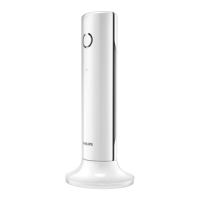
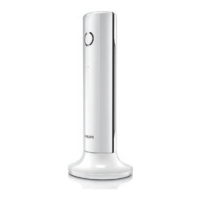
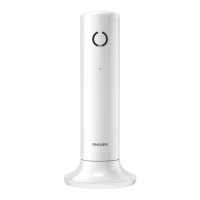
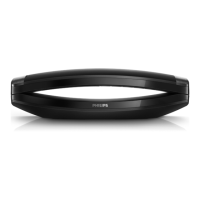
Details the features and buttons of the phone handset.
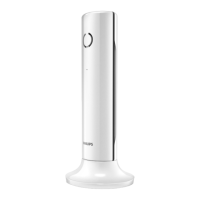
Describes the components and functions of the phone's base station.
Step-by-step guide for connecting the base station to power and the phone line.
Instructions for preparing and charging the handset before first use.
Guides for setting country, language, date/time, and remote access PIN.
Information on checking battery level, standby mode, and signal strength.
Explains how to make normal, predial, and speed dial calls.
Provides instructions for answering incoming calls and ending active calls.
Details on adjusting earpiece/speaker volume and muting the microphone.
Instructions on turning the speakerphone on and off.
Guides on making second calls and switching between active calls.
Explains how to initiate a conference call with external callers.
Covers making calls to other handsets and transferring calls.
Details on initiating and managing conference calls with multiple parties.
Guide on using the keypad to input text and numerical characters.
Instructions on switching between uppercase and lowercase letters during input.
Explains how to view, search, scroll, and find contacts in the phonebook.
Covers making calls, adding, editing, setting melodies, and speed dial keys.
Details on deleting records and adding contacts to an exception list.
Instructions on setting the call list type to view all or missed calls.
Guides on viewing, saving, returning calls, and deleting call records.
Explains how to access and view the list of dialed numbers.
Instructions for saving redial records to the phonebook and deleting them.
Guide on selecting a record from the redial list to make a call.
Instructions for setting the date, time, and their display formats.
Details on enabling or disabling the auto answer feature for incoming calls.
Explains how to activate ECO and ECO+ modes to reduce transmission power.
Guides for naming the handset and setting the display language.
Instructions for setting alarm time, repetition, and tone.
Describes how the alarm rings and the snooze function.
Guides on how to set the brightness level of the handset screen.
Instructions for configuring the LCD backlight and keypad flashing.
How to set the handset's ringtone volume and choose from available ringtones.
Enables setting silent mode and excluding contacts from it.
Settings for key tones, battery alert tones, and docking tones.
Guides on selecting sound profiles for earpiece or handsfree use.
Instructions for activating the baby unit and sending alerts.
Details on sending alerts to other handsets, external lines, or phonebook contacts.
Guides on adjusting the sensitivity level for detecting baby's cry.
Covers turning the answering machine on/off, setting language, and answer mode.
Instructions for using default or recording custom announcements.
Guides on listening to, deleting, setting message quality, and ring delay.
Features for auto conference and blocking outgoing calls.
Covers adding numbers to barred lists and changing PIN/passcode.
Settings for call list type, auto prefix, network type, and recall duration.
Options for dial mode, first ring, and automatic clock synchronization.
Guides on registering, unregistering handsets, and restoring default settings.
Information on conformity, GAP standard, and EMF compliance.
Instructions for environmentally sound disposal of the product and batteries.
Answers to common issues regarding signal bars and handset search status.
Solutions for handset pairing failures and incorrect language selection.
Troubleshooting for no dialing tone, docking tone, or bad audio quality.
Information on handset charging issues and display problems.
Addresses issues with voice mail, handset ringing, and caller ID display.
Reference tables for character mapping on the handset keypad.
 General
| Type | Cordless Telephone |
|---|---|
| Talk Time | Up to 10 hours |
| Phonebook Capacity | 50 names and numbers |
| Phonebook Entries | 50 |
| Caller ID | Yes |
| Speakerphone | Yes |
| GAP compatible | Yes |
| Call Waiting | Yes |
| Intercom | Yes |
| Expandable | Up to 4 handsets |
| Battery Type | NiMH |
| Range | 300 meters |

 To Next Page