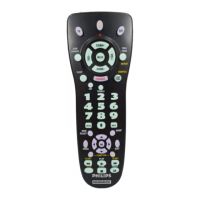
EasyManua.ls Logo

Philips Magnavox PM435 - User Manual

Philips Magnavox PM435
11 pages
Print Icon
To Next Page IconTo Next Page
Loading...
PM435
Universal
Remote

Questions and Answers

  • A
    Angela TaylorJul 30, 2025
    Why Philips Magnavox PM435 is not working?
    • J
      Jasmin TuckerJul 30, 2025
      If your Philips Universal Remote isn't operating your product, try these steps: First, ensure you've selected the correct mode button for the device you're trying to control. If that doesn't work, try programming the remote with a new code. Also, make sure the batteries are new and correctly installed. It's also possible that the remote is simply not compatible with your product.
  • M
    michaeldoughertyAug 9, 2025
    How to fix Philips Universal Remote if indicator light blinks after programming?
    • I
      Ian SinghAug 9, 2025
      If the indicator light on your Philips Universal Remote blinks after you program a product code, it means the remote didn't accept the code. Try programming the same code again, or try using a different code to see if that works.
  • A
    Ashlee AdamsAug 18, 2025
    What to do if Philips Universal Remote does not operate some features of my device?
    • H
      hlynchAug 19, 2025
      If your Philips Universal Remote isn't operating all the features of your device, try programming the remote with a new code. Keep in mind that the remote might not be able to control every function, or the button names might differ from those on your original device's remote.

Summary

Introduction

Product Overview and Purpose

Introduction to the Philips Magnavox Universal Remote Control and its benefits.

Setup

Battery Installation

Step-by-step instructions for inserting batteries into the remote.

Battery Saver Function

Explanation of the automatic power-off feature to conserve battery life.

Code Saver and Defaults

Information on retaining codes during battery changes and default power-on mode.

Punch-Through Features

How volume and mute functions can control the TV in different modes.

Code Setup Methods

Overview of methods for setting up the remote with device codes.

Button Functions

Code Search

Setup procedure for finding and programming remote codes.

Basic Operation Controls

Buttons for core operations like power, sound, sleep, input, and menu navigation.

Channel, Volume, and Media Controls

Buttons for adjusting channels, volume, and controlling media playback.

Navigation and Special Features

Buttons for navigation, program guide, special functions, and source selection.

Advanced Button Functions

DVD and Satellite Controls

Functions specific to operating DVD players and satellite systems.

Punch-Through and Source Switching

How volume and input controls work across different device modes.

Special Feature Explanations

Explains SELECT meaning, Closed Caption, Picture-in-Picture, and screen toggling.

Combo Unit Setup Guidance

Notes on setting up remotes for TV/VCR or TV/DVD combo units.

Code Entry

Direct Code Entry

Step-by-step guide to entering 3-digit codes for specific brands.

Programming with Code Search

Method for finding codes when brand codes are unknown or unlisted.

90 Day Warranty

Warranty Terms and Conditions

Details regarding product warranty, coverage, and limitations.

Code Identification

Procedure to Identify Codes

Steps to identify the 3-digit code stored for a specific device mode.

Sleep Timer

Setting the Sleep Timer

How to set the remote to automatically turn off the TV after a set period.

Code List

Brand Code Directory

A comprehensive list of manufacturer codes for various electronic devices.

Product Operation

Using the Remote

Steps on how to operate programmed devices like TV, VCR, DVD, or Satellite.

Troubleshooting

Remote Not Operating Product

Solutions for when the remote fails to control the intended device.

Partial Feature Operation

Reasons why some remote functions may not work with the product.

Programming Indicator Blinking

What an indicator light blinking after programming means and how to resolve it.

Philips Magnavox PM435 Specifications

General IconGeneral
BrandPhilips
ModelMagnavox PM435
CategoryUniversal Remote
LanguageEnglish

Related product manuals