EasyManua.ls Logo

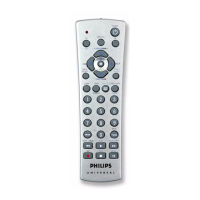
Philips ph601s - User Manual

Philips ph601s
43 pages
Print Icon
To Next Page IconTo Next Page
Loading...
P63S
PH301S
page 2
PH601S
page 23

Table of Contents

Other manuals for Philips ph601s

Questions and Answers

  • S
    Samantha KerrJul 30, 2025
    What to do if Philips ph601s does not operate my product?
    • S
      Spencer JacksonJul 30, 2025
      If your Philips Universal Remote isn't operating your product, try the following: First, press the mode button for the device you're trying to control. If that doesn't work, program the remote with a new code. Also, ensure the batteries are new, and replace them if needed (note that you might have to reprogram the remote after a battery change). Finally, be aware that the remote might simply not be compatible with your product.
  • M
    michaelgarciaAug 10, 2025
    Why Philips ph601s Universal Remote does not operate some features of my product?
    • D
      David YoungAug 10, 2025
      If your Philips Universal Remote doesn't operate some features of your product, it might need to be programmed with a new code. Alternatively, the remote may not be able to operate all the features of your product, or the button names might be different.
  • T
    trobinsonAug 20, 2025
    What to do if red indicator blinks after I program a product code on my Philips ph601s?
    • C
      Courtney PayneAug 20, 2025
      If the red indicator blinks after you program a product code on your Philips Universal Remote, it means that the remote did not accept the code. You should try programming the code again or try a different code.

Summary

Introduction

Button Functions

Button Functions, cont.

Button Functions, cont.

DVD Functions

Setup

Direct Code Entry

Code Search

Code Search by Brand

Code Identification Feature

Sleep Timer

Setup, cont.

Setup, cont.

Volume;Mute Control and Punch-Through Feature

Setting ALL Volume;Mute Control to any one Mode

Setting any Mode to use its own Volume;Mute Control

Setup, cont.

Troubleshooting

Limited Lifetime Warranty

Introduction

Button Functions

Button Functions, cont.

Button Functions, cont.

Setup

Direct Code Entry

Code Search, cont.

Code Search by Brand

Code Identification Feature

Sleep Timer

Setup, cont.

Setup, cont.

Volume;Mute Control and Punch-Through Feature

Setting ALL Volume;Mute Control to any one Mode

Setting any Mode to use its own Volume;Mute Control

Setup, cont.

Troubleshooting

Limited Lifetime Warranty

Introduction

Introduction

Fonctions des touches

Fonctions des touches, cont.

Fonctions des touches, cont.

Préparation

Préparation, cont.

Programmation avec Búsqueda de codigos (Code Search)

Búsqueda de Códigos por Marcas

Función didentification des codes

Cronometro de apagado automático

Programmation des combinés

Contrôle des appareils qui requerent des boutons de mise sous (On) et hors (Off) tension distincts

Configuration (suite)

Programmation dun mode pour quil contrôle sa propre commande Volume;Mute

Configuration (suite)

Dépannage

Introduction

Fonctions des touches

Fonctions des touches, cont.

Fonctions des touches, cont.

Configuration

Configuration (suite)

Recherche de code par marque

Configuration (suite)

Configuration (suite)

Configuration (suite)

Programmation dun mode pour quil contrôle sa propre commande Volume;Mute

Configuration (suite)

Dépannage

Philips ph601s Specifications

General IconGeneral
BrandPhilips
ModelPH601S
CategoryUniversal Remote
Power SourceBattery
Connectivity TechnologyInfrared
Batteries IncludedYes
Compatible DevicesTV, DVD
Infrared Range10 m

Related product manuals