EasyManua.ls Logo

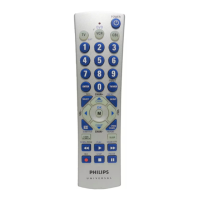
Philips PM3S - User Manual

Philips PM3S
23 pages
Print Icon
To Next Page IconTo Next Page
Loading...
PM3S
Trilingual
Front
Cover Art

Table of Contents

Questions and Answers

  • J
    Jason McdanielJul 26, 2025
    What to do if Philips PM3S Universal Remote does not operate my product?
    • M
      Matthew WilliamsJul 27, 2025
      If your Philips Universal Remote isn't operating your product, try the following: First, press the mode button for the device you're trying to control. If that doesn't work, program the remote with a new code. Also, ensure the batteries are new, and replace them if needed (note that you might have to reprogram the remote after a battery change). Finally, be aware that the remote might simply not be compatible with your product.
  • W
    watkinsbrittanyAug 4, 2025
    Why Philips PM3S does not operate some features of my product?
    • M
      Michelle RussellAug 4, 2025
      If your Philips Universal Remote doesn't operate some features of your product, it might need to be programmed with a new code. Alternatively, the remote may not be able to operate all the features of your product, or the button names might be different.
  • C
    Christian WongAug 15, 2025
    What to do if red indicator blinks after I program a product code on my Philips Universal Remote?
    • A
      Adam McmahonAug 15, 2025
      If the red indicator blinks after you program a product code on your Philips Universal Remote, it means that the remote did not accept the code. You should try programming the code again or try a different code.

Summary

Button Functions

Setup

Code Setup

Guide to setting up the remote using codes for different devices.

Direct Code Entry

Method for directly entering a 3-digit code for device setup.

Code Search

Procedure for searching the code library to find the correct device code.

Code Search by Brand

Method to search for device codes specific to a particular brand.

Programming Combo Device Codes

How to program codes for devices with combined functions (e.g., TV/DVD).

VCR;DVD;DVR Punch-Through Feature

How transport buttons work across different modes for VCR/DVD/DVR.

Volume;Mute Control and Punch-Through Feature

How to set which device controls volume/mute and punch-through.

Troubleshooting

Philips PM3S Specifications

General IconGeneral
BrandPhilips
ModelPM3S
CategoryUniversal Remote
LanguageEnglish

Related product manuals