3 - 4
CONNECTION AND CONTROLS
Controls
Controls
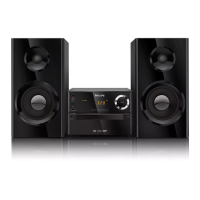
Controls on the system
1
STANDBY-ON
y
– switches the system on or to standby mode.
2 Display screen
– shows the status of the system.
3 LEFT ç
– opens/closes the left disc door.
4 RIGHT ç
– opens/closes the right disc door.
5 iR SENSOR
– remote sensor
6 VOLUME
-
/
+
– adjusts the volume level.
7 Disc trays
8 Mode Selection
à / á
for TUNER .................... tunes to a station.
*for DISC/USB ........... fast searches back and
forward within a track/disc.
for Clock/Timer ......... sets the hour.
9 ......................................... stops disc playback or
erases a disc program.
ÉÅ ............................... starts or interrupts
playback.
¡ / ™
for TUNER .................... selects a preset radio
station.
for DISC/USB .............. skips to the previous/next
chapter/title/track.
for Clock/Timer ......... sets the minute.
9
DISC 1/2/3/4
– selects a disc tray for playback.
0 CLOCK
Standby mode
*– sets the system clock.
Playback mode
– displays the system clock.
!
SOURCE
– to select the respective sound source : DISC,
USB, TUNER (FM/MW) or AUX.
@
DSC•DBB
*– selects different types of preset sound equalizer
settings (FLAT, POP, CLASSIC, ROCK, JAZZ).
– enables or disables bass enhancement.
# USB DIRECT
– jack for the external USB mass storage device.
Controls on the remote control
1
STANDBY-ON
y
– switches the system on or to standby mode.
2 Numeric Keypad (0-9)
–
inputs a track/title/chapter number of the disc.
3 PROGRAM
–D
VD/VCD/CD/MP3-CD/USB: enters the
program menu.
–
Picture CD: during playback, to select a slide
show mode.
–T
uner: programs preset radio stations.
4 SOURCE
–
to select the respective sound source: DISC,
USB, TUNER (FM/MW) or AUX.
5 SYSTEM MENU (disc mode only)
– to enter or exit the system menu bar.
6 DISC MENU
(disc mode only)
–DVD/VCD: enters or exits the disc contents
menu.
– VCD2.0: switches the playback control mode on
or off .
7
à / á
Tuner
– press to tune to a lower/higher radio frequency
gradually.
– press and hold, then release the key to start
automatic search for a radio frequency
downward/upward.
Disc/USB
– searches fast backward/forward.
– In DISC mode, to select a movement direction in
the disc menu or system menu bar.
–for clock/timer, to set the hour.
8 3/4
– In DISC mode, to select a movement direction in
the disc menu or system menu bar.
– selects different slow playback modes for a VCD/
SVCD/DVD.
* = Press and hold the button for more than three seconds.
9 OK
– to exit or confirm the selection.
0 í/ë
– Disc: skips to the previous/next chapter/title/
track.
–Tuner: selects a preset radio station.
–for clock/timer, to set the minute.
!
9
– In DISC/USB mode, to stop playback or clear a
program.
@ 2;
– In DISC/USB mode, to start or interrupt
playback.
#
VOL +/-
– adjusts the volume upward/downward.
$ MODE
– selects various repeat modes or the shuffle play
mode for a disc.
%
SUBTITLE
– selects a subtitle language.
^ TIMER/SLEEP
Standby mode
– sets time for switching on the system
automatically.
Power-on mode
– sets the sleep timer function (auto off).
& DISC 1/2/3/4
– selects a disc tray for playback.
*
DSC/DBB
*– selects different types of preset sound equalizer
settings (FLAT, POP, CLASSIC, ROCK, JAZZ).
– enables or disables bass enhancement.
(
L ç/ R ç
– opens/closes the left/right disc door.
) MUTE
– to interrupt or resume sound reproduction.
¡
DISPLAY/OSD
– displays information on TV screen during
playback.
™ A-B
–for VCD/CD/USB: to repeat a specific section
within the same track.
–for DVD: to repeat a specific section in a disc.
£ DIM
– selects different levels of brightness for the
display screen.
≤ AUDIO
f
or VCD
–
sets Stereo, Mono-Left or Mono-Right sound
mode.
f
or DVD
–
selects an audio language.
∞
ZOOM
–DVD/VCD/Picture CD: enlarges or reduces a
picture or active image on the TV screen.
§ ANGLE/RDS (RDS function unavailable
for this version)
*– DVD: selects a DVD camera angle.
≥ GOTO
–In DISC mode, to fast search in a disc by
entering a time, title, chapter or track.
Notes for remote control:
– First, select the source you wish to
control by pressing one of the source select
keys on the remote control (DISC or
TUNER, for example).
– Then select the desired function ( 2;, í,
ë for example).
* = Press and hold the button for more than three seconds.



 To Next Page