31
To deactivate the alarm timer, select »
[OFF] (off) at step 6.
Set the sleep timer
1
When the unit is turned on, press SLEEP/
TIMER repeatedly to select a set period
of time (in minutes).
The unit turns off automatically after »
the set period of time.
Connect other devices
Listen to an audio player
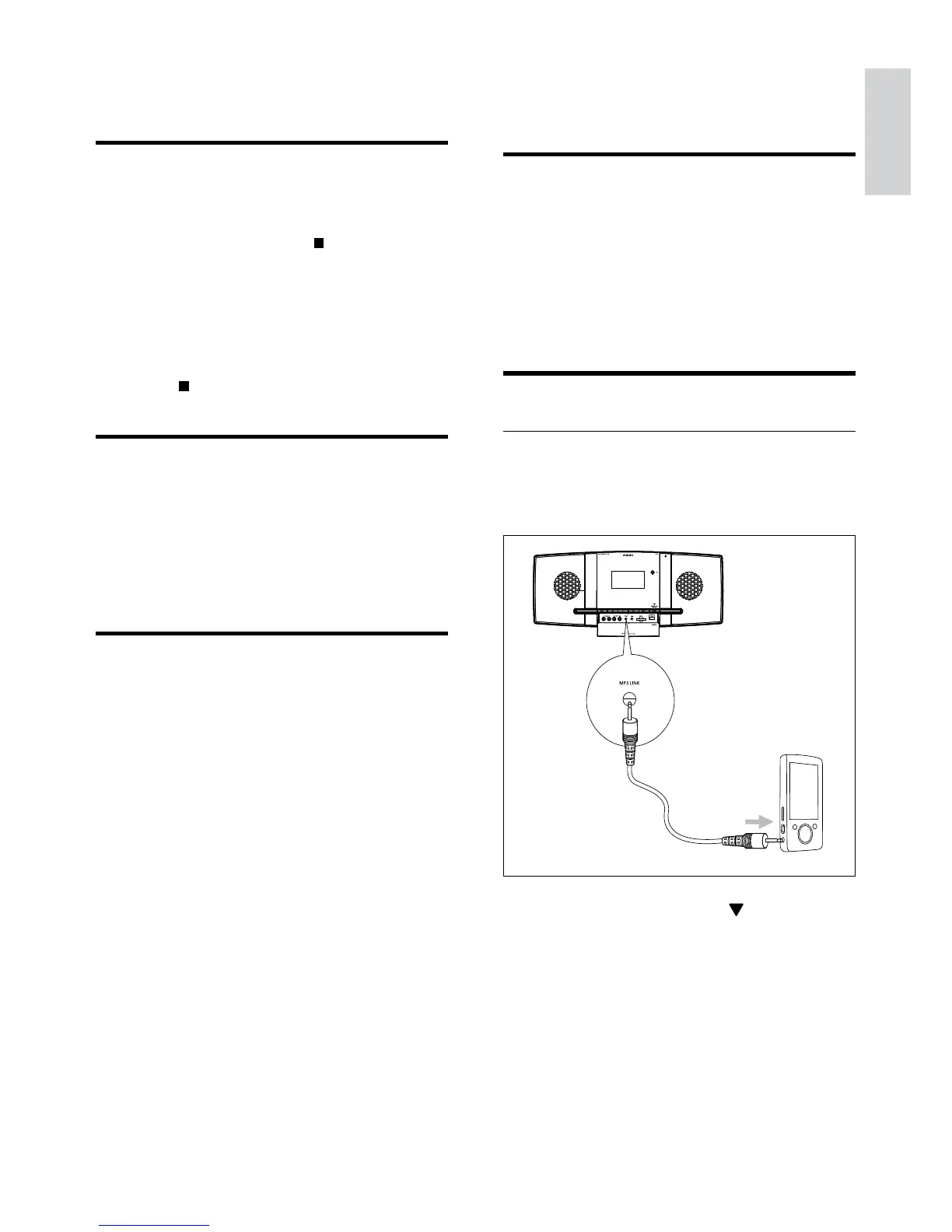
You can listen to audio player through this
unit.
1 Slide down SLIDE OPEN .
2 Connect the audio player.
For audio players with red/white •
audio output sockets:
Connect a red/white audio cable
(not supplied) to the AUX IN L/R
sockets and to the audio output
sockets on the audio player.
9 Other features
Activate demonstration mode
You can see an overview of all features.
1 In standby mode, press on the main
unit to activate the demonstration mode.
A demonstration of major available »
features starts.
To deactivate the demonstration mode:
1 Press on the main unit again.
Adjust brightness of display
panel
1
In standby mode, press MODE/DIM
repeatedly to select different levels of
brightness for the display panel.
Set the alarm timer
1
Ensure that you have set the clock
correctly.
2 In standby mode, press and hold SLEEP/
TIMER.
The hour digits are displayed and begin »
to blink.
3 Press + VOL - to set the hour.
The minute digits are displayed and »
begin to blink.
4 Press + VOL - to set the minute.
5 Press SLEEP/TIMER to confirm.
6 To activate the wake-up timer, press +
VOL - to select [ON] (on).
A clock icon appears on the display. »
The unit turns on automatically at »
the set time and switches to the last
selected source.
English
EN



 To Next Page