Step A
Setup
1
2
3
Tip
It is unnecessary to
connect the FM pigtail
antenna since it is
fixed to the main unit.
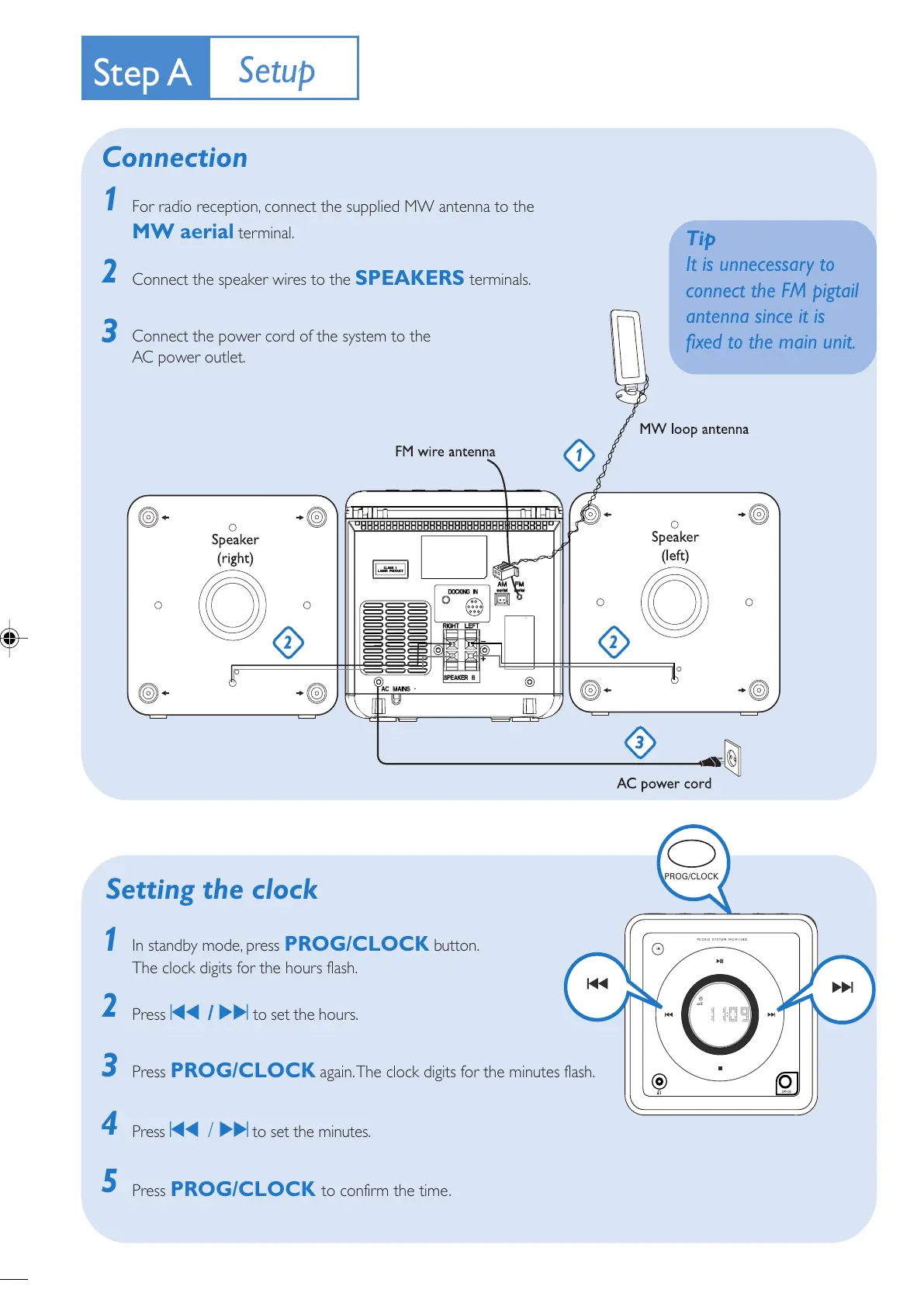
Connection
5
1
2
3
4
Setting the clock
For radio reception, connect the supplied MW antenna to the
MW aerial terminal.
Connect the speaker wires to the
SPEAKERS terminals.
Connect the power cord of the system to the
AC power outlet.
In standby mode, press
PROG/CLOCK button.
The clock digits for the hours flash.
Press ¡1 / 2™ to set the hours.
Press PROG/CLOCK again. The clock digits for the minutes flash.
Press ¡1 / 2™ to set the minutes.
Press PROG/CLOCK to confirm the time.


 To Next Page