9
Select display information.
v SHUFFLE
Play tracks randomly.
w Source selection keys
Select a source.
x STANDBY
Turn on the unit, or switch to
standby mode, or switch to Eco
Power Standby.
3 Get started
Caution
Use of controls or adjustments or
performance of procedures other than herein
may result in hazardous radiation exposure or
other unsafe operation.
Always follow the instructions in this chapter in
sequence.
If you contact Philips, you will be asked for the
model and serial number of this apparatus. The
model number and serial number are on the
back of the apparatus. Write the numbers here:
Model No. __________________________
Serial No. ___________________________
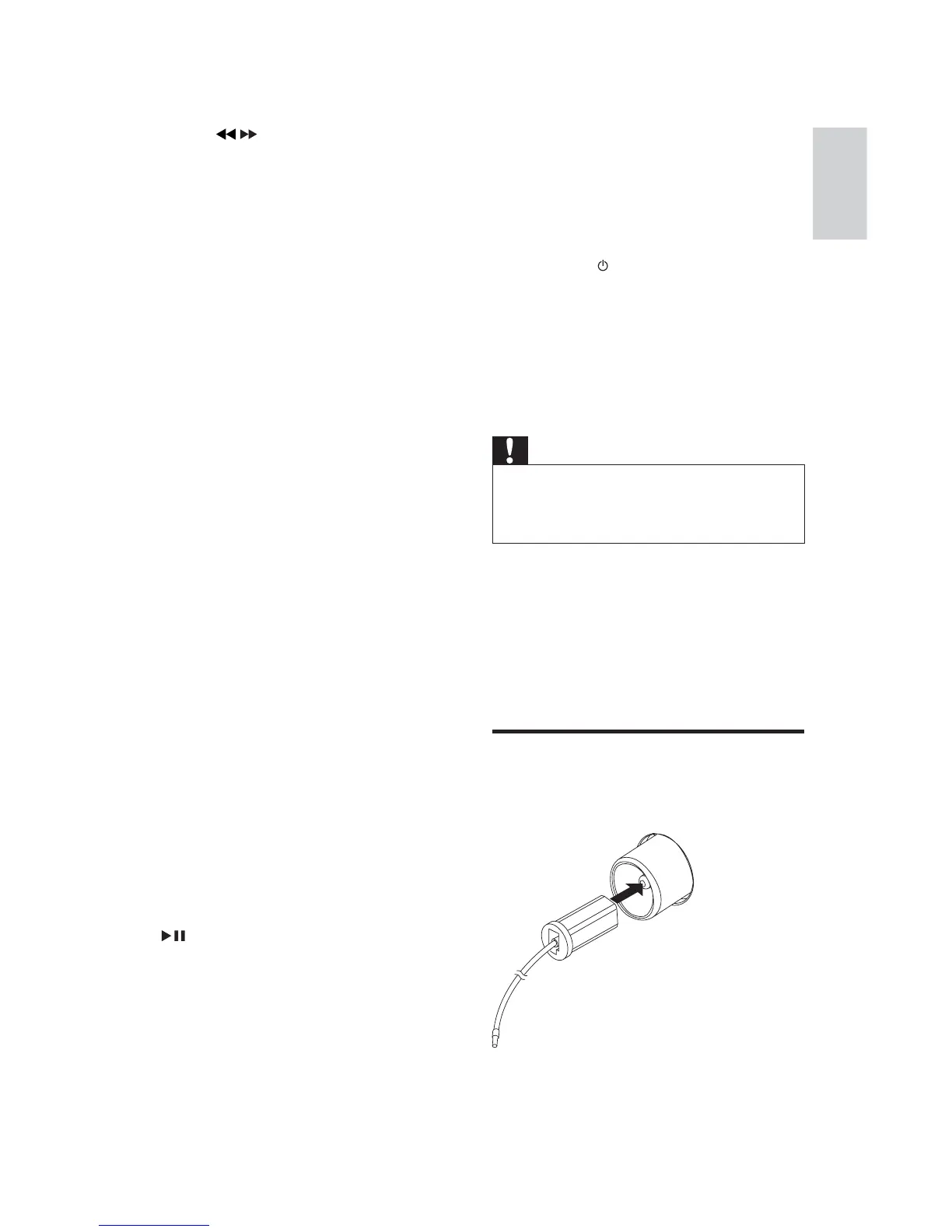
Connect FM antenna
1
Connect the supplied FM antenna to the
FM jack on the back of the main unit.
f ALBUM /
Skip to the previous/next album.
Search within a track/ disc/USB/tape.
Tune to a radio station.
g USB REC
Record from a disc to a USB device.
h TAPE REC
Record from a disc/USB/radio/AUX
to a tape.
i DIM
Select different levels of display
brightness.
j INC.SURR
Turn on or off incredible surround.
k BASS +/-
Increase/decrease a bass level.
l USB
Select the USB source.
m MUTE
Mute volume.
n TREBLE +/-
Increase/decrease a treble level.
o TIMER ON/OFF
Turn on or off alarm timer.
p SLEEP/TIMER
Set the sleep timer.
Set the alarm timer.
q SNOOZE
Stop alarm sound for a period of
time.
r USB DEL
'HOHWHDXGLRÀOHVVWRUHGRQD86%
device.
s
Start or pause disc/USB play.
Start tape play.
t VOL + -
Adjust volume.
u DISPLAY/CLOCK
Set the clock
English
EN


 To Next Page