15
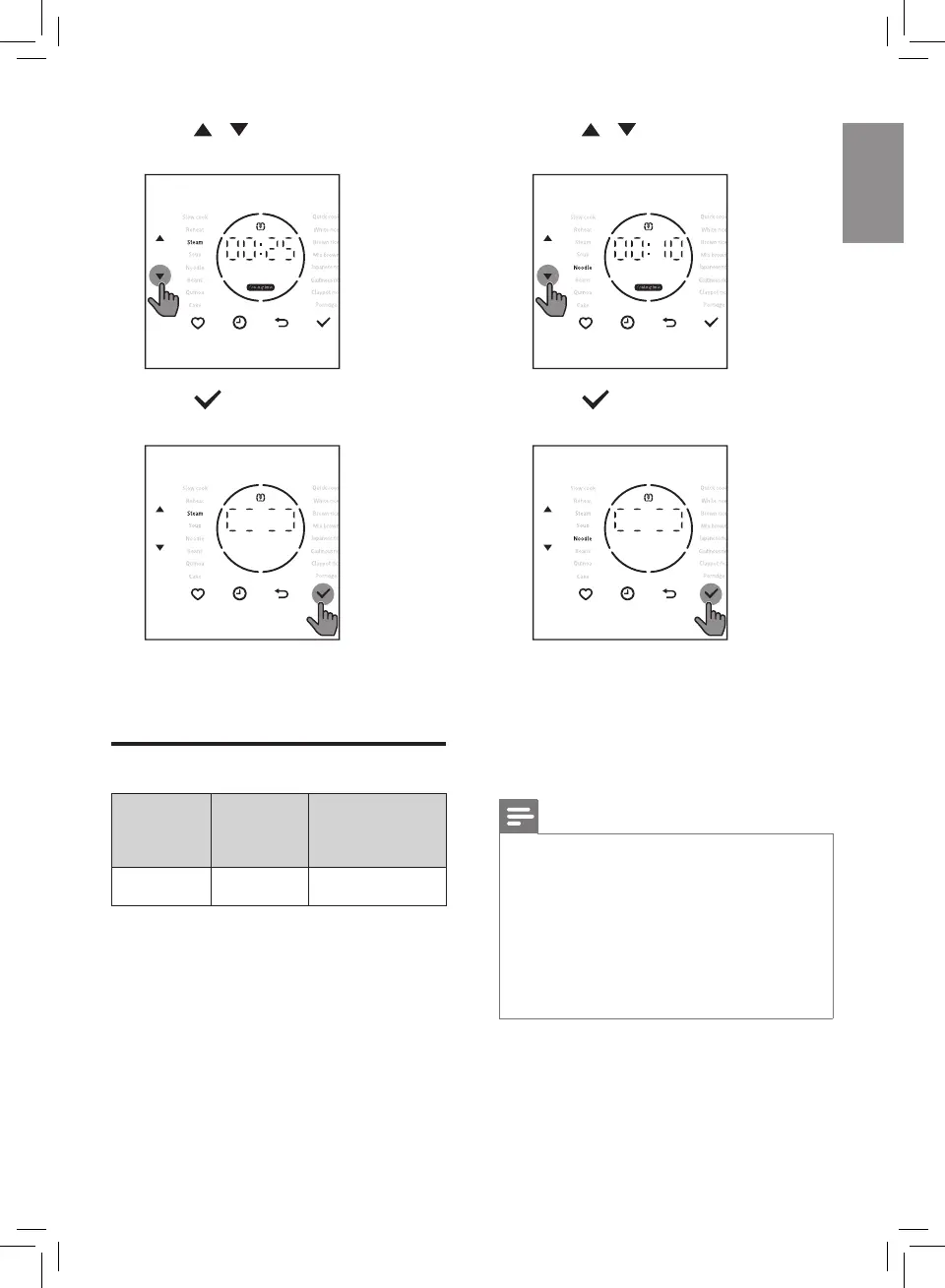
5 Press / button to select Steam
function.
6 Press button to start the
cooking process.
7 The appliance beeps after cooking
is completed, and automatically
switches to stand by mode.
Noodle
Menu
Default
cooking
time
Adjustable
cooking time
Noodle 10 mins 5-20 mins
1 Pour some water to the inner pot.
2 Wipe outside of the inner pot dry,
then put the inner pot in the Rice
Cooker.
3 Close the lid of the Rice Cooker, put
the plug in the power socket.
4 Press / button to select
Noodle function.
5 Press button to start the
cooking process.
6 Countdown will be started after the
water boils, the Rice Cooker beeps
four times.
7 Open the lid, put the noodles into
the inner pot. Keep the lid open
until the cooking process is nished.
Note
• To avoid the water overow or the
noodles sticking together, alway stir
the noodles during cooking.
• The total amount of noodles and
water cannot exceed the maximum
water level indication on the inner
pot, otherwise the Rice Cooker will
have a slightly overow.
8 When the cooking process is
nished, the Rice Cooker beeps
once and then switches to keep-
warm mode automatically.


 To Next Page