17
Reheat
Menu
Default
cooking
time
Adjustable
cooking time
Reheat 25 mins 25-59 mins
1 Loosen the cooled rice and evenly
distribute it in the inner pot.
2 Pour some water onto the rice to
prevent it from becoming too dry.
The quantity of the water depends
on the amount of rice and your own
preference.
3 Complete the steps 4-5 in "Rice".
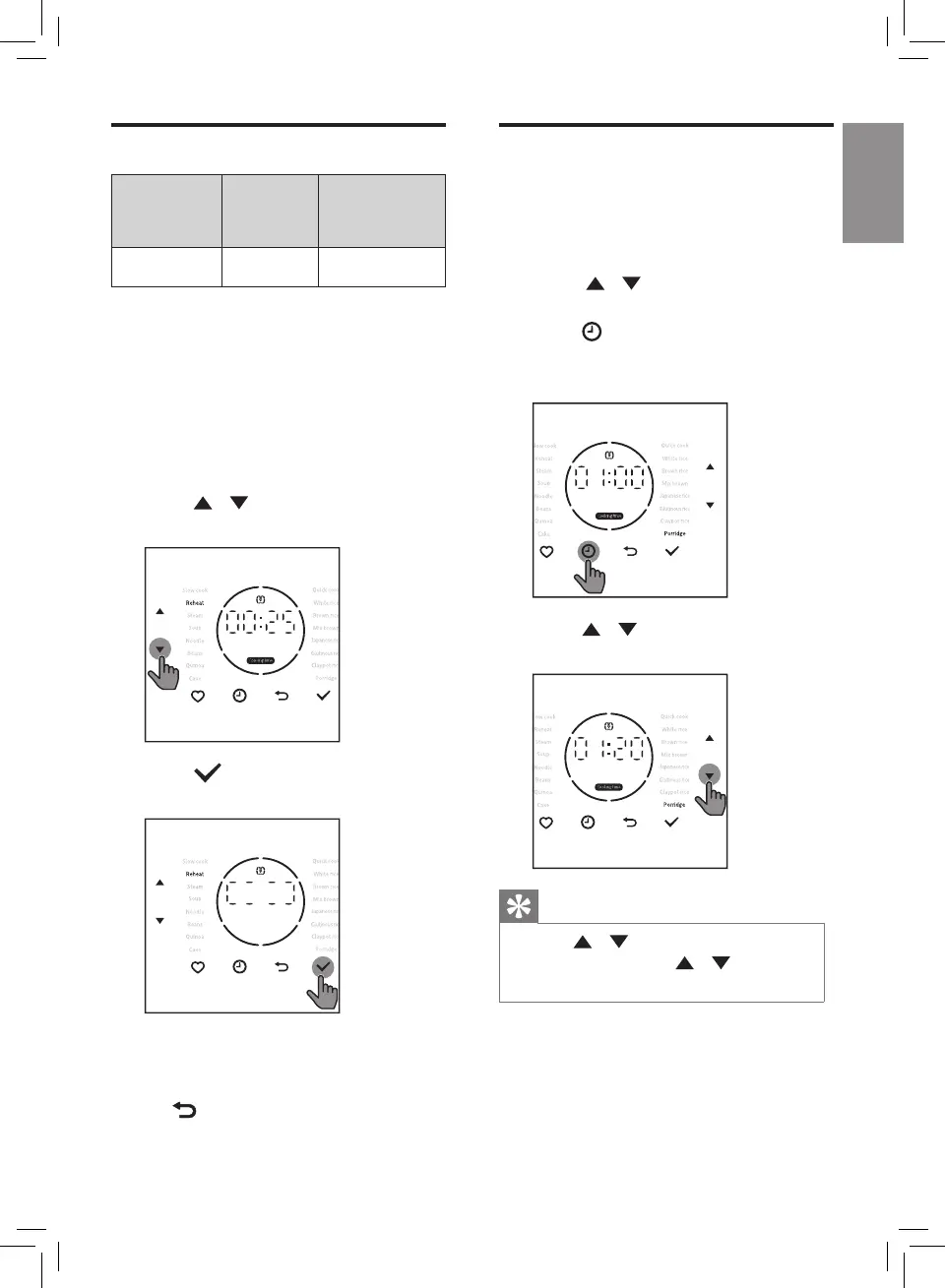
4 Press / button to select
Reheat function.
5 Press button to start the
cooking process.
6 The appliance beeps after cooking
is completed, and automatically
switches to keep warm mode.
» button lights up.
Adjusting the cooking
time
You can adjust the cooking time for
Porridge, Soup, Steam, Noodle, Slow
cook, Reheat and Beans functions.
1 Press / button
to select the
desired cooking function.
2 Press button.
» Cooking time blinks on the
screen.
3 Press / button to choose the
cooking time.
Tip
• Press / button on the left to
adjust hour, press / button
on the right to adjust minute.


 To Next Page