19
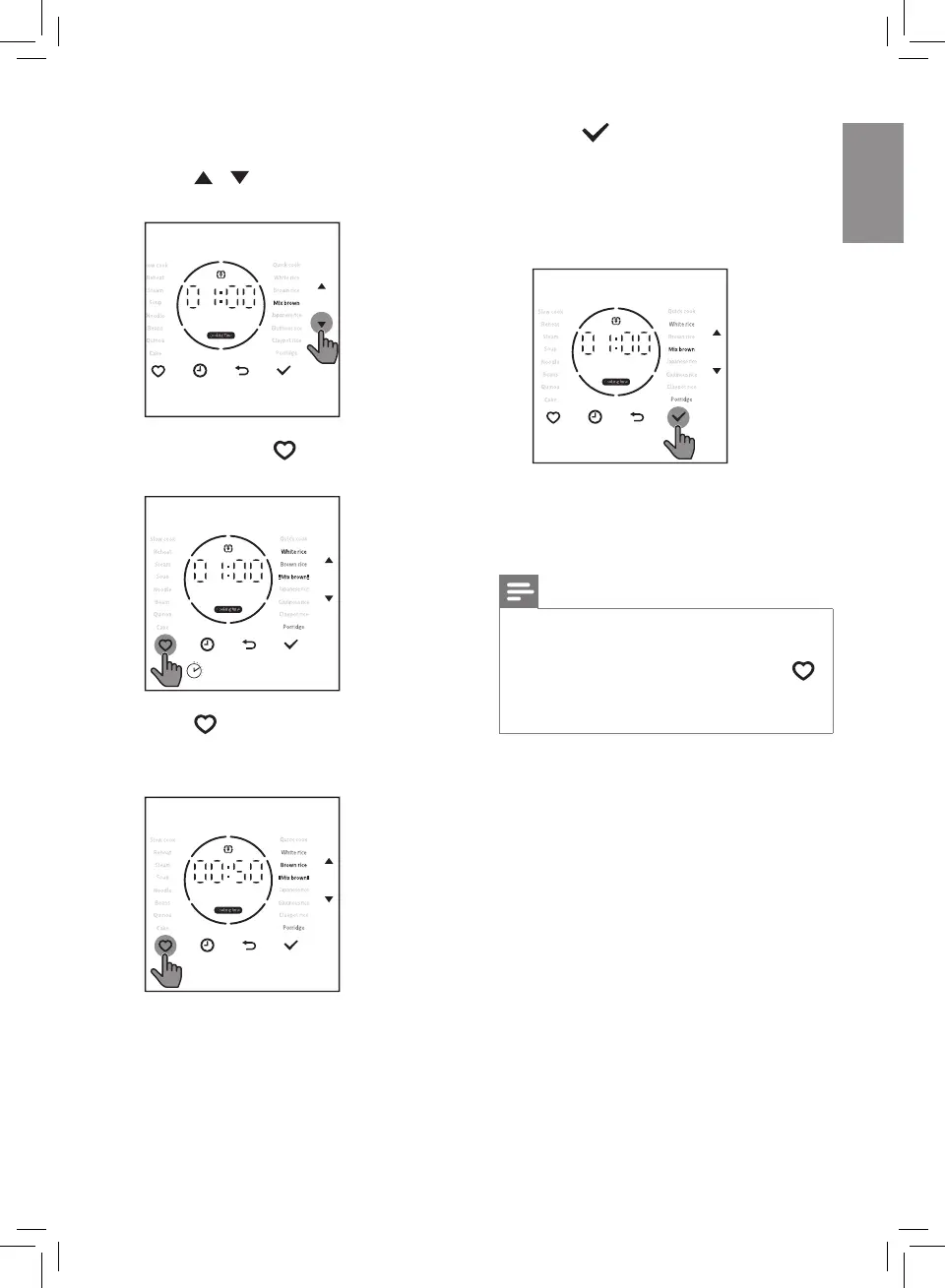
4 Press button, the current menu
will be saved in My Favourite, the
default menu is replace with this
new one
» The newly saved menu is
displayed on the screen.
5 Follow the above steps, you
can change other menus in My
Favourite to the one you like.
Note
• If there are repeated menus in
My Favourite, the repeated menu
blinks twice when you press the
button, but the cooking time will be
dierent.
If you need to change the menu, follow
the steps below:
1 Press / button to select the
cooking function you want.
2 Press and hold button for
3 seconds.
3’
3 Press button to choose a menu
you want to replace with.
» The menu lights up.


 To Next Page