English
9
Connections
* IMPORTANT!
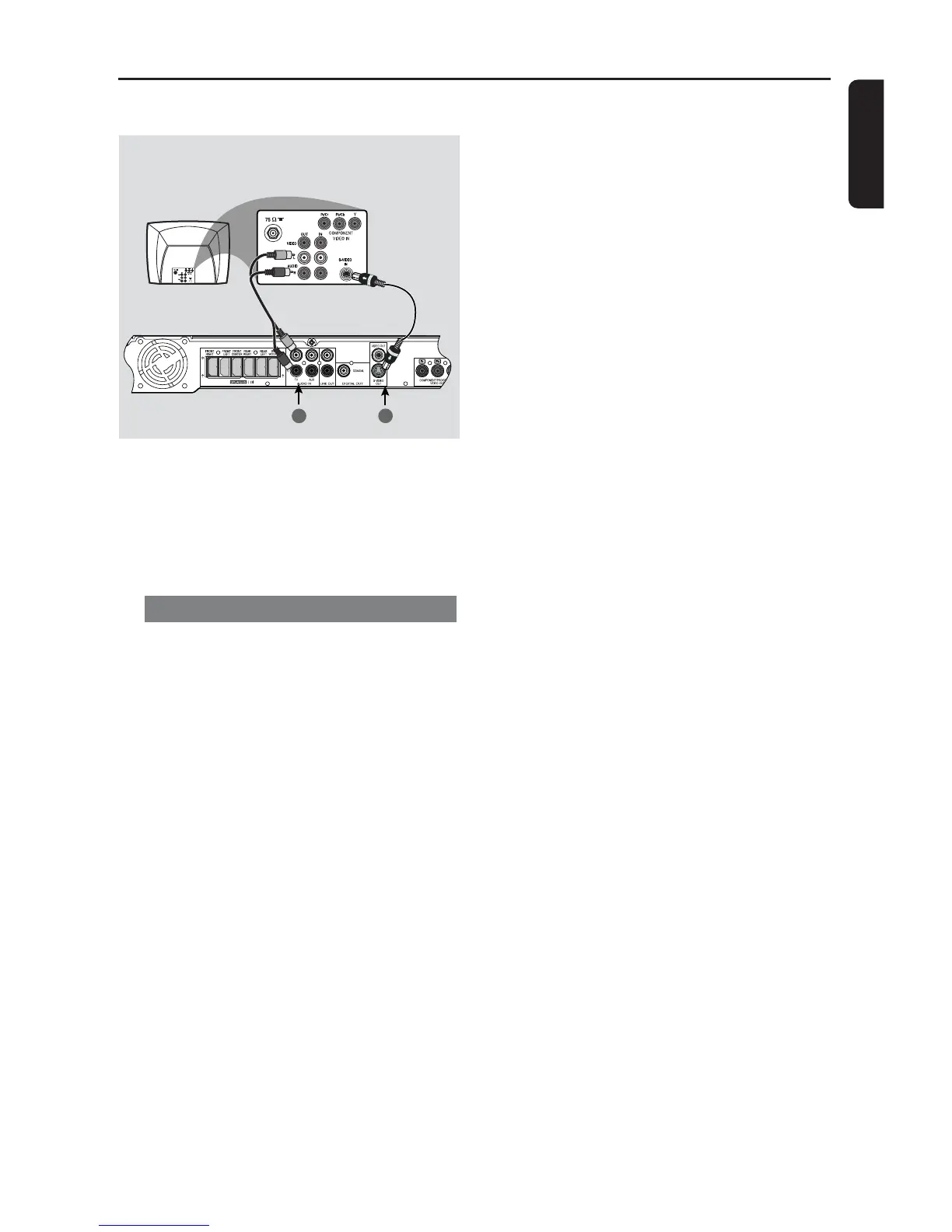
– If S-Video is used for DVD
playback, the system’s VIDEO OUT
setting will need to be changed
accordingly.
Using S-Video jack
1 Use an S-Video cable (not supplied) to
connect the DVD system’s S-Video
OUT jack to the S-Video input jack (or
labeled as Y/C or S-VHS) on the TV.
2 To hear the TV channels through this
DVD system, use the supplied audio
cables (white/red) to connect AUDIO
IN-TV) jacks to the corresponding
AUDIO OUT jacks on the TV.
3 Before starting operation, press TV on
the remote to select “TV” in order to
activate the input source.
Option 3
2
1
4


 To Next Page