EasyManua.ls Logo

Philips MX5700D - DVD Menu Options: Parental Control Security; Changing the Parental Control Password

Philips MX5700D
45 pages
Print Icon
To Next Page IconTo Next Page
To Previous Page IconTo Previous Page
Loading...
34
English
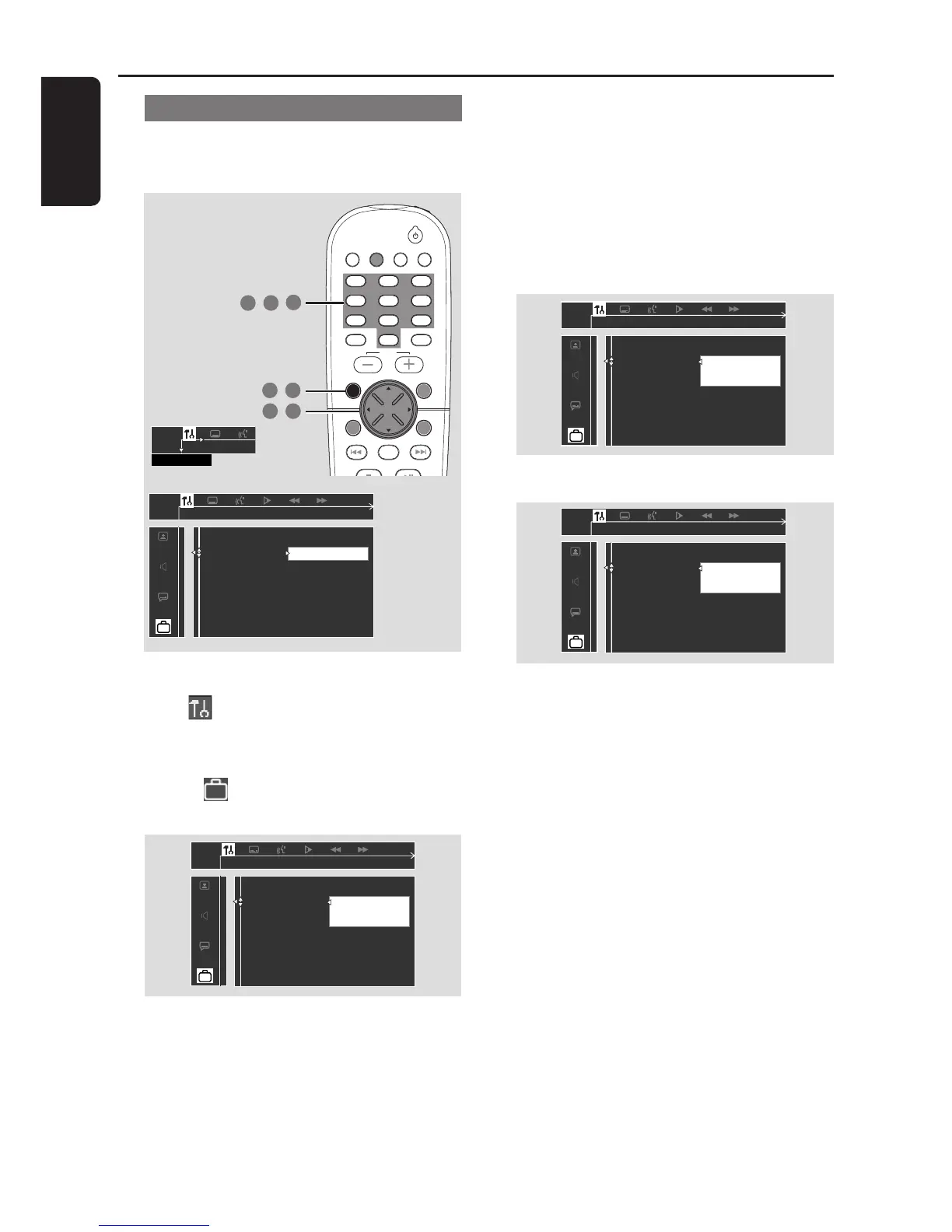
Changing the password
You can change the four-digit password used
for Parental Control. The default password is
1234.
1 In disc mode, press SYSTEM MENU.
2 Select icon and press 4.
3 Use the joystick (1 2 3 4) on the remote to
navigate in the menu.
Move to and press 2.
Move to Password and press 2.
__ __ __ __
Enter code
Please enter old password
Parental Control
Password
Menu Language
Defaults
4 Use the numeric keypad (0-9) to enter
your original four-digit password at Enter
code.
If you are asked to enter the code for the
first time, key in 1234.
If you forget your password, press Ç four
times to restore to the default password
(1234).
5 Enter your new four-digit password.

__ __ __ __
Enter code
Please enter new password
Parental Control
Password
Menu Language
Defaults
6 Enter the same new four-digit password again.
__ __ __ __
Enter code
Please reenter new password
Parental Control
Password
Menu Language
Defaults
7 Press SYSTEM MENU again to remove the
menu.
TV/AV
DISC/
MEDIA
TUNER
AUX/DI
DISC MENUSYSTEM MENU
SEATING ZOOM
PREV NEXT
STOP PLAY/PAUSE
VOL
OK
456
123
789
0
SURR.
SOUND
1 7
,
2 3
,
6
4 5
,
,
SETUP MENU
Change
Change password
Parental Control
Password
Menu Language
Defaults
DVD Menu Options

Table of Contents

Related product manuals