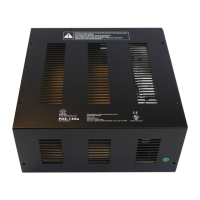
PDS-150e Product Guide4
Installation
PDS-150eisanindoor-ratedpower/datasupplydesignedforLEDlightingfixtures
fromPhilipsColorKinetics.Itsupportsuptosixfixturesandfeaturesshortcircuit
protectionanddiagnosticindicatorstoassistwiththeproperoperationofPhilips
ColorKineticslightingsystems.ThePDS-150eenclosureisdesignedforuseindry
locations.
Owner / User Responsibilities
Itistheresponsibilityofthecontractor,installer,purchaser,owner,andusertoinstall,
maintain,andoperatePDS-150einsuchamannerastocomplywithallapplicable
codes,stateandlocallaws,ordinances,andregulations.Consultwiththeappropriate
electricalinspectortoensurecompliance.
Plan the Installation
Tostreamlineinstallationandensureaccurateconguration,startwithalayoutora
lightingdesignplanthatshowsthephysicallayoutoftheinstallationandidentiesthe
locationsofalllightingxtures,PDS-150edevices,controllers,switches,andcables.
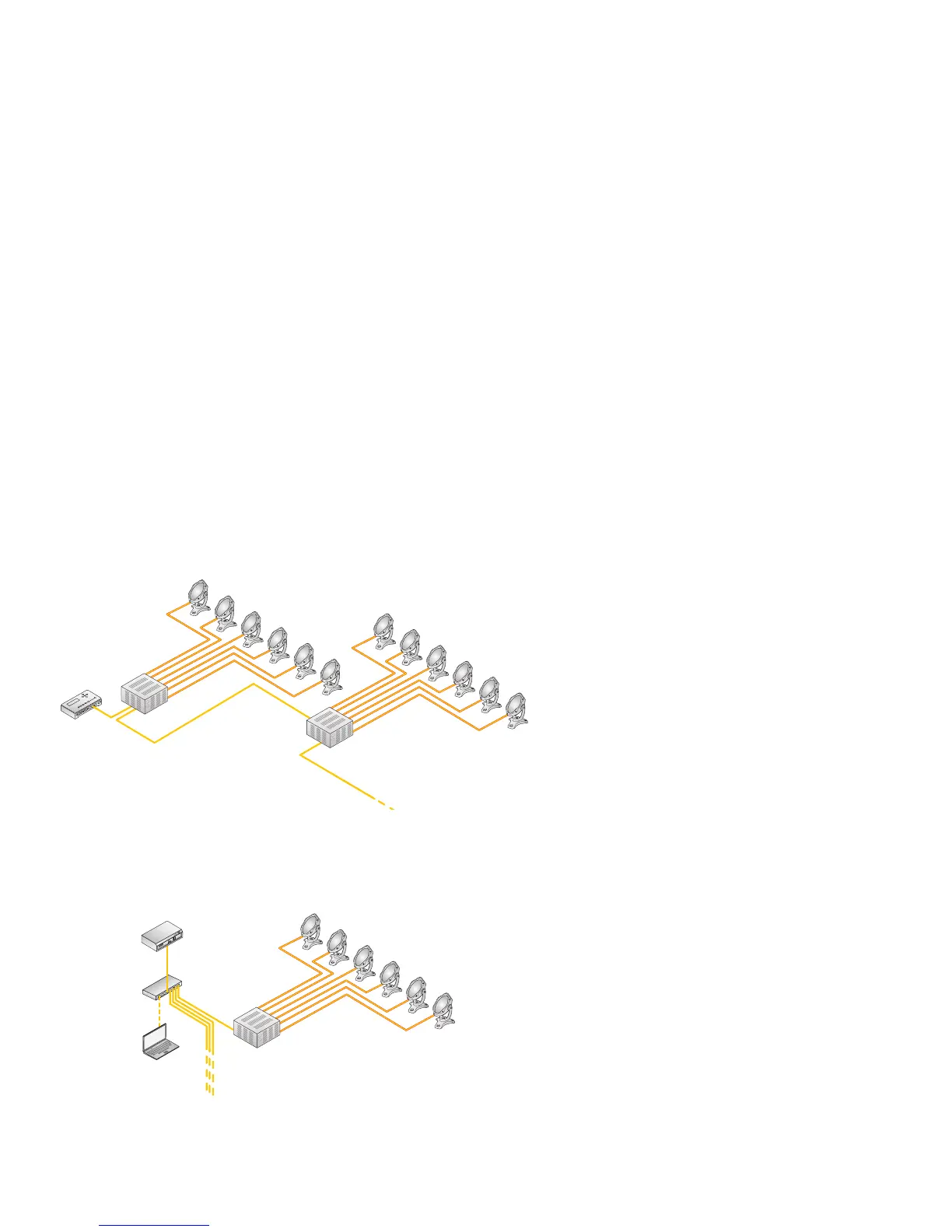
DMX and Ethernet Congurations
PDS-150ecanbeusedineitherDMXorEthernetnetworks.
TypicalDMXinstallationswithintelligentLEDfixturesfromPhilipsColorKinetics
useacontrollersuchasiPlayer3,aControllerKeypadfortriggeringlightshowsand
turningfixturesonandoff,andoneormorePDS-150edevices.PDS-150edevices
canbeconnectedinseriestodeliverDMXdatafromasinglecontrollertoall
connectedlights.
TypicalEthernetinstallationswithPhilipsColorKineticsLEDfixturesusean
Ethernetswitch,anEthernetcontrollersuchasLightSystemManagerorColorDial
Pro,EthernetControllerKeypadsforlightshowtriggeringandturningfixtureson
andoff,andoneormorePDS-150edevices.
E Refer to the PDS-150e Installation
Instructions for specic warning and caution
statements.
Controller
Ethernet
Switch
Controller
PC
PDS-150e
Fixtures
PDS-150e
Fixtures
Ethernet
Switch
Controller
PC
PDS-150e
Fixtures
TypicalDMXInstallation
TypicalEthernetInstallation


 To Next Page
 Loading...