PREPARATIONS
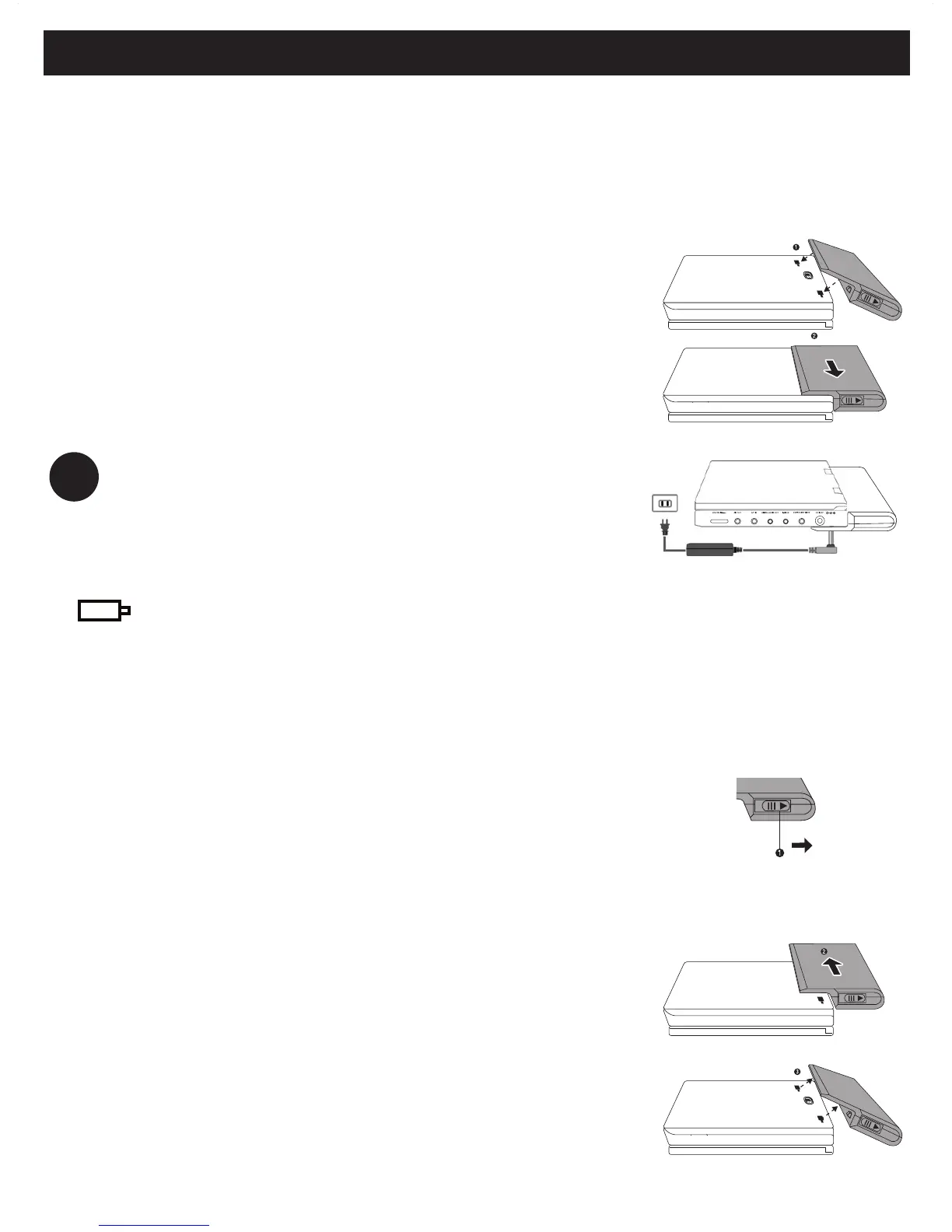
Attaching and charging the battery pack*
1 Switch off the set. Attach the battery pack
as shown.
2 Connect the supplied adapter to the set and
the main power supply (as shown). Charge
until the red indicator turns off (approximately
4.5 - 6.5 hours when unit is charged from
power off).
TIP
• It is normal for the battery pack to become
warm during charging.
• is shown on the screen when battery
power is running.
Detaching the battery pack
1 Switch off the set.
2 Unplug the AC adapter.
3 Turn the player upside down.
4 Press down the battery pack lock switch.
5 Slide off the battery pack as shown.
* Rechargeable batteries have a limited
number of charge cycles and may
eventually need to be replaced. Battery
life and number of charge cycles vary by
use and settings.


 To Next Page