PREPARATIONS
Connections
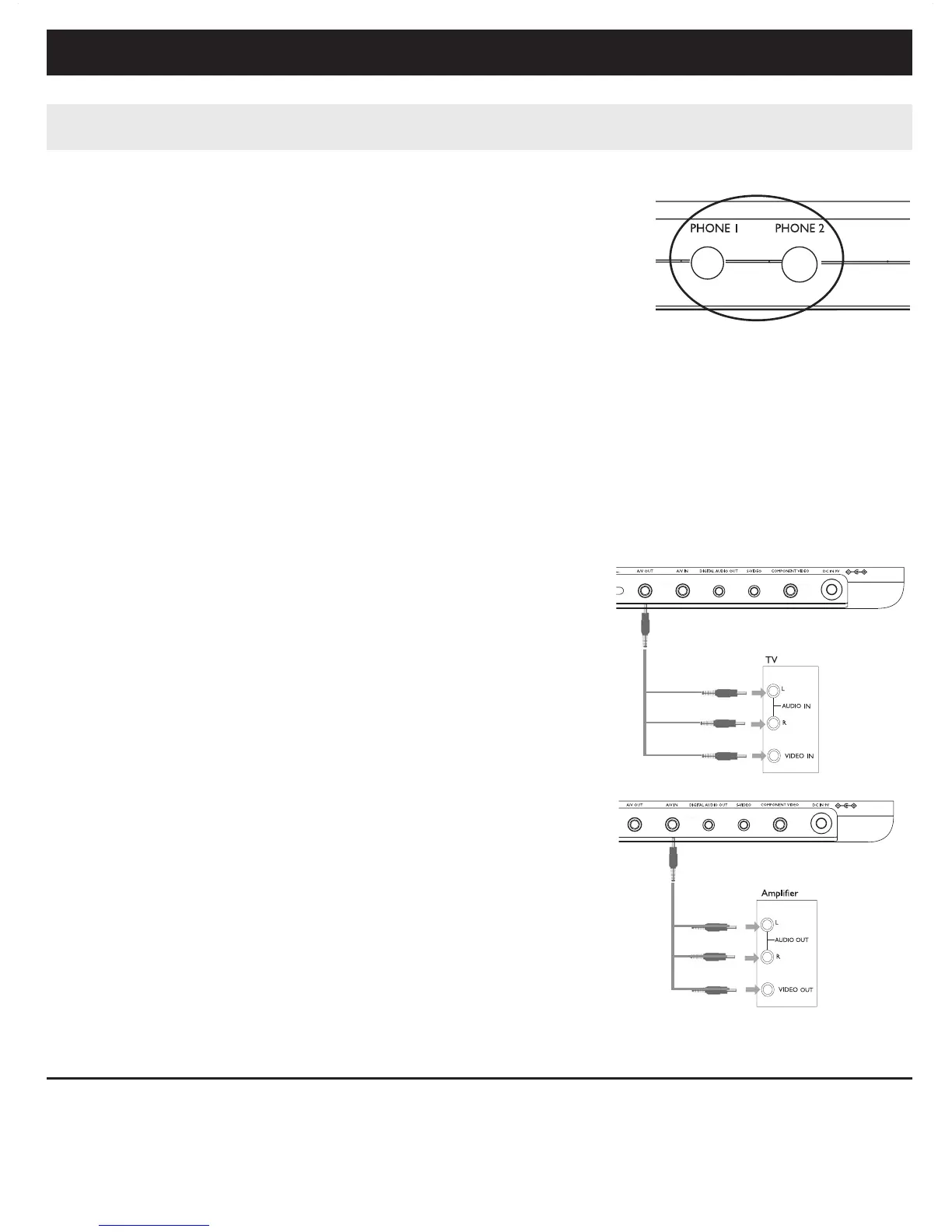
Connecting headphones
Connect the headphones into the PHONE 1 or the
PHONE 2 jack of your set.
Connecting additional equipment
• Turn off your set before connecting to any additional equipment.
• You can connect the player to a TV or an amplifier to enjoy DVDs or karaoke.
AV OUT
On the DVD player panel, press VIDEO OUT to
select A/V OR S-VIDEO OUT
A/V IN
On the DVD player panel, press VIDEO OUT to
select A/V IN (AUX)
Connection Video Audio (Left) Audio (right)
Color Yellow White Red
White
Red
Yellow
White
Red
Yellow


 To Next Page