PREPARATIONS
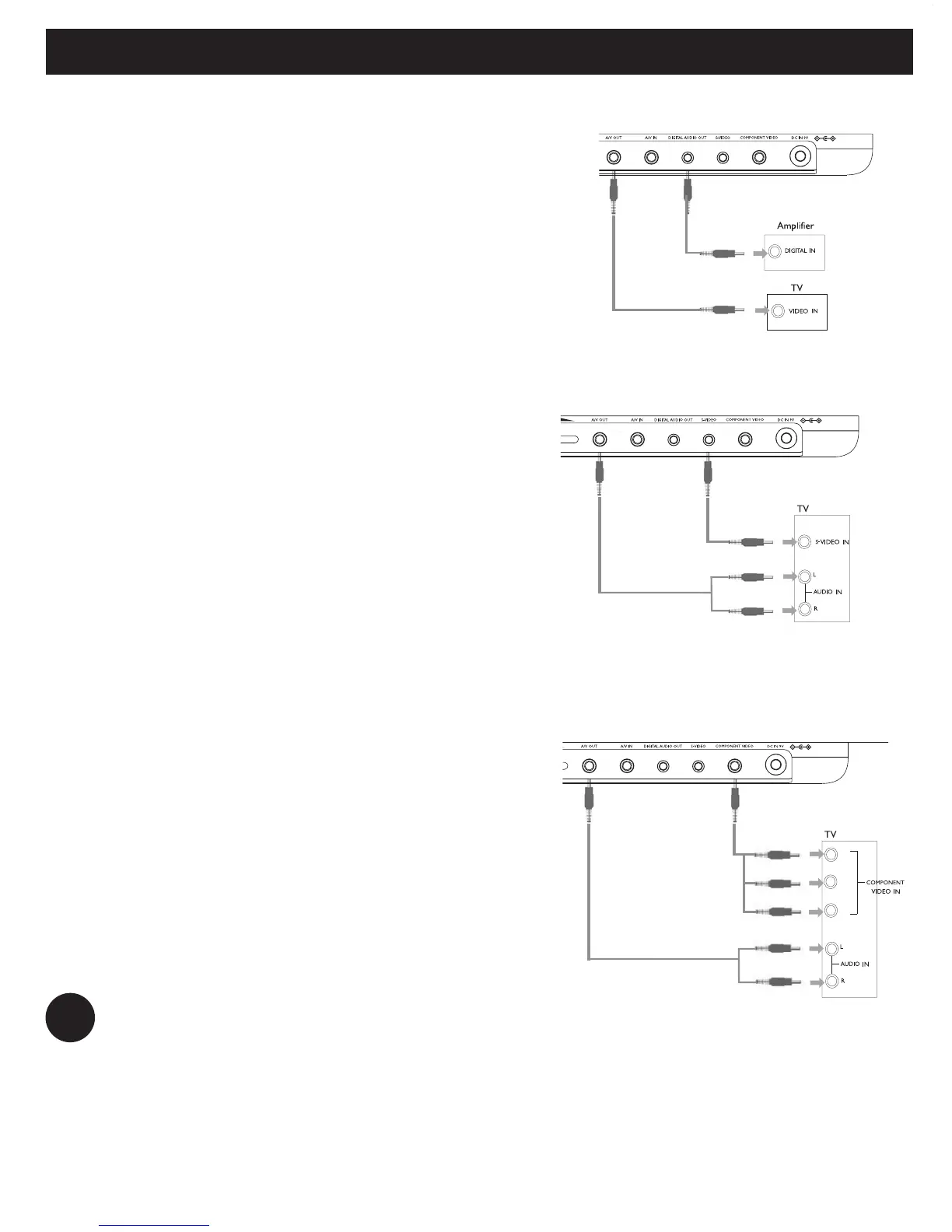
Digital Audio Out
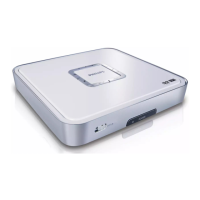
S Video
On the DVD player panel, press VIDEO OUT
to select A/V OR S-VIDEO OUT
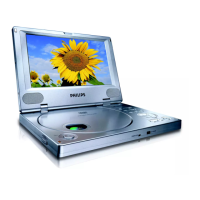
Component Video
On the DVD player panel, press VIDEO OUT
to select COMPONENT OUT (YPBPR) or
COMPONENT OUT (YCBCR)
TIP
• You can also make use of the COAXIAL jack for digital audio output.
• Please refer to the user manuals of your additional equipment for more
information about connection.
• Players support NTSC/PAL/AUTO television sets.
Yellow
White


 To Next Page