18
Play discs
1
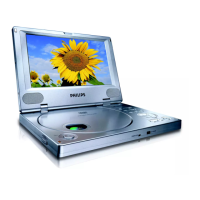
Slide OPEN on the player.
2
Insert the disc with label side facing up.
3
Push down to close the disc compartment.
Play starts automatically. If not, press
»
/OK.
If a menu appears, select an item, then press
/OK to start play.
To pause, press
/OK. Press again to resume play.
To stop, press
twice.
To select the previous/next item, press
or .
To start search within video/audio, press
or once or more.
Play options
1
During play, press OPTION to select some play options.
For DVD
>$XGLR@
>6XEWLWOH@
>5HSHDW@
>7LPH'LVS@
For VCD
>$XGLR@
>5HSHDW@
>7LPH'LVS@
For audio CDs
>5HSHDW2QH@
>5HSHDW)ROGHU@
>5HSHDW2II@
For JPEG CDs
>5HSHDW2QH@
>5HSHDW)ROGHU@
2
Follow the on-screen instructions.
EN



 To Next Page