21
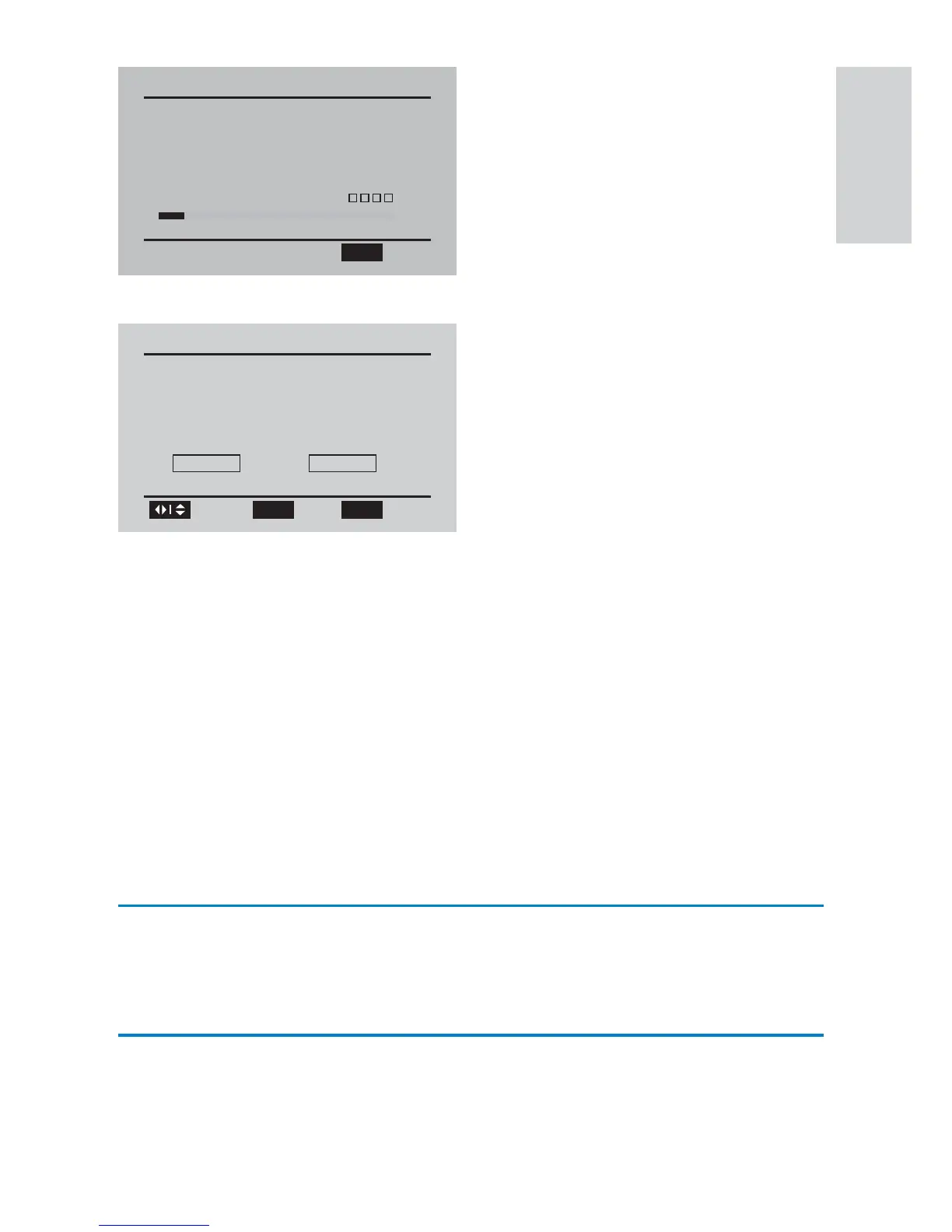
Auto channel search (Air) starts and will take a few minutes.»
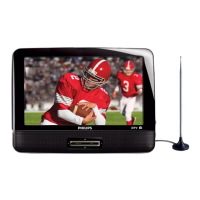
When auto channel search is complete, the total number of TV and »
radio channels found is displayed.
5 To skip the cable channel search, select [Skip] , and then press OK .
The programs of the fi rst found channel play automatically.»
6 If you connect the portable TV to a cable TV socket, select [Yes] ,
and then press OK .
Auto channel search (Cable) starts and will take a few minutes.»
When auto channel search is complete, the total number of TV and »
radio channels found is displayed.
To view the programs of the fi rst found channel, press • OK .
Switch channels
Press CH+ / CH- or Number keys on the remote control.
Press • PREV CH to return to the previously viewed channel.
View program information
To view brief information of the current program, press INFO .
Channel Search(Air)
Channel searching please wait...
RF Channel:
TV Channels Found: 0
10
0
Radio Channels Found:
Signal Quality:
OPTIONS
Exit
Channel Search
Channel Search End(Air)
TV Channels Found:
Radio Channels Found: 0
8
Search Cable Channel?
Yes Skip
Browse
Select
OK OPTIONS
Exit
English
EN


 To Next Page