1
1. Unpacking and Installation
1.1. Unpacking
• Thisproductispackedinacarton,togetherwiththestandardaccessories.
• Anyotheroptionalaccessorieswillbepackedseparately.
• Duetothesizeandweightofthisdisplayitisrecommendedfortwopeopletomoveit.
• Afteropeningthecarton,ensurethatthecontentsarecompleteandingoodcondition.
1.2. Package Contents
Pleaseverifythatyoureceivedthefollowingitemswithyourpackagecontent:
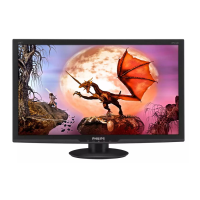
• LCDdisplay
• Quickstartguide
• RemotecontrolwithAAAbatteries
• Powercord
• RS232cable
• RS232daisychaincable
• IRsensorcable
• USBcoverandscrewx1
* The supplied power cord varies depending on destination.
Quick start guide
Remote Control
and AAA Batteries
FORMAT
SOURCE
INFOLIST
OPTIONSADJUST
VOL
NORMAL
ID
ID SET ENTER
Power Cord RS232 Daisy Chain Cable RS232 Cable
IR Sensor Cable USB Cover Screw
LCD display
*Itemsmaydifferindifferentlocations
*Displaydesignandaccessoriesmaydifferfromtheimagesshown.
NOTES:
• Forallotherregions,applyapowercordthatconformstotheACvoltageofthepowersocketandhasbeenapprovedbyandcomplieswiththe
safetyregulationsoftheparticularcountry(TypeH05W-F,2Gor3G,0.75or1mm
2
shouldbeused).
• Keepthepackagingmaterialsappropriatelyafterunpackingtheproduct.
1.3. Installation Notes
• Onlyusethepowercableprovidedwiththisproduct.Ifanextensioncordisrequired,pleaseconsultyourserviceagent.
• Theproductshouldbeinstalledonaatsurface,ortheproductmaytipover.Leaveaspacebetweentherearoftheproductandthewallforproper
ventilation.Donotinstalltheproductinakitchen,bathroomoraplaceexposedtomoisture,failuretodosomayshortenthelifeoftheinternal
parts.
• Donotinstalltheproductwhereitis3000mandhigherinaltitude.Failuretodosomayresultinmalfunctions.



 To Next Page
 Loading...