EasyManua.ls Logo

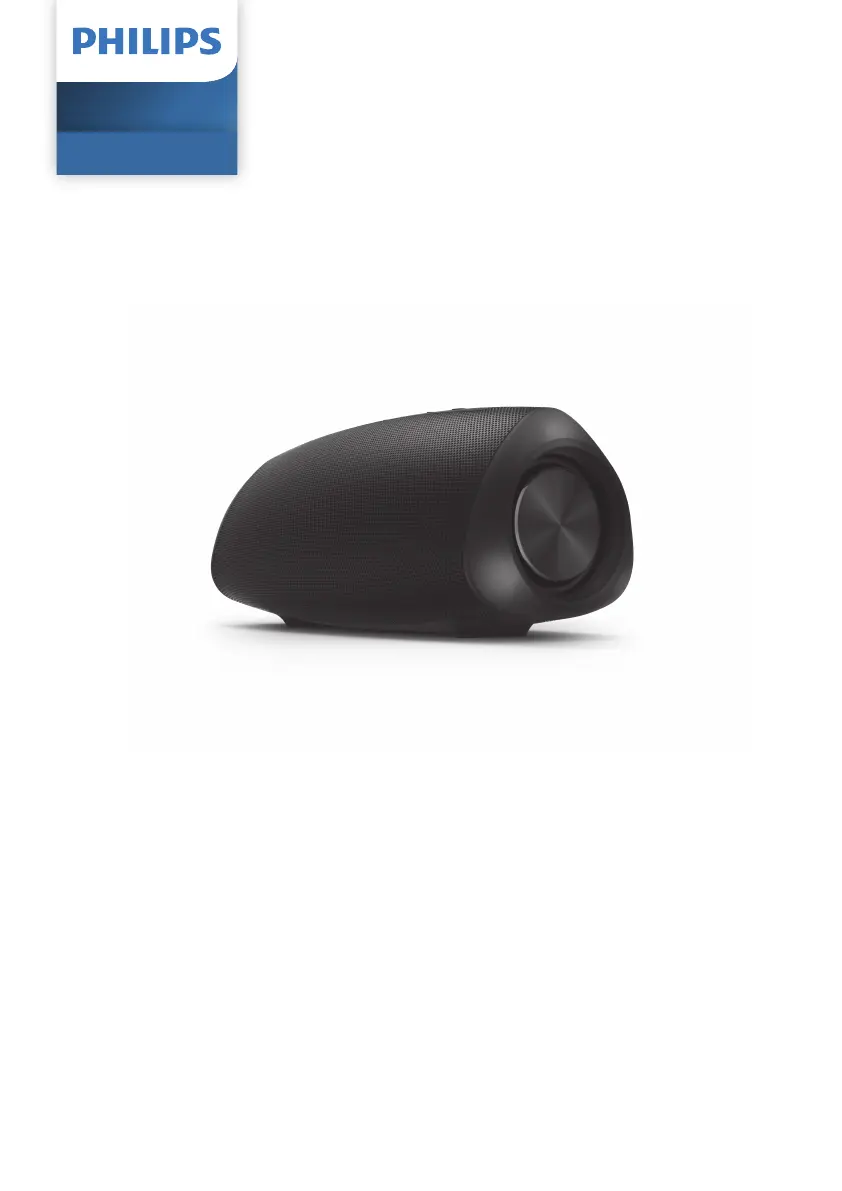
Philips S5305 - User Manual

Philips S5305
12 pages
Print Icon
To Next Page IconTo Next Page
Loading...
TAPR802
Register your product and get support at
www.philips.com/support
User manual
Wireless Speaker
S5305
Contents

Questions and Answers

  • L
    Linda FreyJul 28, 2025
    Why won't my Philips Speakers turn on?
    • J
      James HernandezJul 28, 2025
      If your Philips Speakers are not powering on, ensure the speaker is fully charged and that the USB socket is properly connected. As a power-saving feature, the speaker may not turn on if no audio signal is received or no audio device is connected.
  • J
    John WardAug 2, 2025
    Why can't I connect to my Philips Speakers with Bluetooth?
    • A
      Alexa BoltonAug 2, 2025
      If you're having trouble connecting to your Philips Speakers via Bluetooth, first check that the Bluetooth function is enabled on your device by referring to its user manual. Also, the speaker might not be in pairing mode or it might already be connected to another Bluetooth device. Disconnect from the other device and try again.
  • Y
    ysmithAug 7, 2025
    What to do if Philips S5305 Speakers fail to pair?
    • R
      Robert WrightAug 7, 2025
      If you are unable to find your Philips S5305 speakers on your Bluetooth device, press and hold the pairing button for 2 seconds to enter Bluetooth pairing mode, and then try again.
  • C
    Christopher JonesAug 11, 2025
    What to do if my Philips S5305 have no sound?
    • P
      Peggy BakerAug 11, 2025
      If your Philips Speakers aren't producing sound, there are a few things you can check: First, make sure the volume is turned up on the speaker itself. Also, verify that the volume is audible on the device connected to the speakers. If you are in AUDIO IN mode, ensure Bluetooth music playback is stopped. Finally, confirm that your Bluetooth device is within the operational range of the speakers.
  • C
    cherylreyesAug 17, 2025
    How to fix poor audio quality on Philips S5305 via Bluetooth?
    • C
      Caitlin LewisAug 17, 2025
      If the audio quality is poor when your Bluetooth device is connected to your Philips Speakers, it might be due to a weak Bluetooth signal. Try moving your device closer to the speaker or removing any obstructions that could be interfering with the signal.
  • M
    matthew52Aug 21, 2025
    What to do if my Philips S5305 are not responding?
    • J
      John KleinAug 21, 2025
      If your Philips Speakers are not responding, try restarting the speaker.

Summary

Important Safety Information

Safety Precautions

Essential safety guidelines for operating the speaker, covering usage environment, liquids, and accessories.

Getting Started with Your Speaker

Charging the Built-in Battery

Step-by-step instructions for charging the speaker's rechargeable battery.

Powering the Speaker On and Off

Guide on how to turn the speaker on, off, and its auto-power off feature.

Bluetooth Device Connectivity

Streaming Audio via Bluetooth

Instructions for connecting and playing audio from Bluetooth-enabled devices.

Troubleshooting Common Issues

General Problem Solving

Solutions for issues like no power, no sound, or speaker unresponsiveness.

Bluetooth Connectivity Problems

Guidance for poor audio quality, pairing failures, and connection issues.

Philips S5305 Specifications

General IconGeneral
Speaker typeFull range
Number of drivers2
Number of speakers1
RMS rated power16 W
Wi-FiNo
BluetoothYes
Bluetooth range20 m
Bluetooth version5.0
Bluetooth profilesA2DP, AVRCP, HFP, HSP
Connectivity technologyWired & Wireless
Product typeStereo portable speaker
Product colorBlack
Volume controlDigital
Protection featuresWaterproof
International Protection (IP) codeIPX7
Recommended usageUniversal
Battery typeBuilt-in battery
Battery voltage7.4 V
Battery capacity2600 mAh
Power source typeBattery
Battery life (max)12 h
Battery recharge time6 h
Cables includedAudio (3.5mm), USB
Package depth110 mm
Package width238 mm
Package height103 mm
Package weight800 g
Harmonized System (HS) code85182200
Weight and Dimensions IconWeight and Dimensions
Depth80 mm
Width190 mm
Weight600 g

Related product manuals