English
47
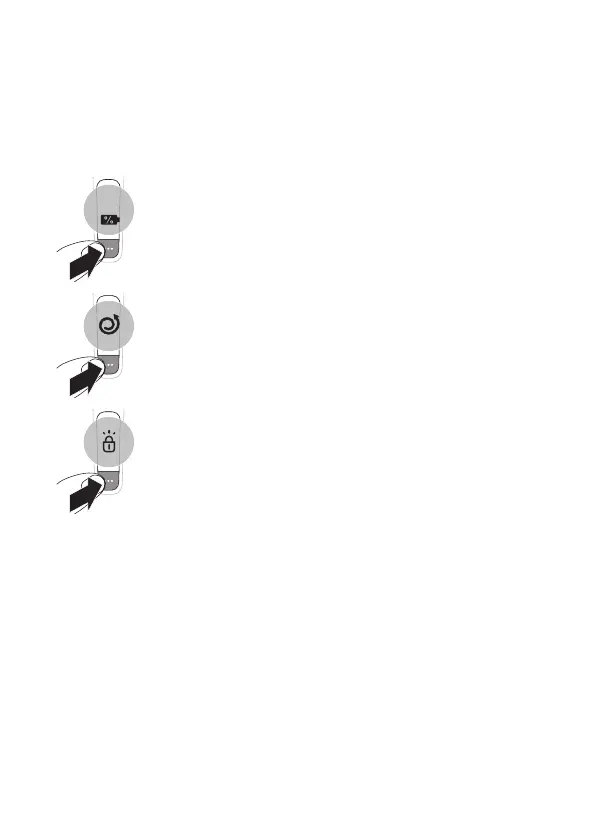
When your shaver is switched o
Main menu
While your shaver is switched o, you can also toggle
through the four menu functions by pressing the
menu button.
- Remaining battery charge
This menu item shows the remaining battery
charge.
- Motion Control sensor
This menu item shows the motion feedback from
your last shave.
- Travel lock
From this menu item, you can lock and unlock
your shaver by pressing and holding the menu
button for 3 seconds. When you are going to
travel, you can lock the shaver to prevent it
from accidentally switching on. When the travel
lock is activated, Bluetooth will be switched o
automatically and your shaver will be in energy
saving mode.
10



 To Next Page