English
50
Note: You cannot use the appliance while it is
charging.
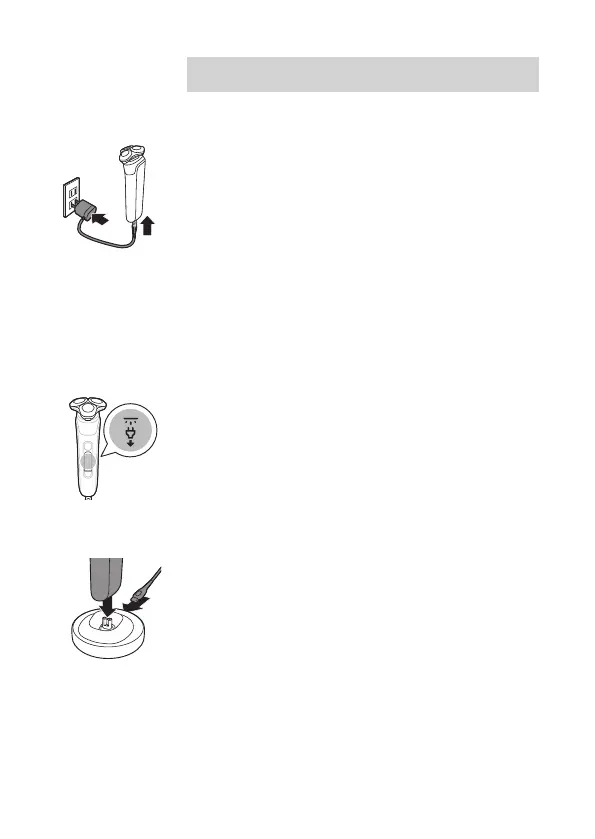
Charging with the supply unit
1 Make sure that the appliance is switched o.
2 Insert the small plug into the appliance and put
the supply unit in the wall socket.
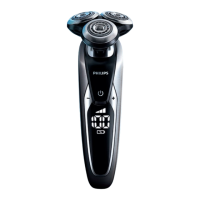
- While the appliance is charging, an animation
appears on the display showing the progress.
- When the appliance is fully charged, the
battery percentage shows 100% and the
battery icon shows the battery being full.
3 After charging, remove the supply unit from the
wall socket and pull the small plug out of the
appliance.
Unplug for use symbol
The 'unplug for use' symbol displays to remind you
to disconnect the appliance from the wall socket and
remove the small plug from the appliance before you
switch it on.
Charging in the charging stand
1 Make sure the appliance is switched o.
2 Put the small plug in the charging stand and put
the supply unit in the wall socket.
3 Place the appliance in the charging stand.



 To Next Page