English
52
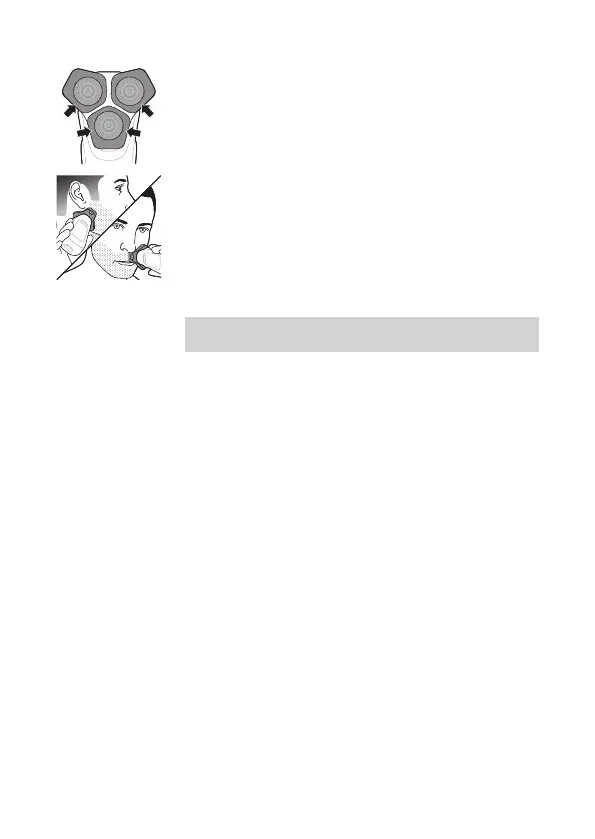
3 Use the narrow sides of the shaving unit to shave
in hard-to-reach areas such as along your jawline
and under your nose.
4 Switch o and clean the appliance after each use.
Note: Make sure you rinse all foam or shaving gel
o the appliance.
When you are nished shaving and switch o your
shaver you can also receive feedback about your
overall shave on the handle. You can activate this
feature via the app (see 'How do I connect my shaver
and smartphone?').
In the menu on your shaver, you can view the motion
feedback from your last shave (see 'Motion Control
sensor'). You can personalize your feedback settings,
see more detailed feedback and get personalized
advice via the app.



 To Next Page