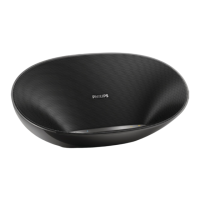
Introduction
With this speaker, you can enjoy audio from the compatible Bluetooth device or your PC/ Mac.
3 Get started
Always follow the instructions in this chapter in sequence.
If you contact Philips, you will be asked for the model and serial number of this apparatus. The
model number and serial number are on the bottom of the apparatus. Write the numbers here:
Model No. __________________________
Serial No. ___________________________
Power supply
The speaker can operate on built-in rechargeable battery.
To recharge the built-in battery:
Connect micro USB socket( ) with PC through supplied USB cable.
» The power indicator( ) turns on.(white)
• The power indicator turns off when it’s fully charged.
a
b
c
f
de
g


 To Next Page