8
Yo u r p h o n e
In other modes: Long press to return to
idle mode. Short press to move to the
previous menu level.
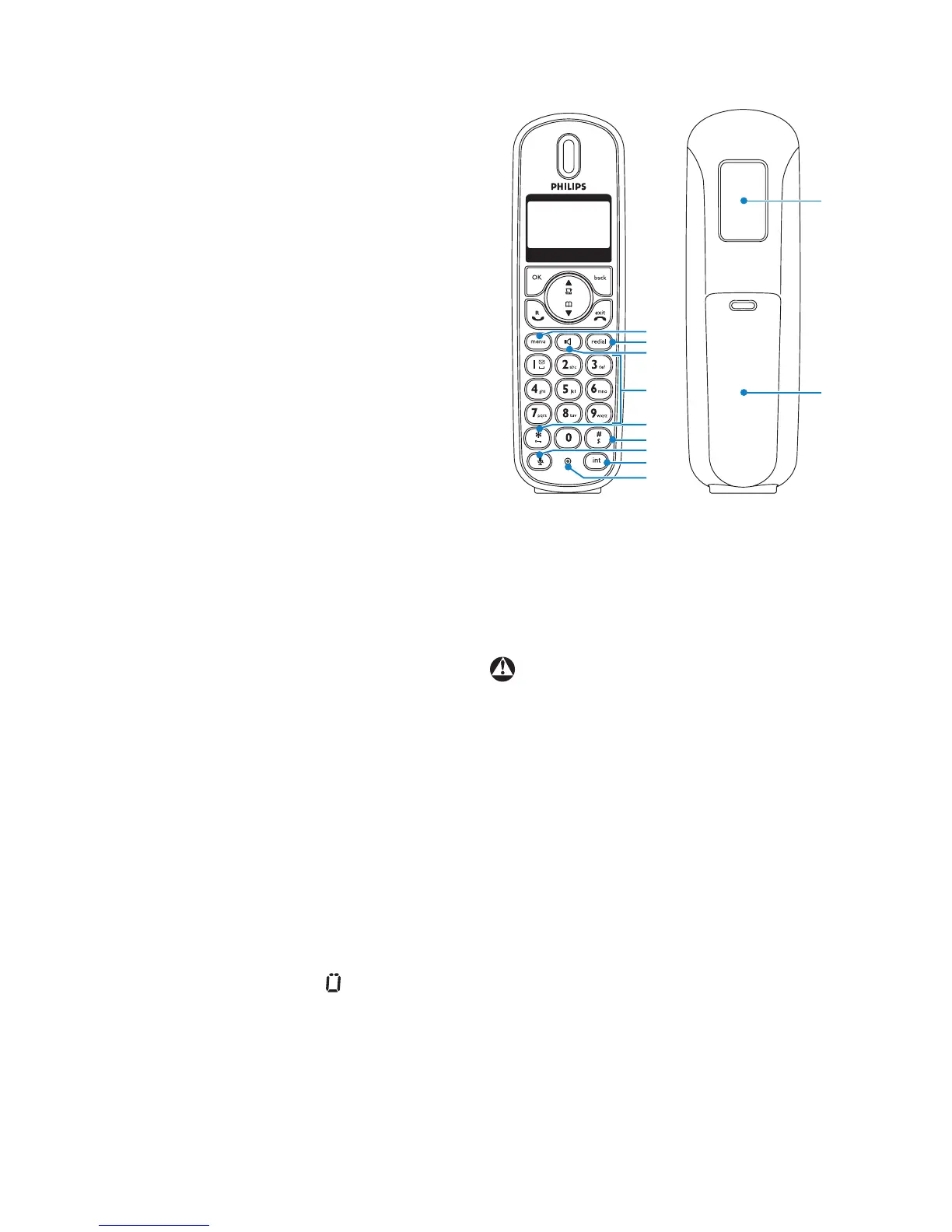
H Menu key m
In idle mode: Go to the main menu.
I Redial key r
Access the Redial list in idle mode.
When making a call, press to redial the
last number dialed.
J Loudspeaker key l
In idle mode: Turn on the loudspeaker
and dial the number. Answer an incoming
call using handsfree mode.
During a call: Toggle the loudspeaker on/
off.
K Number keys
Use to dial numbers and write
characters.
Long press key 1 or 2 to dial a direct
access memory number.
L */Keypad lock key *
In idle mode: Long press to lock/ unlock
keypad.
Dialling or editing: Press to enter a “*”.
Off hook: Long press to temporarily
switch to tone (DTMF) dialling if using
pulse.
M #/Ringer ON/OFF & Pause key
#
In idle mode: Long press to turn the
ringer on/off.
Dialling or Editing: Long press to insert a
pause. Short press to insert a “#” (On
the display, # appears as .).
NMute key s
Mute/unmute the microphone.
O Call transfer & Intercom key i
In idle mode: Initiate an internal call.
During a call: Short press to hold the line
and page another handset. Long press to
set up a conference between an external
call and two handsets.
P Microphone
Q Loudspeaker
Handsfree activation can suddenly
increase the volume in the earpiece to a
very high level. Make sure the handset is
not too close to your ear.
RBattery door
Warning
I
M
O
H
L
N
K
J
P
Q
R


 To Next Page