Need help?
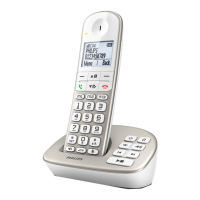
Do you have a question about the Philips SE150 and is the answer not in the manual?
Product requires 220-240V AC supply and proper grounding.
General safety guidelines for phone usage, including heat, drops, and cleaning.
Product compliance with EU directives and network connection.
Explanation of DECT GAP compatibility and basic functions.
Instructions for environmentally sound disposal of the product.
Information on electromagnetic fields and product safety precautions.
Lists all components provided with the Philips phone package.
Details on handset buttons, display, and base station functionality.
Meaning of various icons displayed on the handset screen.
Identification of parts and features of the phone's base station.
Steps to connect the base station to power and telephone line.
Guidance for securely mounting the base station on a wall.
Procedures for inserting batteries and initial handset charging.
Initial phone setup for country, language, and operator.
Navigation guide through the phone's menu system.
Instructions for initiating outgoing calls using different methods.
How to receive and respond to incoming calls.
Methods for terminating an active conversation.
Procedure to power the handset on and off.
How to secure the keypad from accidental use.
Guide to inputting characters and digits via the keypad.
Features available during an active phone call.
Managing contacts, storing, editing, and deleting entries.
Accessing and managing the list of recently dialed numbers.
Viewing and managing the history of incoming and outgoing calls.
Features for internal calls, call transfer, and conference calls.
Locating a handset using the paging feature.
Customizing the name displayed on the handset.
Adjusting ring volume, melodies, and key beep.
Choosing the language for the handset display.
Enabling automatic call ending by placing handset on base.
Configuring the current date and time on the phone.
Selecting preferred display formats for date and time.
Configuring alarm times and modes.
Choosing the sound for the alarm notification.
Modifying the Master PIN for registration and security.
Procedure to add new handsets to the base station.
Procedure to remove handsets from the base station.
Changing the phone's country-specific settings.
Restoring the phone to its factory default settings.
Defining a prefix for outgoing calls.
Adjusting the dial delay for line disconnection.
Selecting between tone and pulse dialing methods.
Disabling the first ring for incoming calls.
Table listing all default configuration values.
Details on display, features, storage, battery, power, and environmental conditions.
Solutions for problems related to phone connection and power.
Resolving issues with ringing, audio clarity, and microphone.
Addressing common problems like keypad, registration, and display errors.
 General
| Brand | Philips |
|---|---|
| Model | SE150 |
| Category | Cordless Telephone |
| Language | English |


 To Next Page