EasyManua.ls Logo

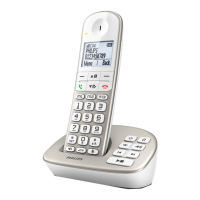
Philips XL490 Duo - User Manual

Philips XL490 Duo
50 pages
Print Icon
To Next Page IconTo Next Page
Loading...
www.philips.com/support
User manual
Always there to help you
Register your product and get support at
XL490
XL495
Question?
Contact
Philips
Questo manuale d’istruzione è fornito da trovaprezzi.it. Scopri tutte le offerte per Philips XL490 Duo o
cerca il tuo prodotto tra le migliori offerte di Telefoni Cordless

Table of Contents

Question and Answer IconNeed help?

Do you have a question about the Philips XL490 Duo and is the answer not in the manual?

Summary

Your phone

What is in the box

Lists the items included with the phone.

Overview of the phone

Details handset buttons and their functions.

Overview of the base station

Describes the base station layout and indicators.

Get started

Connect the base station

Instructions for connecting the base station to power and telephone line.

Install the handset

Instructions for installing the handset battery and preparing it for use.

Configure your phone (country dependent)

Initial phone setup including country and language selection.

Set the date and time

Procedure for setting the date and time on the handset.

Change the remote access PIN code (for XL495)

How to change the PIN for remote answering machine access.

Calls

Make a call

Explains how to make normal, predial, and direct key calls.

Answer a call

Details how to answer an incoming call.

Call Management During a Call

Covers ending calls, adjusting volume, muting, speakerphone, and managing multiple calls.

Make a conference call with the external callers

How to establish a 3-way conference call with external parties.

Intercom and conference calls

Make a call to another handset

How to make an intercom call between handsets.

Switch between calls

How to switch between external and intercom calls.

Make a conference call

How to initiate a 3-way conference call involving another handset.

Text and numbers

Enter text and numbers

Guide to inputting characters and numbers on the handset.

Switch between uppercase and lowercase

How to change text input case during typing.

Phonebook

Direct keys

How to set up and use speed dial direct keys.

Direct access memories

Information on using direct access memory keys.

View the phonebook

How to access and view contacts in the phonebook.

Search a record

Methods for searching phonebook entries by name or initial.

Add a record

Steps to add new contacts to the phonebook.

Edit a record

How to modify existing phonebook entries.

Delete a record

Steps to remove a single contact from the phonebook.

Delete all records

How to clear the entire phonebook.

Call log

Select the call list type

How to set the type of calls displayed in the call log.

View the call records

How to access and view the call history.

Save a call record to the phonebook

How to save a number from the call log to the phonebook.

Return a call

How to call back a number from the call log.

Delete a call record

How to delete a single entry from the call log.

Delete all call records

How to clear the entire call log.

Redial list

Access the redial list during a call

How to access redial numbers while on a call.

Delete a redial record

How to remove a single entry from the redial list.

Delete all redial records

How to clear the entire redial list.

Phone settings

Sound settings

Options for audio adjustments including volume, ringtones, and audio boost.

Set the hearing aid compatibility

How to enable hearing aid compatibility for improved sound.

Set the sound profile

How to select different sound profiles for earpiece or loudspeaker.

Set the handsets ringtone volume

How to adjust the volume for incoming calls.

Set the handsets ringtone

How to select a ringtone for incoming calls.

Set the visual ring

How to enable visual alerts for incoming calls.

Silent mode

How to set the phone to silent mode and for a specified duration.

Set the key tone

How to enable or disable key press sounds.

Set the docking tone

How to enable or disable the sound when placing the handset on the charger.

Set the battery tone

How to enable or disable low battery alert sounds.

Eco mode

How to activate Eco mode to reduce power consumption.

ECO+ mode

How to activate ECO+ mode for radiation elimination.

Name the handset

How to assign a name to the handset.

Set the display language

How to change the language displayed on the handset.

Auto answer

How to enable automatic answering of calls.

Set the handset LED indicator behavior

How to configure LED indicator for events and charging status.

Alarm clock

Set the alarm

Instructions for setting a one-time or daily alarm.

Turn off the alarm

How to disable an active or set alarm.

Telephone answering machine

Turn the answering machine on or off

How to activate or deactivate the answering machine.

Family notes

How to record an audio note for family members.

Set the answering machine language

How to set the language for answering machine announcements.

Set the answer mode

How to configure the answering machine to answer only or record calls.

Announcements

Instructions for recording or restoring default announcements.

Listen to the incoming messages

How to play back recorded messages from base or handset.

Delete an incoming message

How to delete individual incoming messages.

Delete all old incoming messages

How to erase all stored messages.

Call screening

How to listen to callers leaving messages and answer them.

Set the ring delay

How to set the number of rings before the answering machine picks up.

Remote access

How to access the answering machine remotely.

Activate;deactivate the remote access

How to enable or disable remote access.

Change the PIN code

How to change the PIN for remote access.

Services

Call list type

How to set the type of calls displayed in the call log.

Auto conference

How to enable auto conference for joining calls.

Call barring

How to block outgoing calls based on number prefixes.

Call blocking

Methods to block incoming calls, including anonymous and blacklisted numbers.

Network type

How to select the network type.

Auto prefix

How to automatically add a prefix to dialed numbers.

Select the recall duration

How to set the duration for call recalls.

Dial mode

How to select the telephone signal mode (tone/pulse).

Auto clock

How to synchronize date and time automatically.

Register additional handsets

How to add new handsets to the base station.

Unregister the handsets

How to remove handsets from the base station.

Restore default settings

How to reset phone settings to factory defaults.

Technical data

Notice

Declaration of conformity

Statement of compliance with EU directives.

Use GAP standard compliance

Explanation of GAP standard for DECT compatibility.

Compliance with EMF

Statement regarding compliance with electromagnetic field regulations.

Disposal of your old product and battery

Guidance on environmentally friendly disposal of the product and batteries.

Appendix

Text and number input tables

Tables showing character mapping for different languages.

Frequently asked questions

Troubleshooting Connection and Signal Issues

Covers no signal, searching status, connection loss, distorted sound, and no dialing/docking tone.

Configuration and Setup Help

Assistance with language selection, pairing, and hearing aid compatibility.

Troubleshooting Handset and Audio Issues

Addresses handset charging, bad audio, no ringing, and caller ID display problems.

Summary

Your phone

What is in the box

Lists the items included with the phone.

Overview of the phone

Details handset buttons and their functions.

Overview of the base station

Describes the base station layout and indicators.

Get started

Connect the base station

Instructions for connecting the base station to power and telephone line.

Install the handset

Instructions for installing the handset battery and preparing it for use.

Configure your phone (country dependent)

Initial phone setup including country and language selection.

Set the date and time

Procedure for setting the date and time on the handset.

Change the remote access PIN code (for XL495)

How to change the PIN for remote answering machine access.

Calls

Make a call

Explains how to make normal, predial, and direct key calls.

Answer a call

Details how to answer an incoming call.

Call Management During a Call

Covers ending calls, adjusting volume, muting, speakerphone, and managing multiple calls.

Make a conference call with the external callers

How to establish a 3-way conference call with external parties.

Intercom and conference calls

Make a call to another handset

How to make an intercom call between handsets.

Switch between calls

How to switch between external and intercom calls.

Make a conference call

How to initiate a 3-way conference call involving another handset.

Text and numbers

Enter text and numbers

Guide to inputting characters and numbers on the handset.

Switch between uppercase and lowercase

How to change text input case during typing.

Phonebook

Direct keys

How to set up and use speed dial direct keys.

Direct access memories

Information on using direct access memory keys.

View the phonebook

How to access and view contacts in the phonebook.

Search a record

Methods for searching phonebook entries by name or initial.

Add a record

Steps to add new contacts to the phonebook.

Edit a record

How to modify existing phonebook entries.

Delete a record

Steps to remove a single contact from the phonebook.

Delete all records

How to clear the entire phonebook.

Call log

Select the call list type

How to set the type of calls displayed in the call log.

View the call records

How to access and view the call history.

Save a call record to the phonebook

How to save a number from the call log to the phonebook.

Return a call

How to call back a number from the call log.

Delete a call record

How to delete a single entry from the call log.

Delete all call records

How to clear the entire call log.

Redial list

Access the redial list during a call

How to access redial numbers while on a call.

Delete a redial record

How to remove a single entry from the redial list.

Delete all redial records

How to clear the entire redial list.

Phone settings

Sound settings

Options for audio adjustments including volume, ringtones, and audio boost.

Set the hearing aid compatibility

How to enable hearing aid compatibility for improved sound.

Set the sound profile

How to select different sound profiles for earpiece or loudspeaker.

Set the handsets ringtone volume

How to adjust the volume for incoming calls.

Set the handsets ringtone

How to select a ringtone for incoming calls.

Set the visual ring

How to enable visual alerts for incoming calls.

Silent mode

How to set the phone to silent mode and for a specified duration.

Set the key tone

How to enable or disable key press sounds.

Set the docking tone

How to enable or disable the sound when placing the handset on the charger.

Set the battery tone

How to enable or disable low battery alert sounds.

Eco mode

How to activate Eco mode to reduce power consumption.

ECO+ mode

How to activate ECO+ mode for radiation elimination.

Name the handset

How to assign a name to the handset.

Set the display language

How to change the language displayed on the handset.

Auto answer

How to enable automatic answering of calls.

Set the handset LED indicator behavior

How to configure LED indicator for events and charging status.

Alarm clock

Set the alarm

Instructions for setting a one-time or daily alarm.

Turn off the alarm

How to disable an active or set alarm.

Telephone answering machine

Turn the answering machine on or off

How to activate or deactivate the answering machine.

Family notes

How to record an audio note for family members.

Set the answering machine language

How to set the language for answering machine announcements.

Set the answer mode

How to configure the answering machine to answer only or record calls.

Announcements

Instructions for recording or restoring default announcements.

Listen to the incoming messages

How to play back recorded messages from base or handset.

Delete an incoming message

How to delete individual incoming messages.

Delete all old incoming messages

How to erase all stored messages.

Call screening

How to listen to callers leaving messages and answer them.

Set the ring delay

How to set the number of rings before the answering machine picks up.

Remote access

How to access the answering machine remotely.

Activate;deactivate the remote access

How to enable or disable remote access.

Change the PIN code

How to change the PIN for remote access.

Services

Call list type

How to set the type of calls displayed in the call log.

Auto conference

How to enable auto conference for joining calls.

Call barring

How to block outgoing calls based on number prefixes.

Call blocking

Methods to block incoming calls, including anonymous and blacklisted numbers.

Network type

How to select the network type.

Auto prefix

How to automatically add a prefix to dialed numbers.

Select the recall duration

How to set the duration for call recalls.

Dial mode

How to select the telephone signal mode (tone/pulse).

Auto clock

How to synchronize date and time automatically.

Register additional handsets

How to add new handsets to the base station.

Unregister the handsets

How to remove handsets from the base station.

Restore default settings

How to reset phone settings to factory defaults.

Technical data

Notice

Declaration of conformity

Statement of compliance with EU directives.

Use GAP standard compliance

Explanation of GAP standard for DECT compatibility.

Compliance with EMF

Statement regarding compliance with electromagnetic field regulations.

Disposal of your old product and battery

Guidance on environmentally friendly disposal of the product and batteries.

Appendix

Text and number input tables

Tables showing character mapping for different languages.

Frequently asked questions

Troubleshooting Connection and Signal Issues

Covers no signal, searching status, connection loss, distorted sound, and no dialing/docking tone.

Configuration and Setup Help

Assistance with language selection, pairing, and hearing aid compatibility.

Troubleshooting Handset and Audio Issues

Addresses handset charging, bad audio, no ringing, and caller ID display problems.

Philips XL490 Duo Specifications

General IconGeneral
TypeCordless Telephone
Number of Handsets2
Caller IDYes
Phonebook Capacity50 entries
Talk Time12 hours
Ringtones10 polyphonic
SpeakerphoneYes
GAP compatibleYes
Call WaitingYes
Answering MachineNo
IntercomYes
RangeUp to 300m outdoors
Frequency1.9 GHz
Power SourceRechargeable battery

Related product manuals