26
Getting started
hours) and discharging, allowing
approximately 12 hours of talk-time and
150 hours of stand-by time.
The indoor and outdoor range of the
phone is up to 50 metres and 300 metres
respectively. When the handset moves
beyond the operation range, the antenna
icon will blink.
When you reach the range limit the
conversation may become crackly. Move
closer to the base.
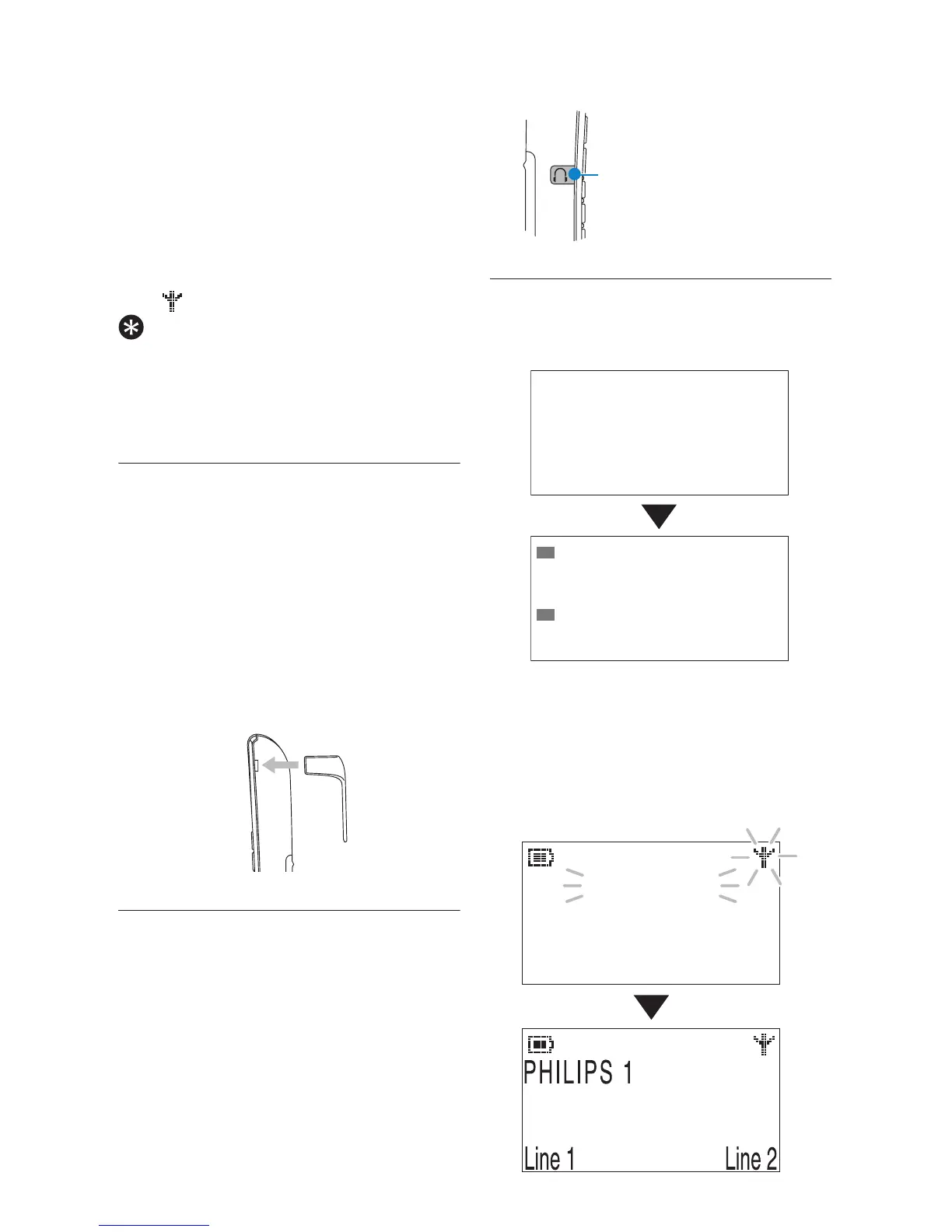
7.4 Remove/Attach belt clip
A belt clip allows you to carry your
handset on your belt.
1 To remove the belt clip, simply pull
the clip away from the handset.
2 To attach the belt clip to your
handset, fit the tabs on the belt clip
into the slots at the back of the
handset and push into place.
7.5 Install optional headset
Your phone may be used with an
optional headset (not included in the
box). To use this feature, insert the
headset plug into the headset jack. Your
phone is ready for hands-free
conversations.
7.6 Power up
On the base, the screen below is shown
during power up.
The handset will start searching and the
backlight will turn on.
Handset screen
Tip
Diameter: 2.5 mm
Please Wait...
Welcome
01/01/2008
TUE 00:01 AM
L1
L2
3
0
Searching...
01/01 00:01



 To Next Page