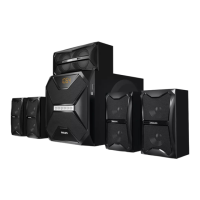
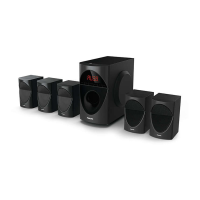
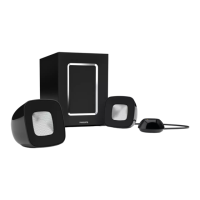
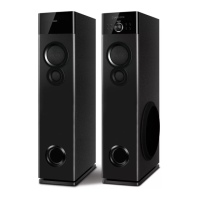
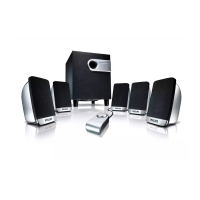
This document describes the Philips SPA5220B 5.1 multimedia speaker system, a comprehensive audio solution designed for indoor use. The system is engineered to provide an immersive sound experience, suitable for various audio sources such as mobile phones, DVDs, and other multimedia devices. It emphasizes user safety, ease of connection, intuitive operation, and straightforward maintenance.
The core function of the Philips SPA5220B is to deliver high-quality 5.1 surround sound. This is achieved through a subwoofer and five satellite speakers (front left, front right, center, surround left, and surround right), which work together to create a rich and enveloping audio environment. The system is designed to enhance the audio experience for movies, music, and gaming, providing clear highs, detailed mids, and deep, resonant bass.
Usage Features:
The system offers multiple input options, making it versatile for various audio sources. It includes RCA audio input and output sockets, allowing connection to devices like TVs, CD players, and DVD players. For modern convenience, it features Bluetooth connectivity, enabling wireless streaming from compatible mobile phones and other Bluetooth devices. Additionally, the system supports USB and SD card inputs, providing direct playback of MP3 files from storage devices. An FM antenna connection is also available for radio listening.
The front panel and remote control provide intuitive ways to operate the system. The "SRC" key on the front panel or "DVD/BT" key on the remote allows users to switch between different input modes, including Audio In, Bluetooth, DVD, USB, SD, and FM radio. When in Bluetooth mode, the display shows "bt" blinking during pairing, and a tone confirms successful connection. The remote control also features a "PRO-LOGIC" button to enable or disable the surround sound function, allowing users to switch between 2.1 and 5.1 output modes, or between real 5.1 and prologic-enhanced surround sound in DVD mode.
Navigation and playback controls are comprehensive. Users can play previous or next songs in USB, SD, and Bluetooth modes, or navigate between preset FM stations. The "SCAN" function allows for automatic searching and saving of FM channels. Volume control is available on both the front panel and the remote, with distinct adjustments for overall volume and individual channel volumes (front, surround, center, subwoofer) via the "SELECT" button. The system also includes an equalizer ("EQ") with various preset modes like POP, ROCK, JAZZ, CLASSIC, and COUNTRY, enhancing the listening experience in USB/SD modes. Numeric keys on the remote allow for direct selection of tracks or input of FM frequencies.
The system's design emphasizes optimal sound positioning. The subwoofer is recommended to be placed on the floor for the best acoustic effect. For an ideal surround sound experience, all satellite speakers (front left, front right, center, surround left, and surround right) should be positioned at an equal distance from the listening position. The front speakers should be placed at equal distances from the TV, at an angle of approximately 45 degrees. The center speaker should be positioned above the TV to localize the center channel's sound. The surround speakers are best placed at normal listening ear level, facing each other or mounted on the wall. A helpful hint is to avoid placing speakers too close to the TV to prevent magnetic interference.
Maintenance Features:
Safety and care instructions are clearly outlined to ensure the longevity and proper functioning of the device. Users are advised to avoid sustained periods of high-volume use, especially with high-output signals, to prevent distortion and potential damage to loudspeaker cones. When not in use, the system should be switched off from the wall socket.
The product should not be exposed to dripping or splashing liquids, and no liquid-filled objects (like vases) should be placed on it. Similarly, no sources of danger, such as lighted candles, should be placed on the subwoofer or satellites. The system should not be installed near heat sources. Adequate ventilation is crucial; at least 10cm (4 inches) of free space should be maintained around the apparatus to prevent internal heat buildup. It's noted that the back cover of the subwoofer may become hot at high volumes, and users should avoid touching it.
For cleaning the cabinet, a soft cloth slightly moistened with water is recommended. Harsh cleaning agents containing alcohol, spirits, ammonia, or abrasives should be avoided as they can damage the finish.
Troubleshooting guidance is provided for common issues. For instance, if there's no power, users should check the AC power cord connection. For sound issues, adjusting the volume or selecting the correct source is advised. Remote control malfunctions can often be resolved by reducing distance, replacing batteries, or pointing the remote directly at the IR sensor. Low hum or buzz sounds may indicate interference from other electrical devices, suggesting the system be moved further away. Issues with USB/SD flash drives might be due to incompatible file formats or the need to reinsert the drive. FM tuning problems can be addressed by matching local frequencies or turning off other radiation sources like TVs or DVDs. Bluetooth connectivity issues might require reducing distance or re-pairing the device.
The warranty information highlights that the system is warranted against defects in materials or workmanship for 12 months from the date of purchase. However, the warranty is void if the product is not accompanied by the warranty card, if the card is incomplete, if the apparatus is not used according to the manual, if defects are caused by improper or reckless use, if repairs are done by unauthorized personnel, if modifications are made, if the serial number is tampered with, or if defects are due to causes beyond control (e.g., lightning, abnormal voltage, acts of God) or during transit. Consumables and parts subject to normal wear and tear are not covered by the warranty.


 To Next Page
 General